VPLEX: How to Encapsulate ESXi hosts
Summary: This article details the steps to generate a SolVe Desktop procedure for encapsulating arrays on ESXi hosts.
This article applies to
This article does not apply to
This article is not tied to any specific product.
Not all product versions are identified in this article.
Instructions
The procedure for encapsulating arrays on ESXi hosts is found in Solve Desktop Procedure Generator at the following location:
VPLEX > Miscellaneous > Admin > Admin Procedures > Encapsulate > ESXi
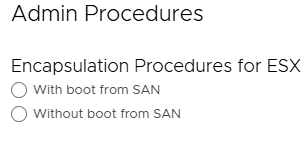
A procedure is generated depending on the following type of encapsulation procedure chosen:
Note: If SolVe Desktop is required, follow article How to Download and Install SolVe Desktop for installation. (A Dell Support account is required to view this article.)
Affected Products
VPLEX, VPLEX GeoSynchronyProducts
VPLEX VS2, VPLEX VS6Article Properties
Article Number: 000158201
Article Type: How To
Last Modified: 01 Oct 2025
Version: 5
Find answers to your questions from other Dell users
Support Services
Check if your device is covered by Support Services.