Avamar: Inloggen mislukt Resultaat: 0 ERROR Afsluitcode 66: Gebruiker niet gevonden in Avamar-database
Summary: Kan niet aanmelden met LDAP-verificatie (Lightweight Directory Access Protocol).
This article applies to
This article does not apply to
This article is not tied to any specific product.
Not all product versions are identified in this article.
Symptoms
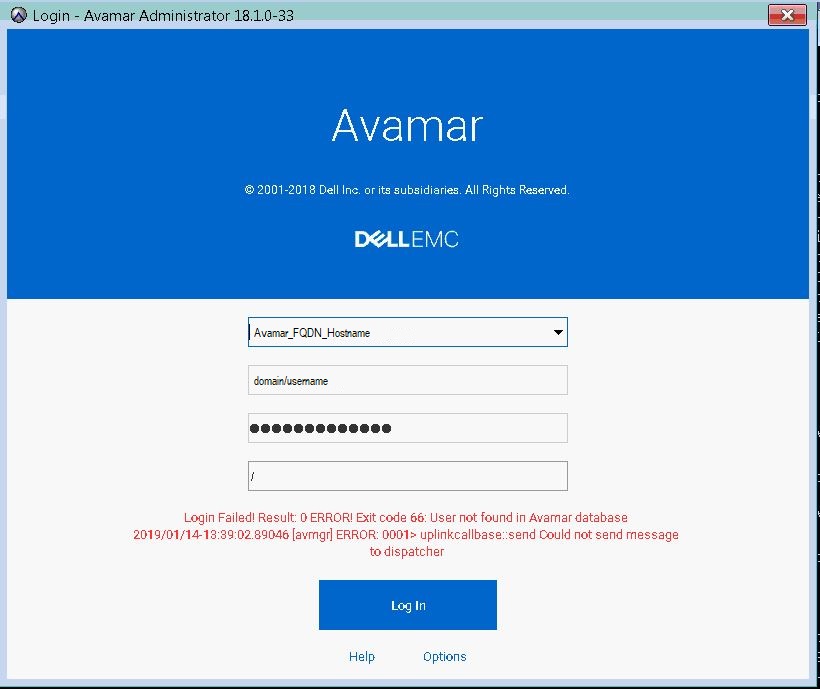
Als u zich probeert aan te melden, wordt het volgende foutbericht weergegeven nadat LDAP-authenticatie correct is geconfigureerd voor gebruikers om toegang te krijgen tot Avamar Administrator.
"Login Failed! Result: 0 ERROR! Exit code 66: User not found in Avamar database 2019/01/14-18:39:02.89046 [avmgr] ERROR: 0001> uplinkcallbase:: send Could not send message to dispatcher"
Cause
Er werd een onjuiste gebruikersnaamsyntaxis gebruikt.
Resolution
Gebruik de juiste gebruikersnaamsyntaxis om u aan te melden met behulp van LDAP-authenticatie, namelijk:
username@domain_name
Voorbeeld: johndoe@enterprise.com
Opmerking: domain_name moet hetzelfde zijn geconfigureerd in.
/usr/local/avamar/etc/ldap.properties and /usr/local/avamar/etc/krb5.conf
Voorbeelden:
root@avamar:/usr/local/avamar/etc/#: grep ldap.qualified-name-default ldap.properties
ldap.qualified-name-default=enterprise.com

root@avamar:/usr/local/avamar/etc/#: grep default_domain krb5.conf
default_domain = enterprise.com
Additional Information
In het onderstaande artikel vindt u basisinstructies voor het correct configureren van LDAP.
Meer informatie vindt u in de Avamar Administration Guide voor de gebruikte versie.
Affected Products
AvamarProducts
AvamarArticle Properties
Article Number: 000167659
Article Type: Solution
Last Modified: 17 Oct 2025
Version: 4
Find answers to your questions from other Dell users
Support Services
Check if your device is covered by Support Services.