EMC M&R | ViPR SRM: Information missing from reports for non-admin users
Summary: When reviewing reports as a non-global admin user, there is data missing from reports due to the role restrictions for the number of metrics.
This article applies to
This article does not apply to
This article is not tied to any specific product.
Not all product versions are identified in this article.
Symptoms
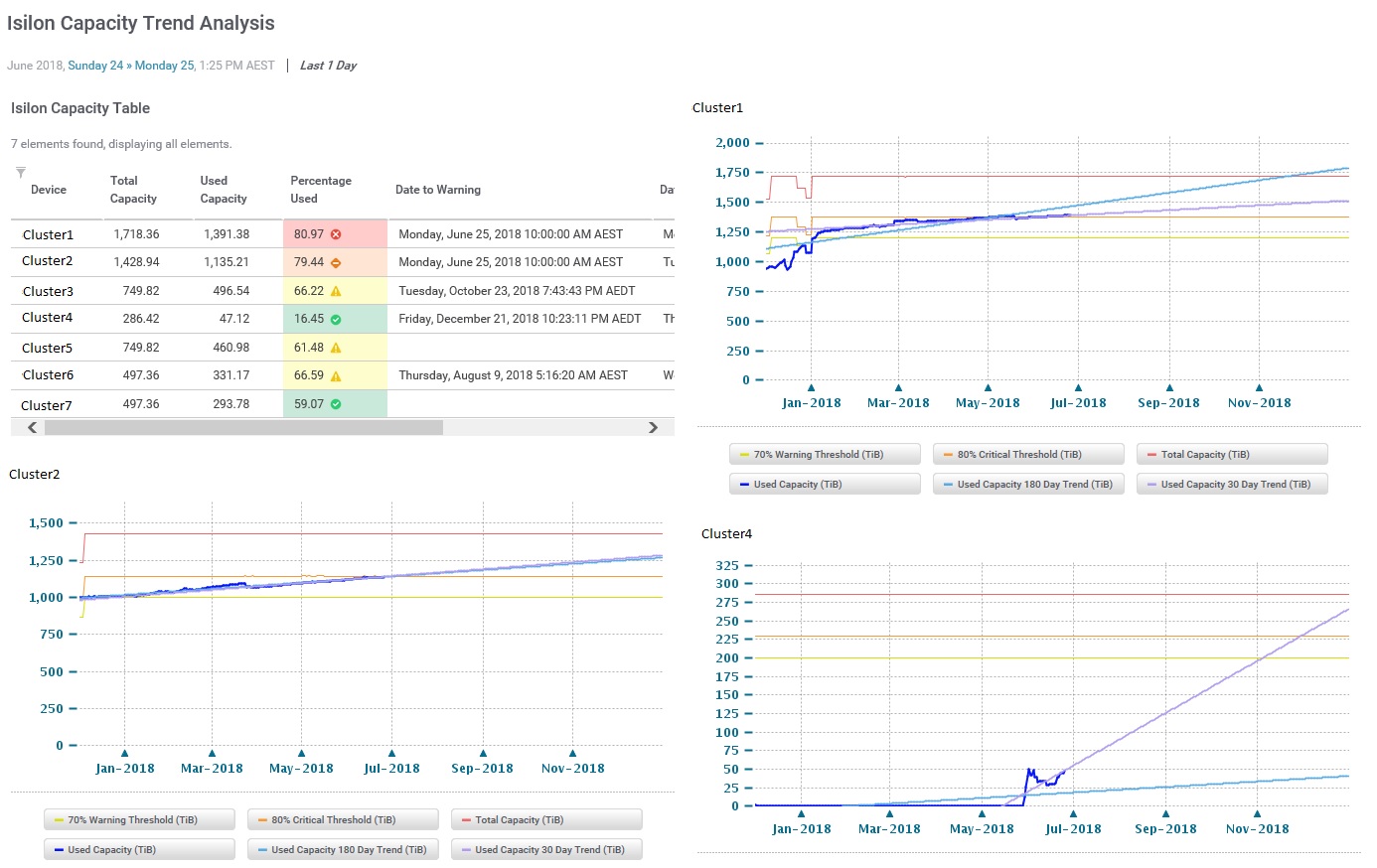
- When accessing the report as a global administrator user, data in the report is properly selected and has no issue being displayed. For example:
- When accessing the report as a non-global admin user, some of the data is not properly selected and not displayed in the report. For example:
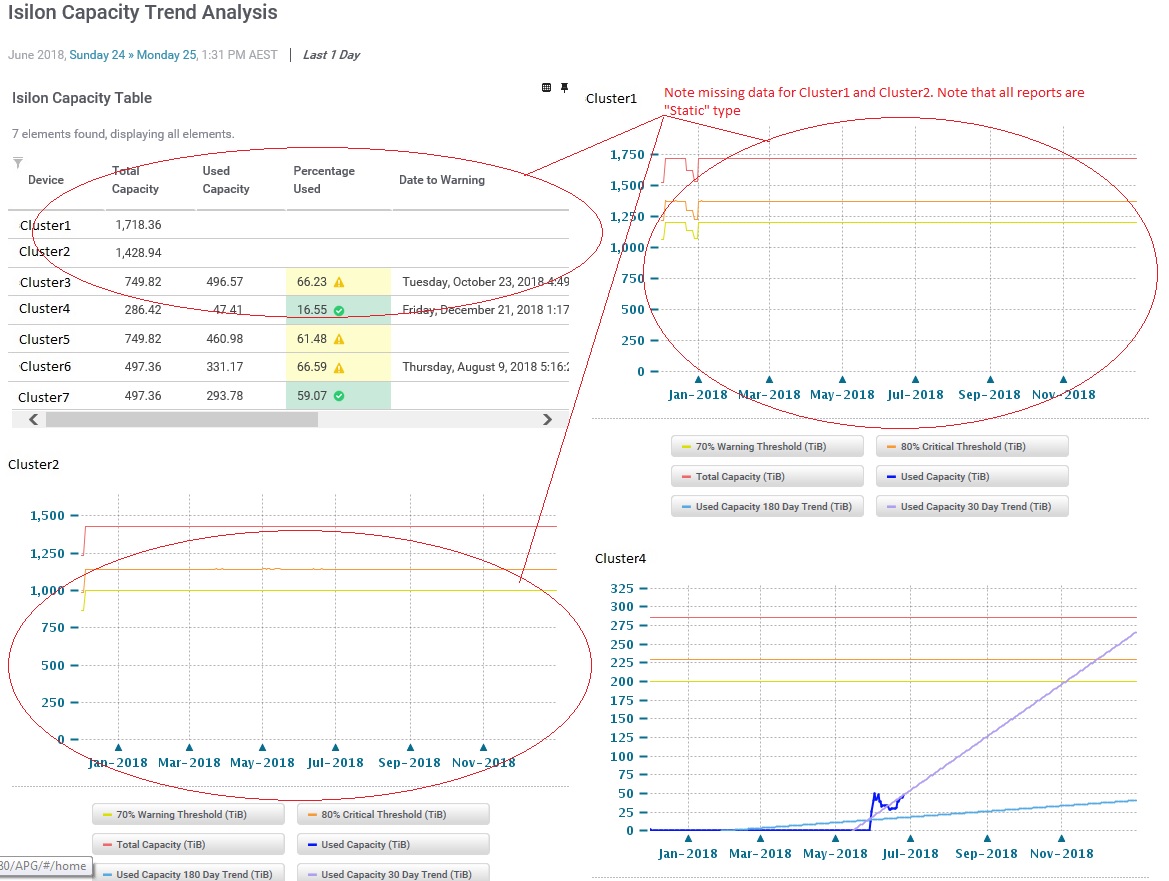
- No errors or misconfiguration with data collection and the data is present in the database.
Cause
The non-global admin user in question has role restrictions for displaying metrics in a report which prevented some reports from displaying all available data. Global administrator users do not have any role restrictions, hence the view is not restricted for those users.
Resolution
- To change the role restrictions, log onto ViPR SRM as an administrator and navigate to the "Administration" page from the top right corner of the GUI.
- Under "Roles", select the role in question (e.g. "Full Control Users").
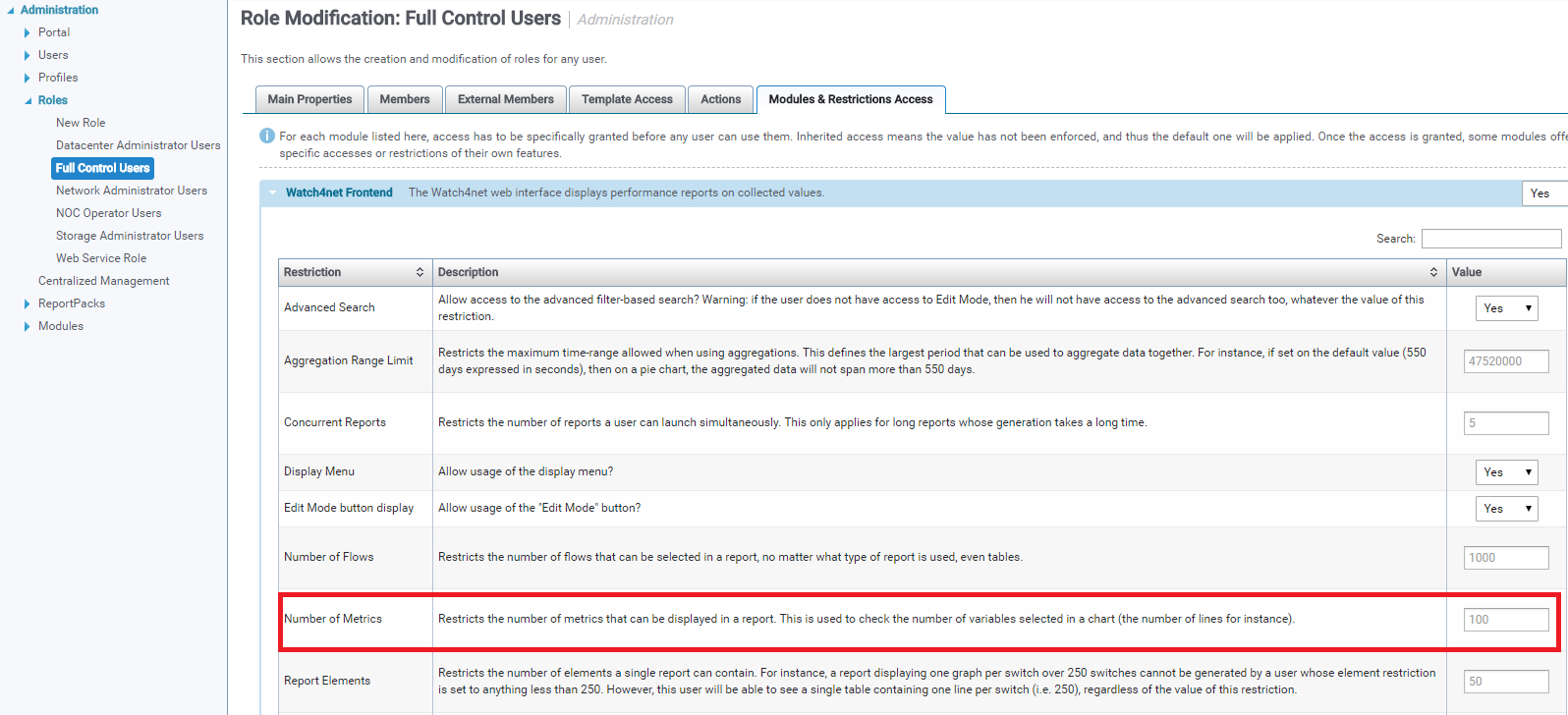
- Select the "Modules & Restrictions Access" tab and adjust the "Number of Metrics" restriction for users of this role:
- Click on the "Save" button at the bottom of the page to save changes.
Affected Products
SRMProducts
SRMArticle Properties
Article Number: 000171114
Article Type: Solution
Last Modified: 20 Nov 2020
Version: 2
Find answers to your questions from other Dell users
Support Services
Check if your device is covered by Support Services.