Dell EMC VxRail: Node vSAN static route missing during Layer 3 node expansion
Summary: Node vSAN static route missing during Layer 3 node expansion
This article applies to
This article does not apply to
This article is not tied to any specific product.
Not all product versions are identified in this article.
Symptoms
Add Layer 3 nodes to existing rack or segment.
Configuration:
Multiple segments with different vSAN subnets in the same cluster. Segments with nodes that are configured. For example, in cluster "VxRail-Virtual-SAN-Cluster-598d01e8-ec52…"
Segments "xx-s2" and "xx-s3" defined with different vSAN subnets.
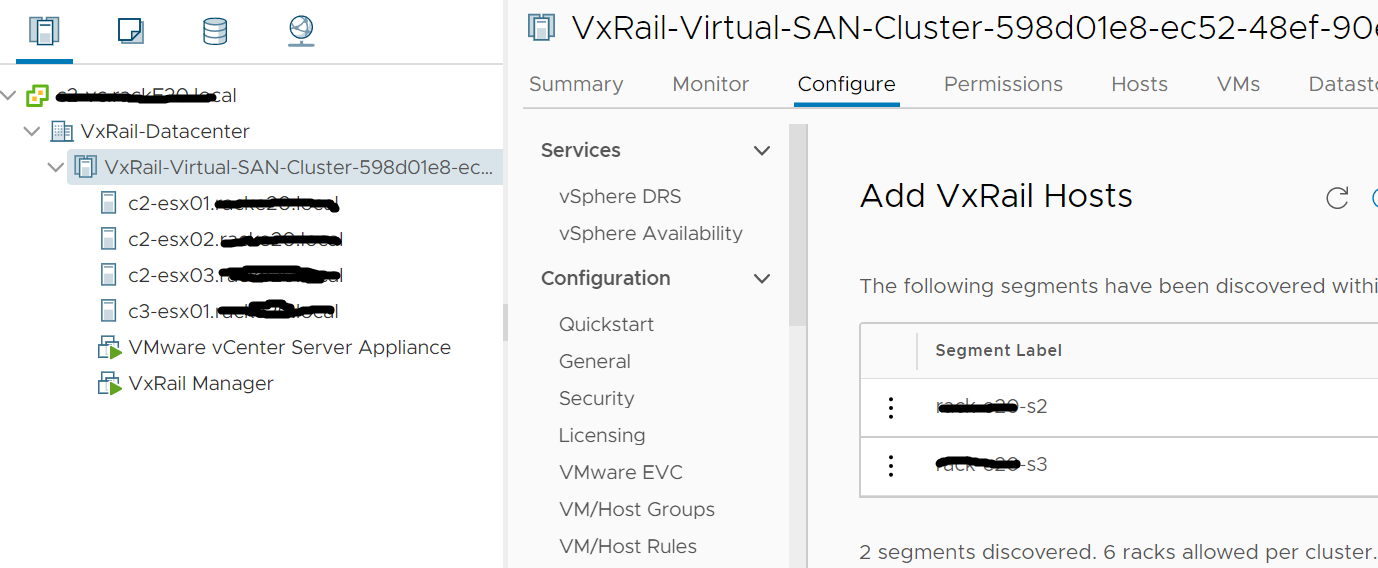
"xx-s2" with nodes "c2-esx01," "c2-esx02" and "c2-esx03" configured and vSAN subnet is xx.xx.33.0/24.
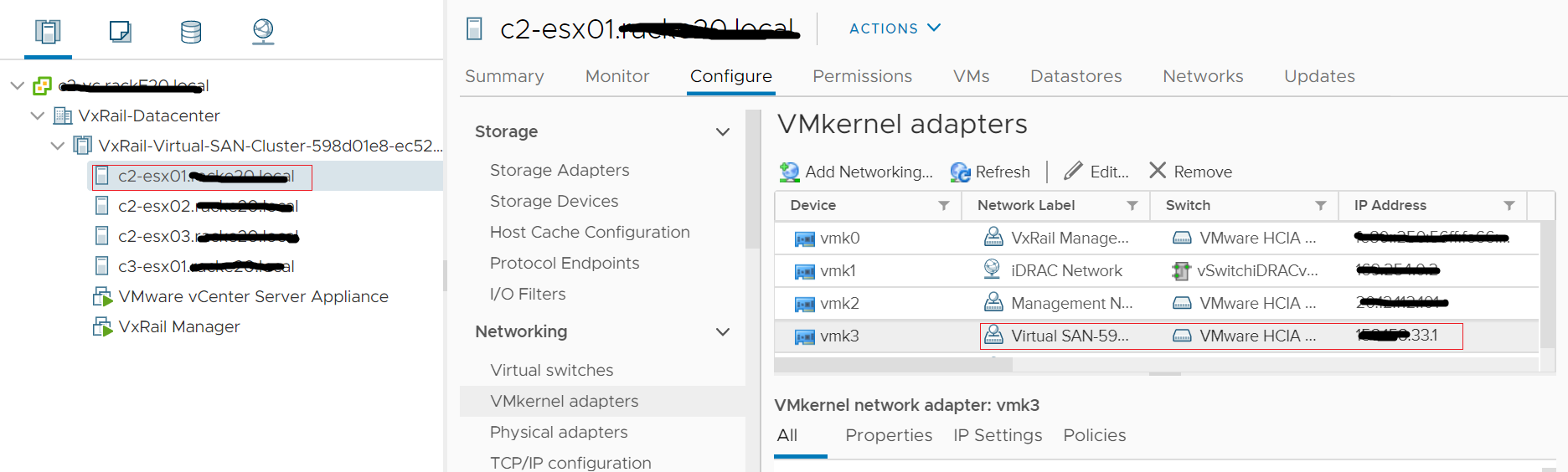
"xx-s3" with nodes "c3-esx01" configured and vSAN subnet is xx.xx.43.0/24.

Trigger condition:
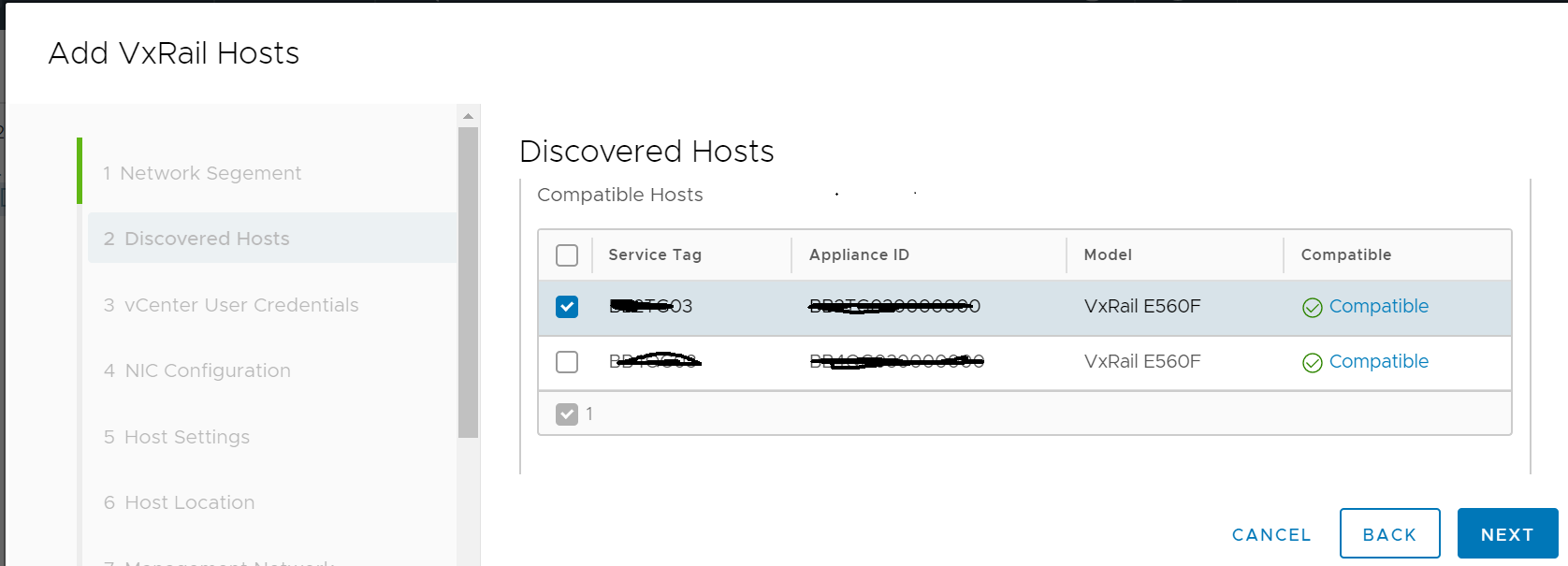
Do node expansion to add new nodes into a segment with already configured node existing. For example, do expansion to add node "xxxx03"("c3-esx02") to segment "xx-s3" with "c3-esx01" node already configured.
Impact:
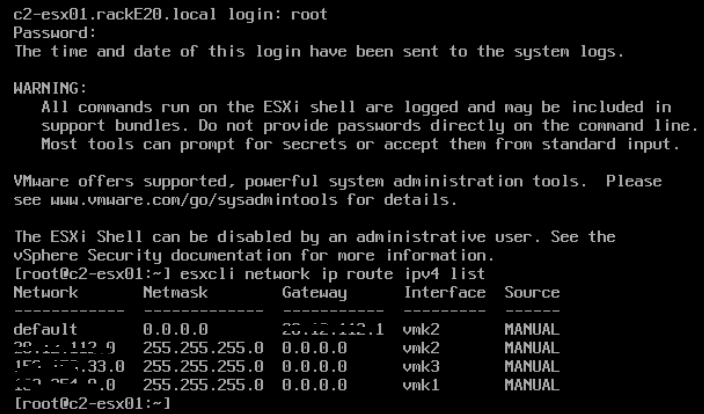
During the node expansion, after the vSAN network validation of "xxxx03" is done and before the vSAN network configuration of "xxxx03" is done, the vSAN network between "xx-s2" and "xx-s3" is down due to the static route to the vSAN subnet xx.xx.43.0/24 of segment "xx-s3" is removed on nodes "c2-esx01" during the vSAN network validation. For example, before the expansion starting, on "c2-esx01," the static route of "xx.xx.43.0/24" to "c3-esx01" can be found.
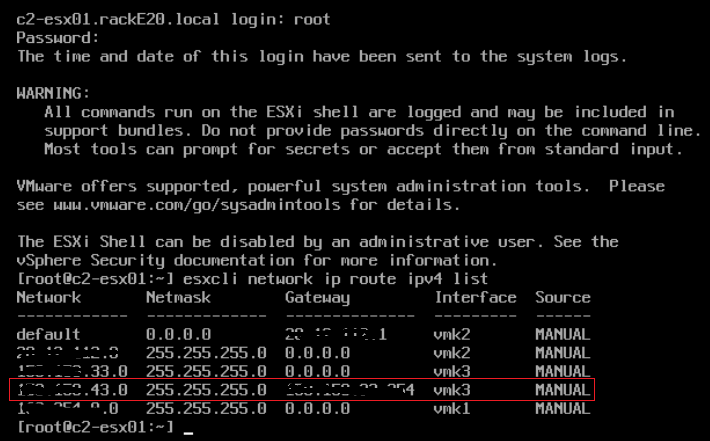
After the validation is done, the route "xx.xx.43.0/24" is removed on "c2-esx01."
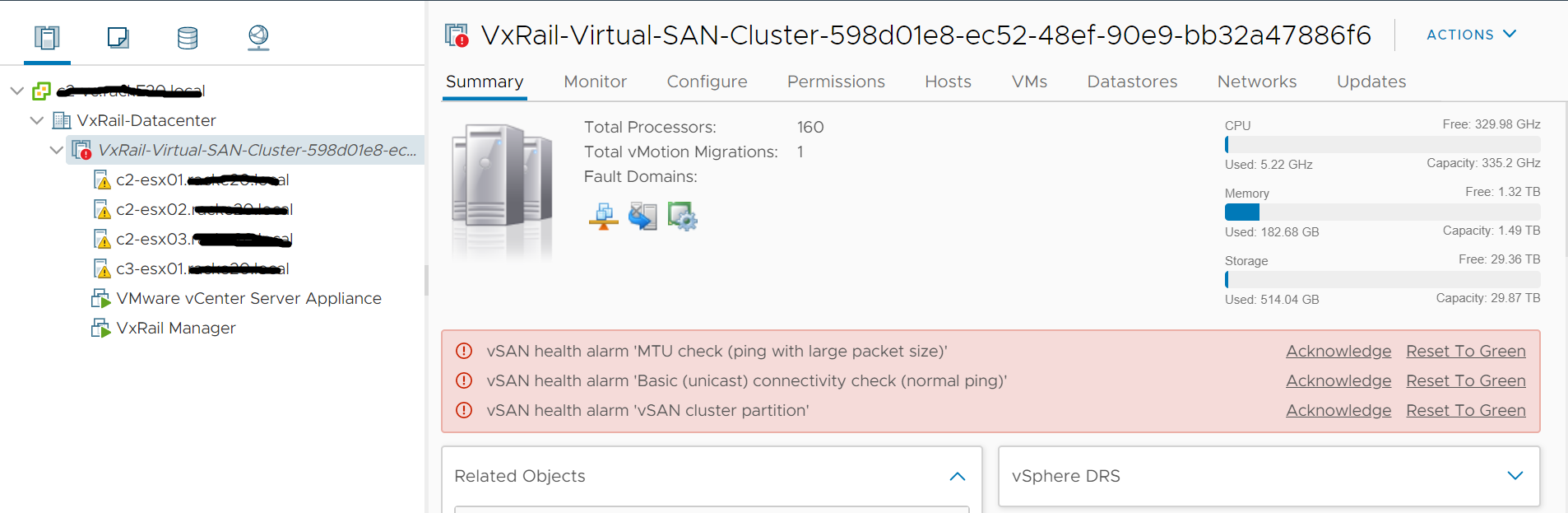
Below alarm is found on vCenter to indicate that the vSAN network is down between node "c2-esx01" and "c3-esx01."
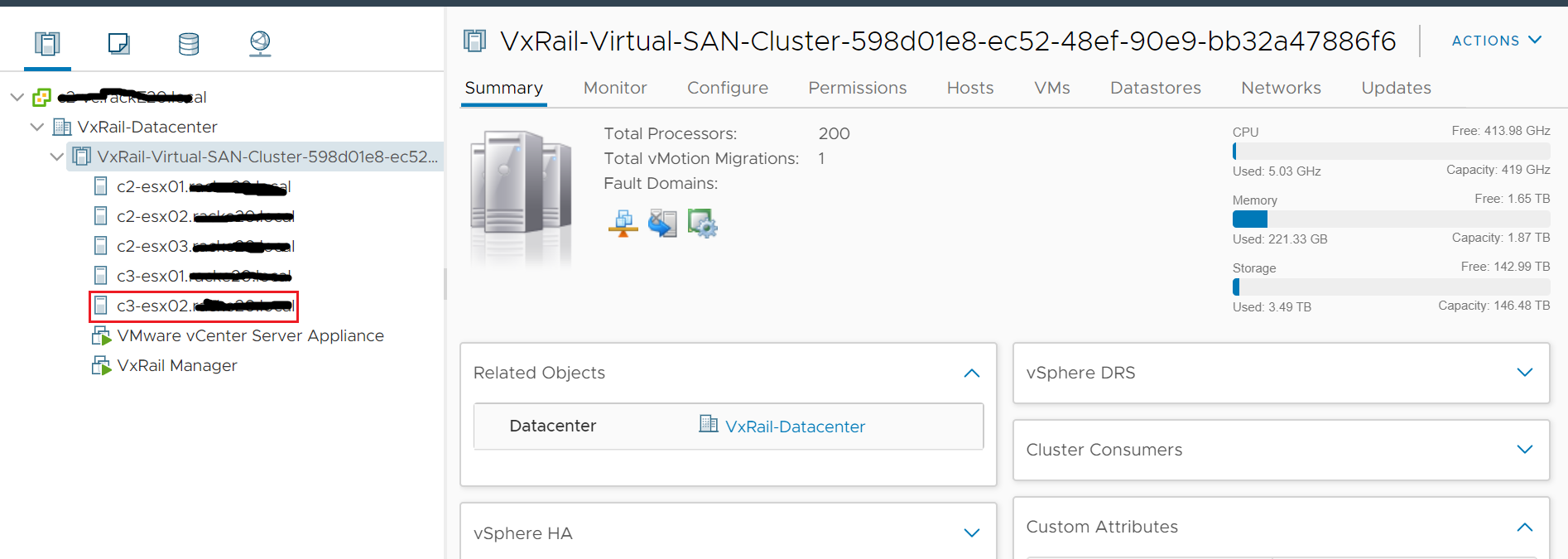
After the vSAN network configuration of "xxxx03"("c3-esx02") is done, the vSAN route is added back on "c2-esx01" and the vSAN network is recovered between node "c2-esx01" and "c3-esx01." The alarm is cleared.
Configuration:
Multiple segments with different vSAN subnets in the same cluster. Segments with nodes that are configured. For example, in cluster "VxRail-Virtual-SAN-Cluster-598d01e8-ec52…"
Segments "xx-s2" and "xx-s3" defined with different vSAN subnets.
"xx-s2" with nodes "c2-esx01," "c2-esx02" and "c2-esx03" configured and vSAN subnet is xx.xx.33.0/24.
"xx-s3" with nodes "c3-esx01" configured and vSAN subnet is xx.xx.43.0/24.
Trigger condition:
Do node expansion to add new nodes into a segment with already configured node existing. For example, do expansion to add node "xxxx03"("c3-esx02") to segment "xx-s3" with "c3-esx01" node already configured.
Impact:
During the node expansion, after the vSAN network validation of "xxxx03" is done and before the vSAN network configuration of "xxxx03" is done, the vSAN network between "xx-s2" and "xx-s3" is down due to the static route to the vSAN subnet xx.xx.43.0/24 of segment "xx-s3" is removed on nodes "c2-esx01" during the vSAN network validation. For example, before the expansion starting, on "c2-esx01," the static route of "xx.xx.43.0/24" to "c3-esx01" can be found.
After the validation is done, the route "xx.xx.43.0/24" is removed on "c2-esx01."
Below alarm is found on vCenter to indicate that the vSAN network is down between node "c2-esx01" and "c3-esx01."
After the vSAN network configuration of "xxxx03"("c3-esx02") is done, the vSAN route is added back on "c2-esx01" and the vSAN network is recovered between node "c2-esx01" and "c3-esx01." The alarm is cleared.
Cause
After validation is completed, existing route to target rack or segment on nodes of other segments or racks is deleted in error.
Resolution
This issue is resolved in VxRail 7.0.010, 4.7.520.
Workaround 1:
Put all nodes("c3-esx01") in the target segment("xx-s3) into maintenance mode with ensure accessibility option to move the workload of node("c3-esx01") to other segments, then perform the node("xxxx03"/"c3-esx02") expansion on this segment, after node expansion is completed, put all nodes("c3-esx01") out of maintenance mode.
Workaround 2:
After the vSAN network configuration of the new node, the vSAN route will be added back on nodes.
Always perform the configuration immediately after the validation done during the node expansion to reduce the vSAN network downtime between multiple segments.
Additional Information
This issue does not impact the node expansion of adding new nodes to a new segment.
Affected Products
VxRail SoftwareProducts
VxRail Appliance Family, VxRail Appliance Series, VxRail E560 VCF, VxRail E560F VCF, VxRail E560N VCF, VxRail G560 VCF, VxRail G560F VCF, VxRail P570 VCF, VxRail P570F VCF, VxRail P580N VCF, VxRail S570 VCF, VxRail Software, VxRail V570 VCF
, VxRail V570F VCF
...
Article Properties
Article Number: 000174237
Article Type: Solution
Last Modified: 29 Mar 2022
Version: 3
Find answers to your questions from other Dell users
Support Services
Check if your device is covered by Support Services.