Dell VxRail: How to generate a support bundle within the vSphere HTML5 client.
Summary: This article details how to generate a support bundle for VxRail Manager, vCenter, ESXi, iDRAC, and PTAgent within the vSphere HTML5 client.
This article applies to
This article does not apply to
This article is not tied to any specific product.
Not all product versions are identified in this article.
Instructions
In a web browser, access the vSphere UI by visiting https://<vcsa IP or FQDN>/ui
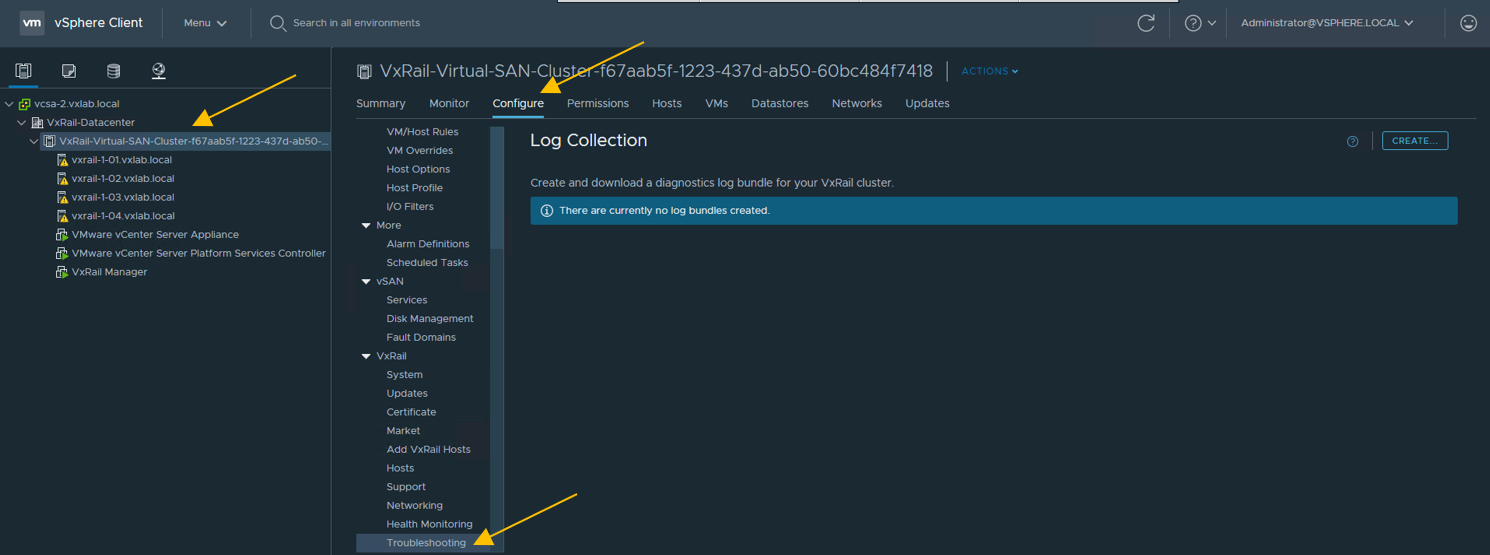
Click CREATE to begin.

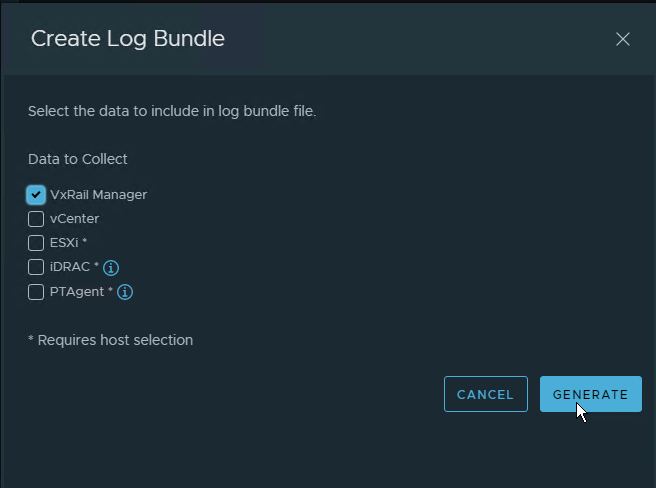
The Create Log Bundle window should now appear. Select the wanted logs to be pulled and click GENERATE
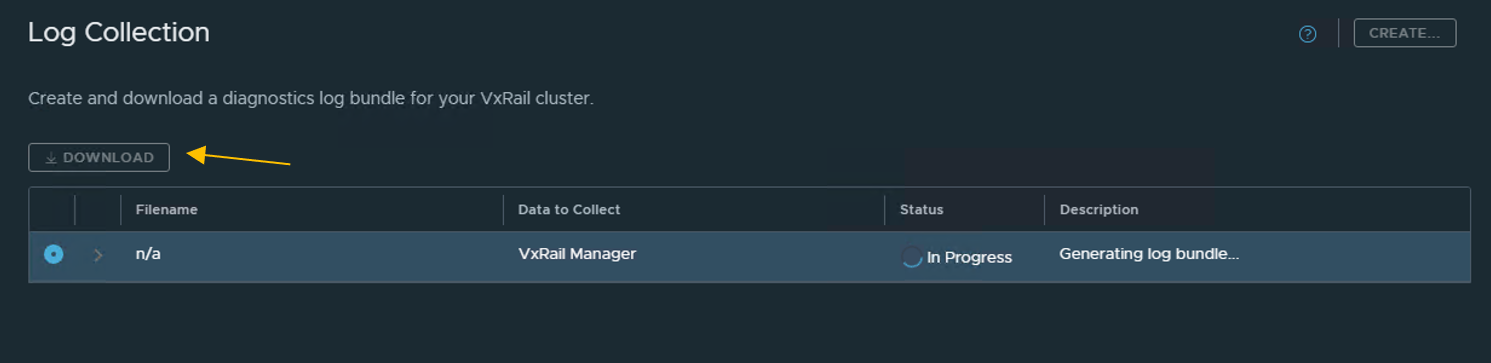
The log generation begins. Once it finishes, we have the option to download the logs locally. Once they have been downloaded, they can be reviewed on the local machine or uploaded to support using FTP or a direct attachment to the SR.
Browse Cluster Level > Configure > Troubleshooting
Click CREATE to begin.
The Create Log Bundle window should now appear. Select the wanted logs to be pulled and click GENERATE
The log generation begins. Once it finishes, we have the option to download the logs locally. Once they have been downloaded, they can be reviewed on the local machine or uploaded to support using FTP or a direct attachment to the SR.
Additional Information
Note we can select specific logs such as ESXi or vCenter.
Videos
N/A
Article Properties
Article Number: 000188886
Article Type: How To
Last Modified: 20 Feb 2024
Version: 2
Find answers to your questions from other Dell users
Support Services
Check if your device is covered by Support Services.