PowerProtect Data Manager: When configuring backup policies, some Data Domain storage unit interface are not listed
Summary: When configuring backup policies, some of the Data Domain's storage unit interfaces are not listed.
This article applies to
This article does not apply to
This article is not tied to any specific product.
Not all product versions are identified in this article.
Symptoms
When attempting to configure a backup policy, the network interface which we would like to use is not visible.
Cause
The Data Domain network interface that we would like to use has not been configured for use with "Data" in the Network Purposes selection boxes.
Resolution
1. From the PowerProtect Data Manager UI, select Infrastructure > Storage. The Storage window appears.
2. On the Protection Storage tab, select the storage system, and then select More Actions > Change Network Settings.
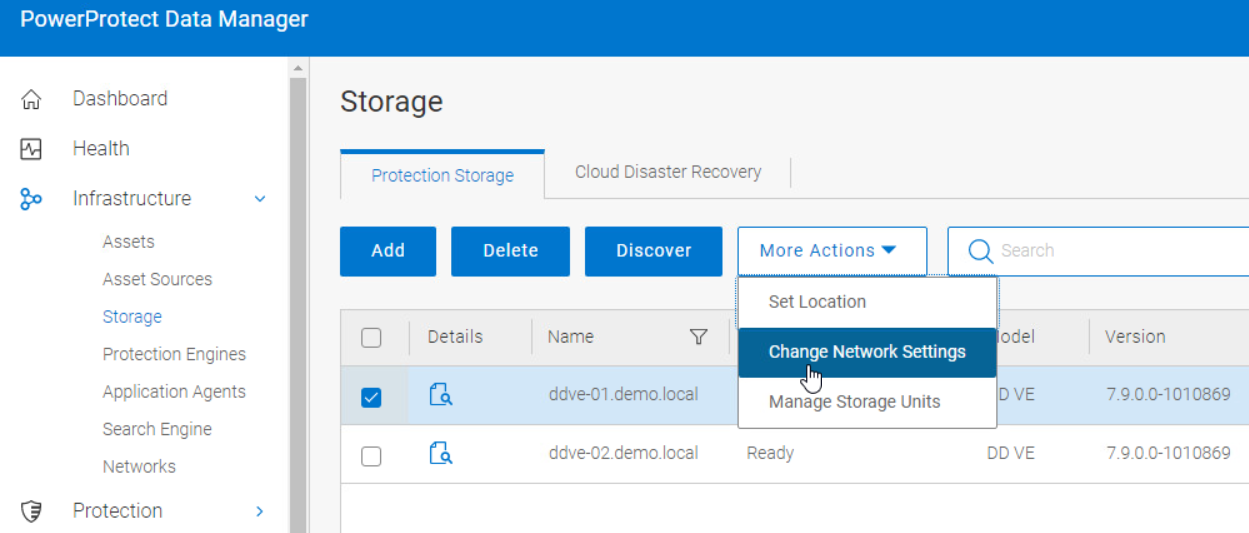
3. Select "Data" if you want to see this Network Interface listed on the policy configuration screen.
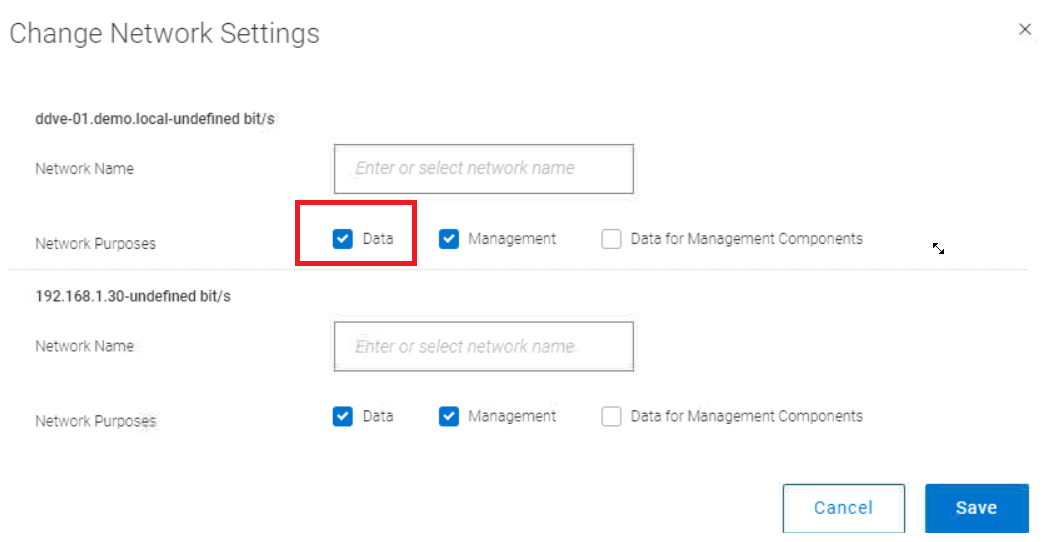
2. On the Protection Storage tab, select the storage system, and then select More Actions > Change Network Settings.
3. Select "Data" if you want to see this Network Interface listed on the policy configuration screen.
Affected Products
PowerProtect Data Manager, PowerProtect SoftwareArticle Properties
Article Number: 000210744
Article Type: Solution
Last Modified: 19 Sept 2025
Version: 3
Find answers to your questions from other Dell users
Support Services
Check if your device is covered by Support Services.