VxRail: On vSAN Performance Page, Virtual Disks Option Error "Unable to query data. Try again later"
Summary: For an individual virtual machine, Monitor tab on vSAN > Performance page, when choosing the Virtual Disks option, the graph fails to load. Eventually, the error appears "Unable to query data. Try again later." ...
This article applies to
This article does not apply to
This article is not tied to any specific product.
Not all product versions are identified in this article.
Symptoms
VSAN Performance data for individual virtual disks on VMs does not load.
An error is eventually returned:
Unable to query data. Try again later
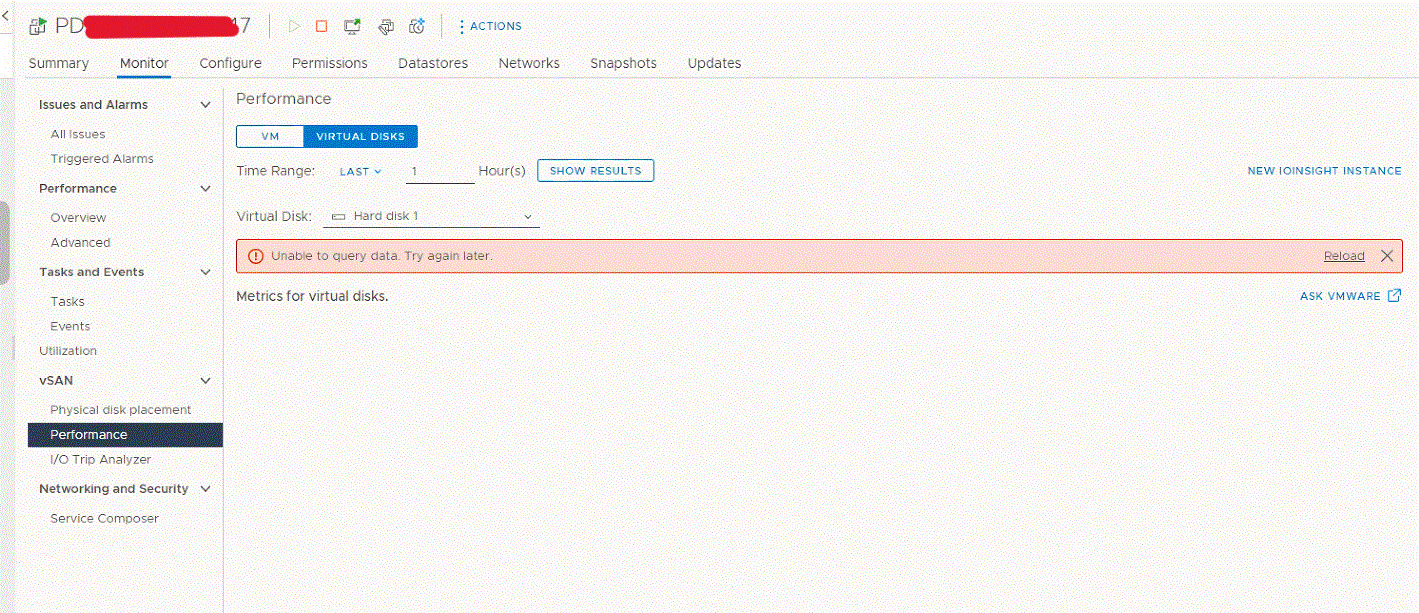
Other VSAN performance graphs (cluster, VM, ESXi host level, and so forth) function as expected.
No corresponding errors or warnings on the VSAN Skyline Health
When running the below command on some hosts, it returns "red" for Hosts with connectivity issues.
esxcli vsan health cluster list

Health Test Name                                    Status
--------------------------------------------------  ------
Overall health                                      red (Network misconfiguration)
Network                                             red
  Hosts with connectivity issues                    red
Cause
A possible cause is a certificate issuer mismatch between VSAN hosts.
For example, this occurs if one or more of the hosts had their certificates replaced after an upgrade from VxRail 4.7 to VxRail 7 and later. If VMCA issues the certificates, the issuer was the PSC pre-upgrade, and after the upgrade, the issuer is the vCenter (as PSC is now embedded).
Resolution
- For each host, click Configure > System > Certificate. Write down the Issuer details.
- Replace the certificates on the ESXi hosts that have PSC issued certificates, so that the all host certificates have the same issuer.
For example, if VMCA issues the certificates (either PSC or vCenter) on the hosts that still have PSC issued certs, right-click that Host > Certificates > Renew Certificate.
Note: This fails if the host is in Maintenance Mode.
Note: A temporary disconnection between the vCenter and the host, and its VMs may show as disconnected in the vCenter inventory. The functionality of the host and the running VMs is not interrupted.
- Right-click the Host > Certificates > Refresh CA Certificates
Affected Products
VxRail, VxRail Appliance Family, VxRail Appliance Series, VxRail SoftwareArticle Properties
Article Number: 000211486
Article Type: Solution
Last Modified: 10 Apr 2024
Version: 3
Find answers to your questions from other Dell users
Support Services
Check if your device is covered by Support Services.