VMware vSphere 7 shows Persistent Memory (NVDIMM-N) as 0 MB after DIMM error
Summary: This article shows how to resolve an issue where vSphere 7.0 shows Persistent Memory (NVDIMM-N) as "0 MB" after a DIMM error, Persistent Memory (PMEM) namespace shows as "Not in Use."
This article applies to
This article does not apply to
This article is not tied to any specific product.
Not all product versions are identified in this article.
Instructions
Symptom
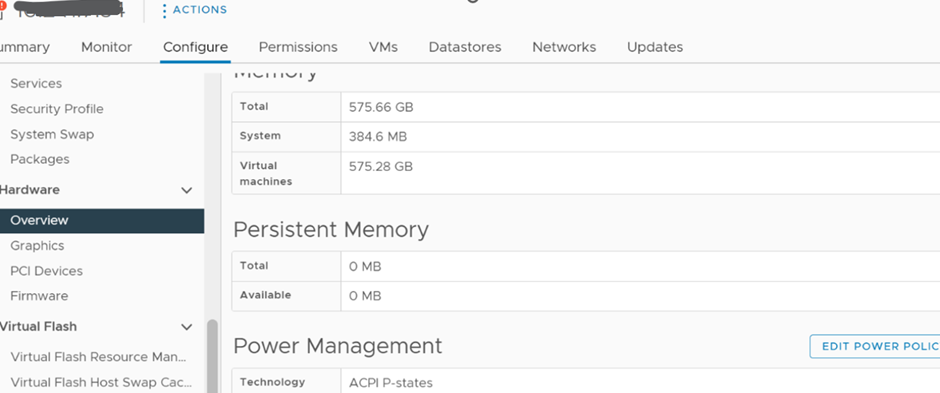
The vSphere Web UI shows "Persistent Memory" as "0 MB" after a DIMM error.
Note: This issue happens after the physical DIMM issue has been fixed.
Solution
1) Ensure that the Persistent Memory is enabled in the BIOS as show below: 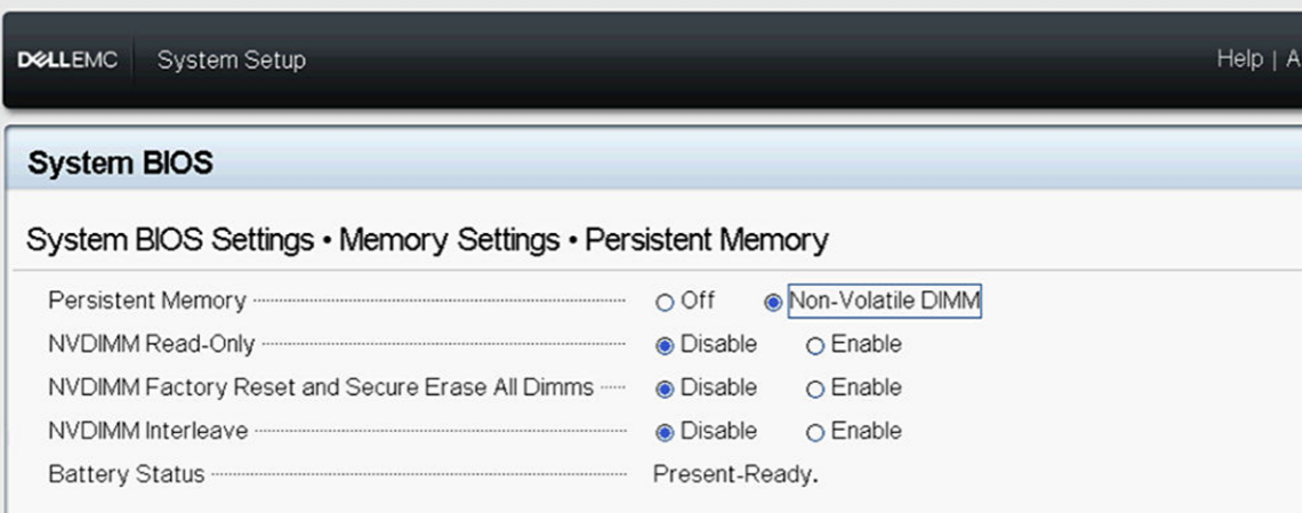
2) Log in to the ESXi host UI to check the Persistent Memory namespace setting.
Delete the namespace if it shows as "Not in use," then reboot the host to let ESXi auto re-create the namespace.
3) Once rebooted, the namespace is re-created and functions again.
Affected Products
VMware ESXi 6.7.X, VMware ESXi 7.x, VMware ESXi 8.xArticle Properties
Article Number: 000211598
Article Type: How To
Last Modified: 13 Jan 2025
Version: 4
Find answers to your questions from other Dell users
Support Services
Check if your device is covered by Support Services.