PPDM Health Warning: Unable to perform Server Backup Validation Health Check
Summary: PowerProtect Data Manager (PPDM) Health Warning reports the following. Unable to perform Server Backup Validation Health Check due to the mount point /data01/server_backups is nonempty. ...
This article applies to
This article does not apply to
This article is not tied to any specific product.
Not all product versions are identified in this article.
Symptoms
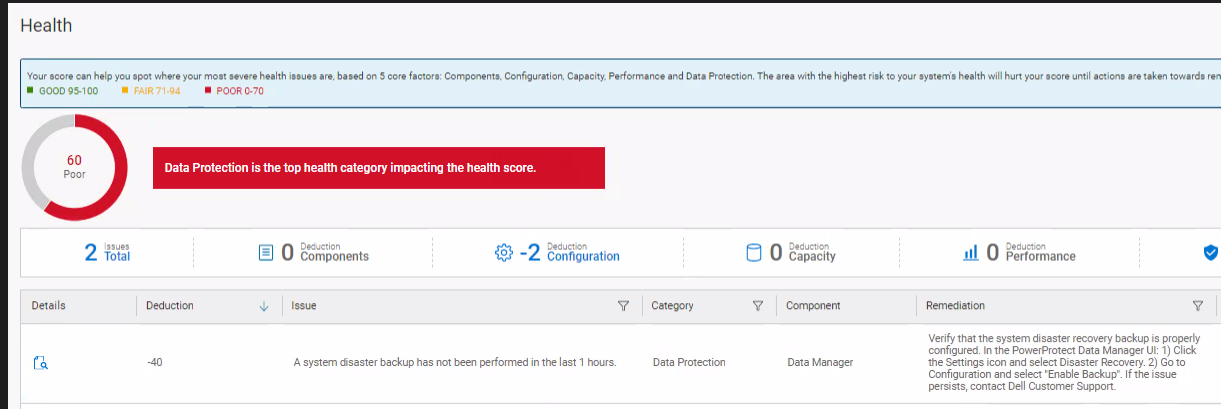
The customer may face an error similar to the one shown below image that deducts 20% of the health status.
The UI presents the following error when the user tries to select Settings > Disaster Recovery.
Error 424: The mount point /data01/server_backups is nonempty.
In the PPDM serverdr logs, we see: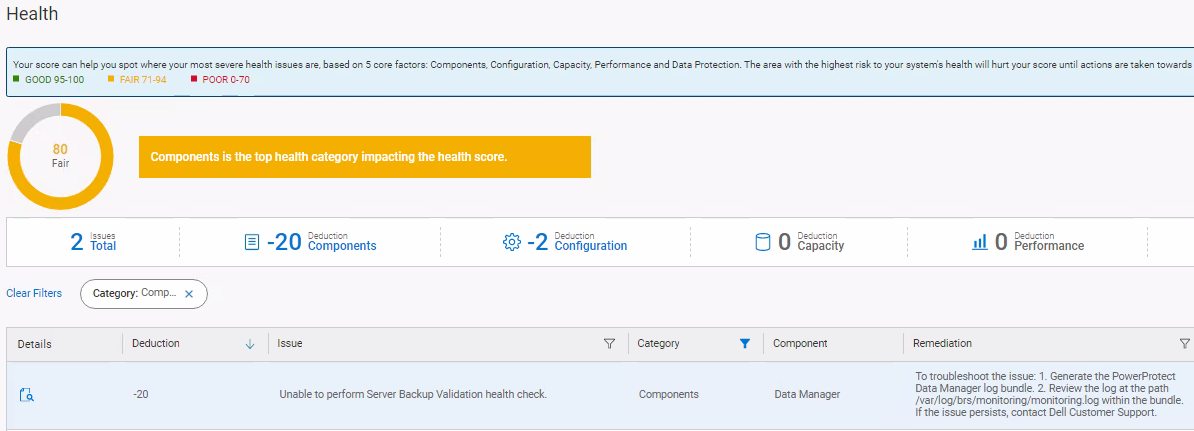
The UI presents the following error when the user tries to select Settings > Disaster Recovery.
Error 424: The mount point /data01/server_backups is nonempty.
In the PPDM serverdr logs, we see:
ERROR [] [pool-13393-thread-10] [][][][][] [c.d.b.m.h.c.BaseHealthCheck.logCalculationError(89)] -  Error occurred during com.dell.brs.monitoring.health.check.SystemDrBackupHealthCheck calculation
org.springframework.web.client.HttpClientErrorException: 424 : "{"code":424,"reason":"The PowerProtect DD System storage unit mount command failed with error: 'The mount point /data01/server_backups is nonempty.\nBoostFS cannot be mounted on a nonempty mount point. Please try mounting on an empty mount point.'","remediation":"none","timestamp":xxxxxxxxxxxxxxxxxx,"path":"/api/v2/server-disaster-recovery-backups"}"
Cause
The issue occurs because the mount point /data01/server_backups is not empty.
The error appears when serverdr (Server Disaster Recovey) is not performing backups. This is an indication that PPDM can now run a health check for serverdr backups.
The error appears when serverdr (Server Disaster Recovey) is not performing backups. This is an indication that PPDM can now run a health check for serverdr backups.
Resolution
Remove the content of /data01/server_backups.
To take a manual server DR backup: Settings> Disaster Recovery > Manage Backups > BACK UP NOW
cd /data01/server_backups
rm -rf *
Take a manual backup. The error clears.
To take a manual server DR backup: Settings> Disaster Recovery > Manage Backups > BACK UP NOW
Article Properties
Article Number: 000214960
Article Type: Solution
Last Modified: 22 Sept 2023
Version: 2
Find answers to your questions from other Dell users
Support Services
Check if your device is covered by Support Services.