Папка ECS GeoDrive відсутня
Summary: Папка ECS GeoDrive відсутня на локальному диску.
This article applies to
This article does not apply to
This article is not tied to any specific product.
Not all product versions are identified in this article.
Symptoms
Користувач побачить папку GeoDrive або вкладену папку, відсутню на його локальному диску на хості.
Папка міститиме дані, але вони будуть невидимими/прихованими.
- Наприклад, в GeoDrive відсутня папка "folder1".

- Спробуйте створити нову папку з такою ж назвою, тоді ви отримаєте запит на те, що папка насправді існує.
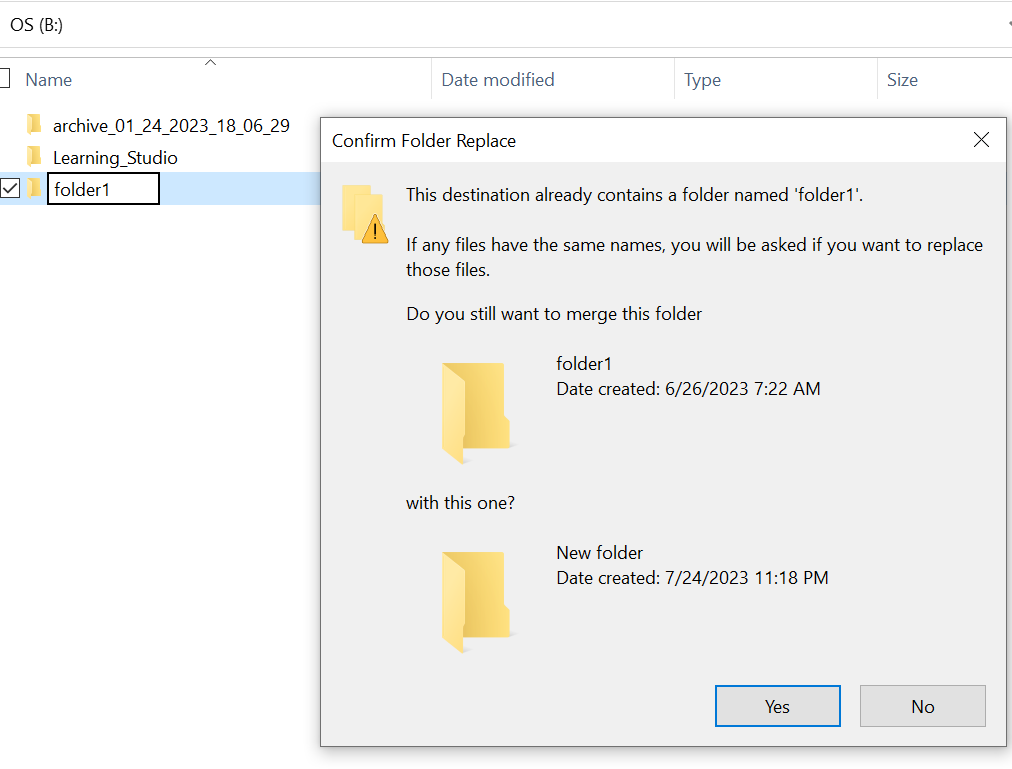
- Виконайте пошук за відсутнім шляхом до папки у провіднику. Ми повинні мати можливість бачити вміст.

Cause
Це пов'язано з атрибутами HIDDEN і SYSTEM, які були встановлені в папці.
Resolution
Будь ласка, виконайте наведені нижче дії.
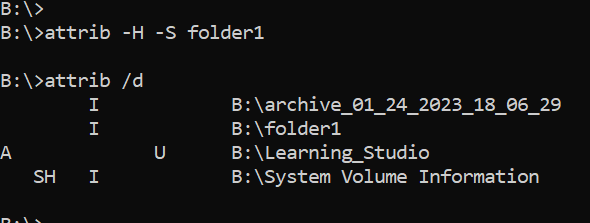
Після виконання цієї команди ще раз перевірте локальний диск. Відсутню папку повернеться до нормального стану.
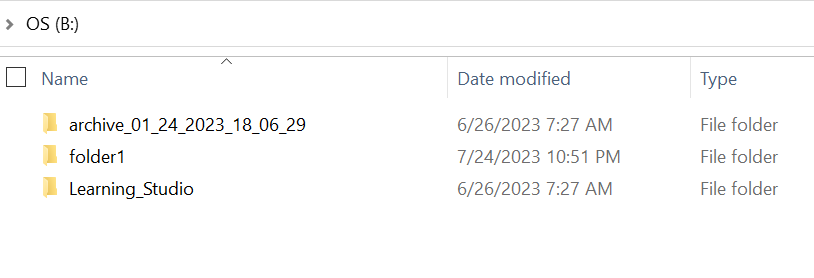
- Зайдіть в командний рядок windows на хост-системі.
- cd до батьківського каталогу, де відсутня папка, і запустіть "attrib /d".
- Ви повинні побачити список каталогів, і в списку повинна бути відсутня папка.
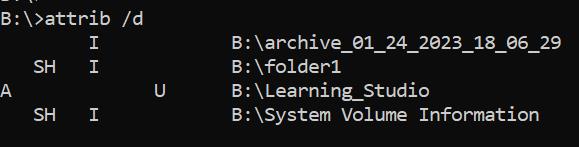
- Букви перед ним позначають атрибути. Перед файлом має з'явитися напис SH (SYSTEM і HIDDEN).
- Потім виконайте цю команду, щоб видалити два вищезгадані атрибути: attrib -H -S folder_name
Additional Information
Існує безліч інших опцій, доступних для команди attrib.
B:\>attrib /?
Displays or changes file attributes.

ATTRIB [+R | -R] [+A | -A] [+S | -S] [+H | -H] [+O | -O] [+I | -I] [+X | -X] [+P | -P] [+U | -U]
       [drive:][path][filename] [/S [/D]] [/L]

  +   Sets an attribute.
  -   Clears an attribute.
  R   Read-only file attribute.
  A   Archive file attribute.
  S   System file attribute.
  H   Hidden file attribute.
  O   Offline attribute.
  I   Not content indexed file attribute.
  X   No scrub file attribute.
  V   Integrity attribute.
  P   Pinned attribute.
  U   Unpinned attribute.
  B   SMR Blob attribute.
  [drive:][path][filename]
      Specifies a file or files for attrib to process.
  /S  Processes matching files in the current folder
      and all subfolders.
  /D  Processes folders as well.
  /L  Work on the attributes of the Symbolic Link versus
      the target of the Symbolic Link
Affected Products
ECS, Elastic Cloud StorageArticle Properties
Article Number: 000215245
Article Type: Solution
Last Modified: 18 May 2026
Version: 4
Find answers to your questions from other Dell users
Support Services
Check if your device is covered by Support Services.