Chybí složka ECS GeoDrive
Summary: Na místním disku chybí složka ECS GeoDrive.
This article applies to
This article does not apply to
This article is not tied to any specific product.
Not all product versions are identified in this article.
Symptoms
Uživatel uvidí, že složka GeoDrive nebo podsložka chybí na svém místním disku na hostiteli.
Ve složce budou data, ale budou neviditelná/skrytá.
- Ve službě GeoDrive například chybí složka "folder1".

- Pokuste se vytvořit novou složku se stejným názvem a zobrazí se výzva, že složka skutečně existuje.
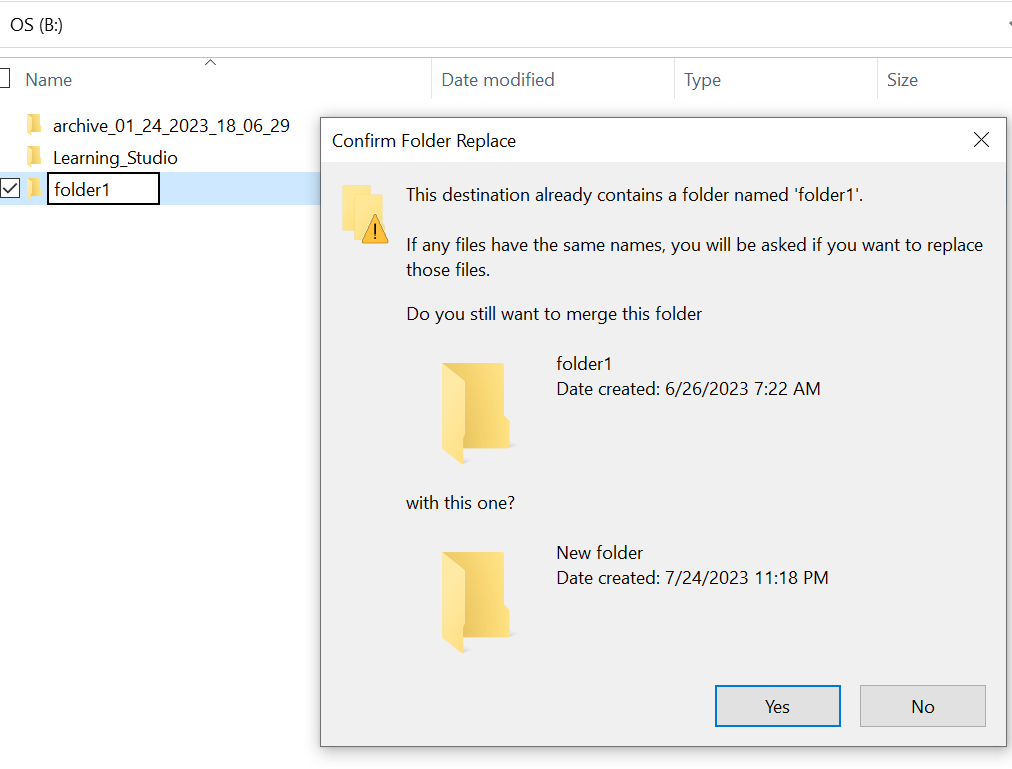
- Vyhledejte chybějící cestu ke složce v průzkumníkovi. Obsah by se měl zobrazit.

Cause
Důvodem jsou atributy HIDDEN a SYSTEM, které byly ve složce nastaveny.
Resolution
Postupujte podle následujících kroků.
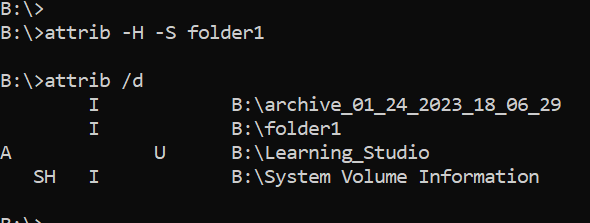
Po spuštění tohoto příkazu znovu zkontrolujte místní jednotku. Chybějící složka se vrátí do normálu.
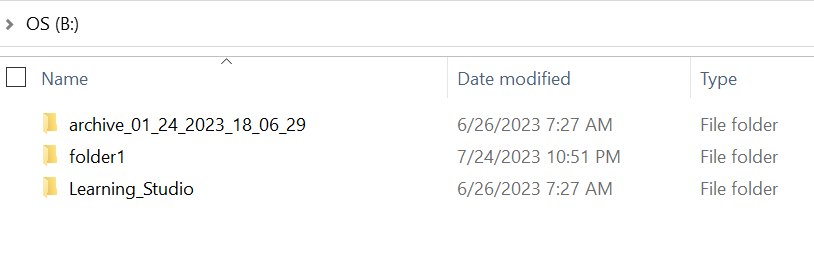
- Přejděte do příkazového řádku systému Windows v hostitelském systému.
- cd do nadřazeného adresáře, kde chybí složka, a spusťte příkaz "att ghost /d".
- V seznamu by se měl zobrazit seznam adresářů a chybějící složka.
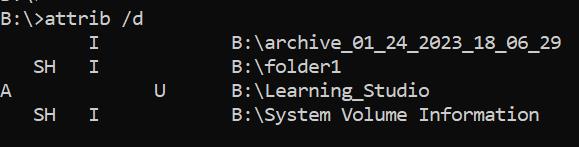
- Písmena před ním označují atributy. Před souborem byste měli vidět SH (SYSTEM a HIDDEN).
- Poté pomocí tohoto příkazu odeberte výše uvedené dva atributy: att banner -H -S folder_name
Additional Information
Příkaz att ___ je k dispozici i s řadou dalších možností.
B:\>attrib /?
Displays or changes file attributes.

ATTRIB [+R | -R] [+A | -A] [+S | -S] [+H | -H] [+O | -O] [+I | -I] [+X | -X] [+P | -P] [+U | -U]
       [drive:][path][filename] [/S [/D]] [/L]

  +   Sets an attribute.
  -   Clears an attribute.
  R   Read-only file attribute.
  A   Archive file attribute.
  S   System file attribute.
  H   Hidden file attribute.
  O   Offline attribute.
  I   Not content indexed file attribute.
  X   No scrub file attribute.
  V   Integrity attribute.
  P   Pinned attribute.
  U   Unpinned attribute.
  B   SMR Blob attribute.
  [drive:][path][filename]
      Specifies a file or files for attrib to process.
  /S  Processes matching files in the current folder
      and all subfolders.
  /D  Processes folders as well.
  /L  Work on the attributes of the Symbolic Link versus
      the target of the Symbolic Link
Affected Products
ECS, Elastic Cloud StorageArticle Properties
Article Number: 000215245
Article Type: Solution
Last Modified: 13 Sept 2023
Version: 3
Find answers to your questions from other Dell users
Support Services
Check if your device is covered by Support Services.