PowerFlex Ho to change parameter blkScsiUnitSerialLenByStandard on ESXi for PowerFlex volumes
Summary: This KB explains how to remove trailing zeros from the Product Serial Number in the SCSI Unit Serial Number page (0x80) when running PowerFlex on ESXi.
Instructions
Introduction
After installation of the SDC on ESXi hosts, Dell requires the user to set two parameters in the scini module, IoctlIniGuidStr and IoctlMdmIPStr. These parameters ensure the PowerFlex recognizes the ESXi host for presentation of devices. All other parameters remain default. One of these parameters, blkScsiUnitSerialLenByStandard, dictates whether the Product Serial Number in the SCSI Unit Serial Number page (0x80) returns trailing zeros. By default the trailing zeros are returned. Dell is aware of at least one customer application that requires those trailing zeros to be removed. These instructions detail how to accomplish this on ESXi hosts that already have PowerFlex storage in use as datastores or RAW Device Mapping (RDM). As mentioned, these instructions are not meant for most PowerFlex customers since this field is never queried and used.
Environment
The only way to remove the trailing zeros is to set the blkScsiUnitSerialLenByStandard parameter to '1' which will remove the extra characters and return the serial number of the array. Unfortunately, changing a live VMware environment causes problems with both datastores and RDMs. The reason for this is that VMware also uses this inquiry field. For datastores the field is used to generate the signature in the metadata, while for RDMs the field represents the naming of the device. Thus changing the parameter means the value changes. The datastore signature, therefore, is no longer valid and the RDM ID is no longer accurate. For datastores this results in VMware viewing the datastore as a snapshot, or copy To fix this, the datastore should be resignatured to match the new inquiry field. This requires downtime. For RDMs, since the ID changes, the VM that references said RDM on the PowerFlex will no longer be able to find the device. The VM shows the RDM with a zero '0' value, meaning it has no reference. For these VMs, the RDM must be removed and added back so the VM sees the new ID. The process to achieve both these tasks is covered below.
Changing the parameter requires a reboot of the ESXi host. When there is a cluster, it is possible to make this change one ESXi host at a time, vMotioning the VMs from ESXi host to ESXi host; however the only way to avoid downtime of the VMs (without RDMs) residing on impacted datastores is to move the VMs to non-PowerFlex storage. As there is no easy way to move RDM-based VMs, downtime is expected for those VMs.
The following instructions use an example environment to illustrate the process. It is consisted of a single ESXi host with two PowerFlex devices, one 80 GB and one 16 GB. The 80 GB device is a PowerFlex datastore, while the 16 GB is used as an RDM. A single VM with one hard disk and one RDM, therefore, is in the datastore.
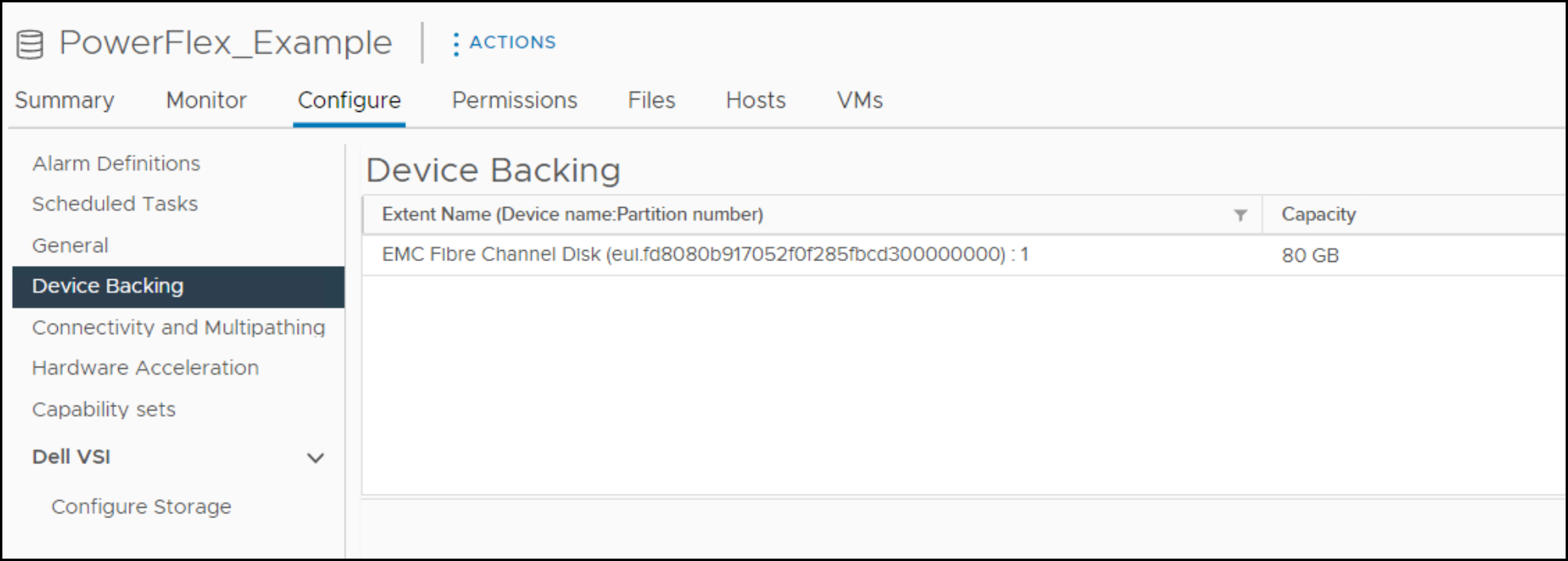
The example environment is a single 80 GB datastore named PowerFlex_Example:
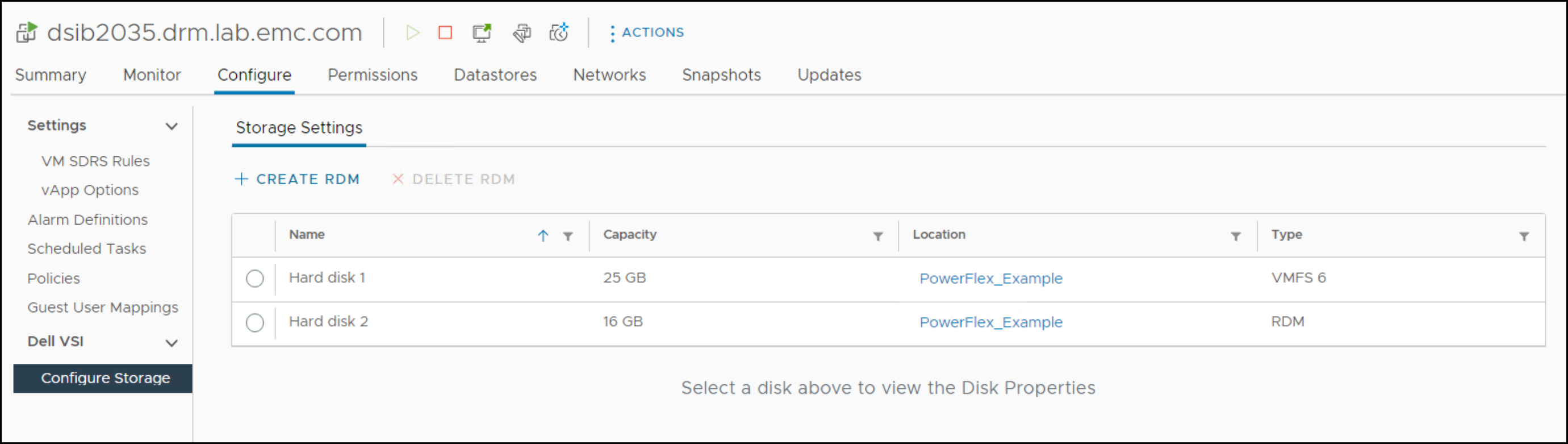
There is a single VM on that datastore with the 16 GB RDM. Here, VSI shows the RDM:
Procedure
esxcli system module parameter list -m scini

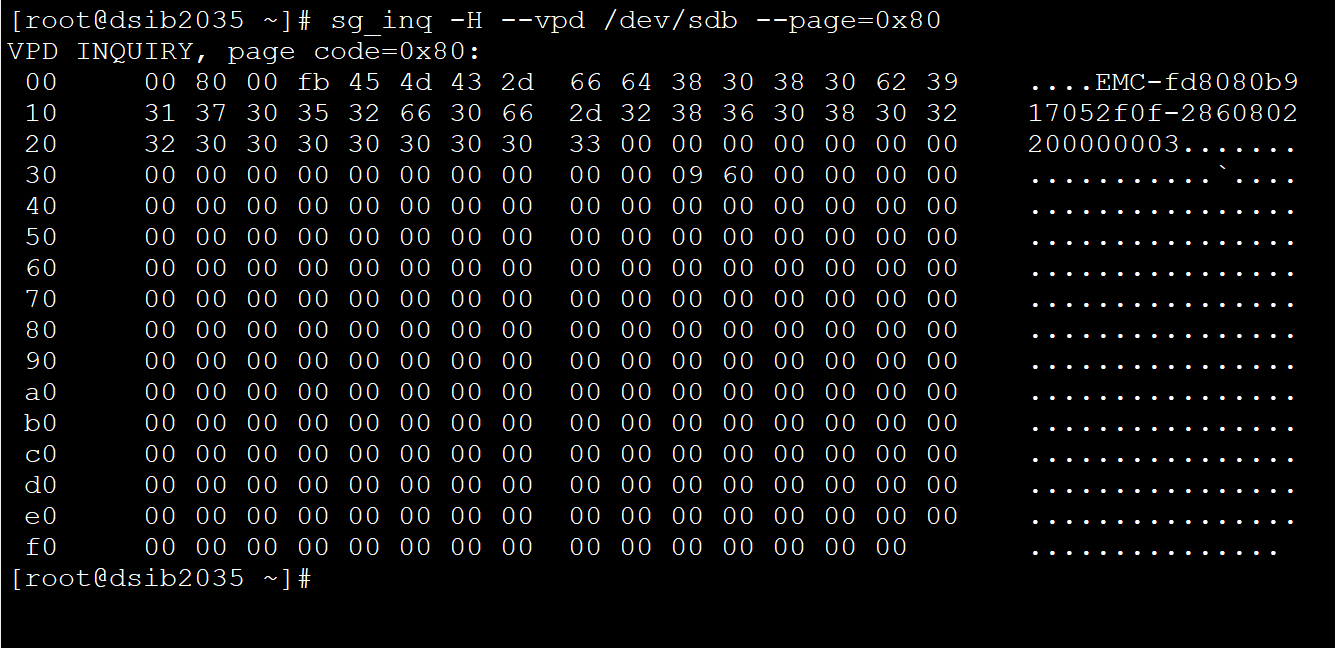
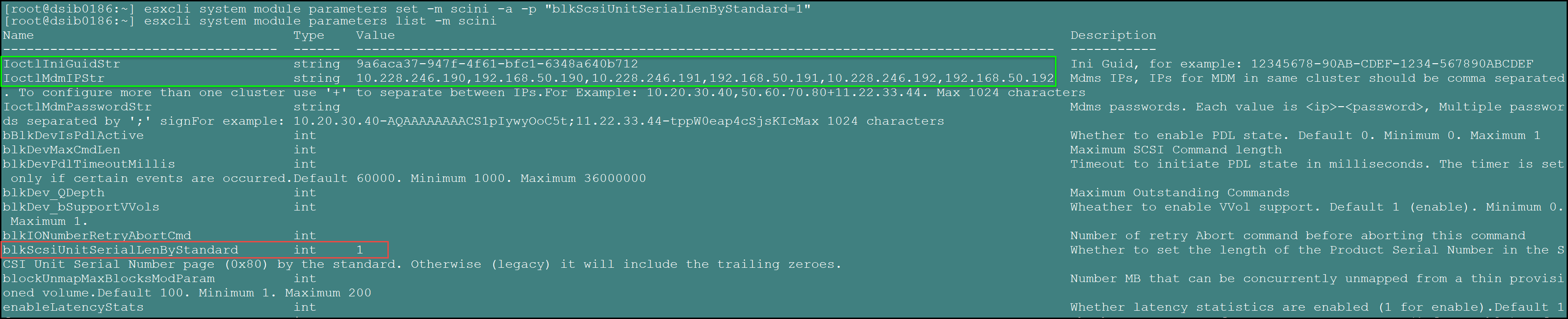
The parameter blkScsiUnitSerialLenByStandard is boxed and shows no value, meaning the default of zero (0). Therefore any VPD query of the Product Serial Number includes the trailing zeros. An example is shown below by running an inquiry against the 16 GB RDM in the example VM. Note the trailing zeros:
Since changing the parameter to one (1) requires a reboot, it can be changed first, before any additional steps. Below is the command to make the change. Note in particular the "-a" flag. This instructs ESXi to keep all the other parameters as they are - such as the IoctlIniGuidStr. If this flag is not present, then ESXi will wipe the values that are used to connect to MDM and the SDC and the virtual HBA will disappear from ESXi after the reboot and then require resetting. The command will not return anything:
esxcli system module parameters set -m scini -a -p "blkScsiUnitSerialLenByStandard=1"
Be sure the parameters IoctlIniGuidStr and IoctlMdmIPStr remain set by querying the parameters again. The parameters are highlighted in the green box.
Before rebooting the host, if there are any VMs with RDMs it is best to record the disk and remove them from the VM. In this example, however, the one RDM is left to demonstrate how VMware cannot find it. Be sure to power off the VMs on any PowerFlex datastores and remove them from inventory. Failure to remove them will cause a conflict if the user intends on keeping the resignatured datastore the prior name. If wanted, place the host in maintenance mode before rebooting.
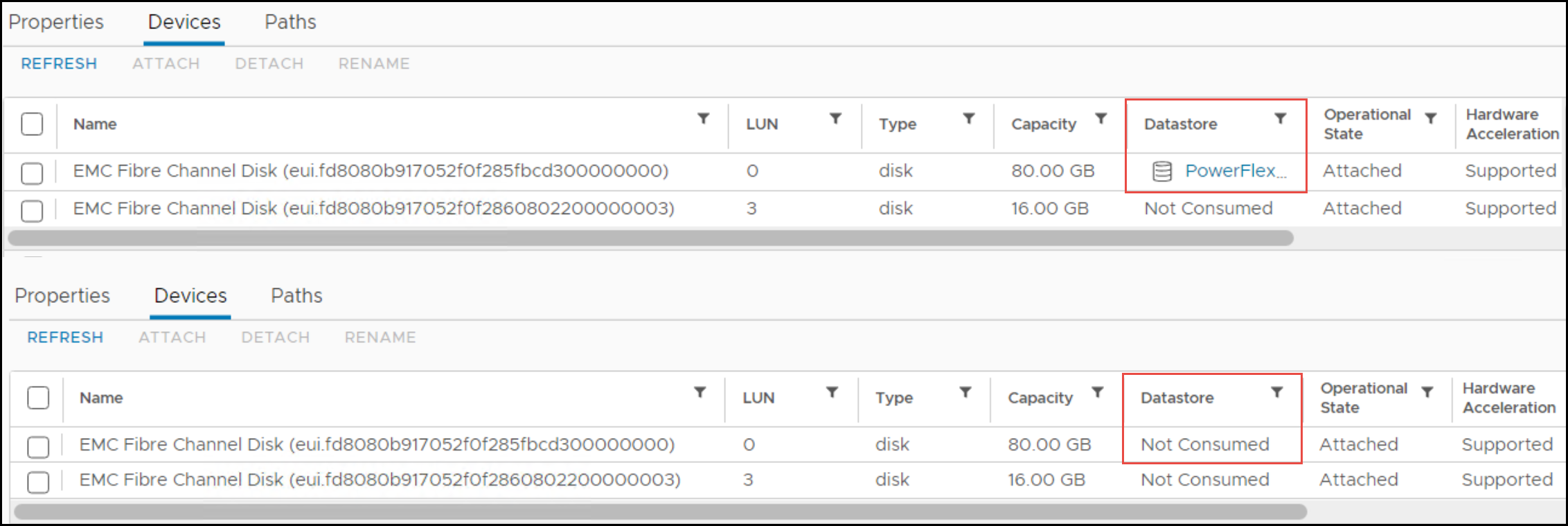
When the ESXi host comes back up, the datastore will no longer be listed because of the signature issue. The screenshot below shows before and after the reboot See how the eui ID does not change, but as it is only one part of the datastore signature, VMware still will not recognize it.
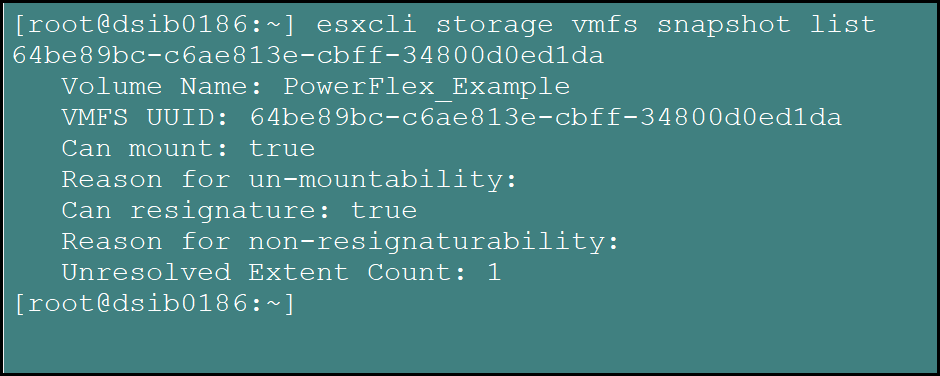
Using esxcli, check for snapshots where the datastore will show up as one that can be resignatured. Note that while the datastore could be force-mounted, it can cause issues with interoperability and is never recommended in this use case.
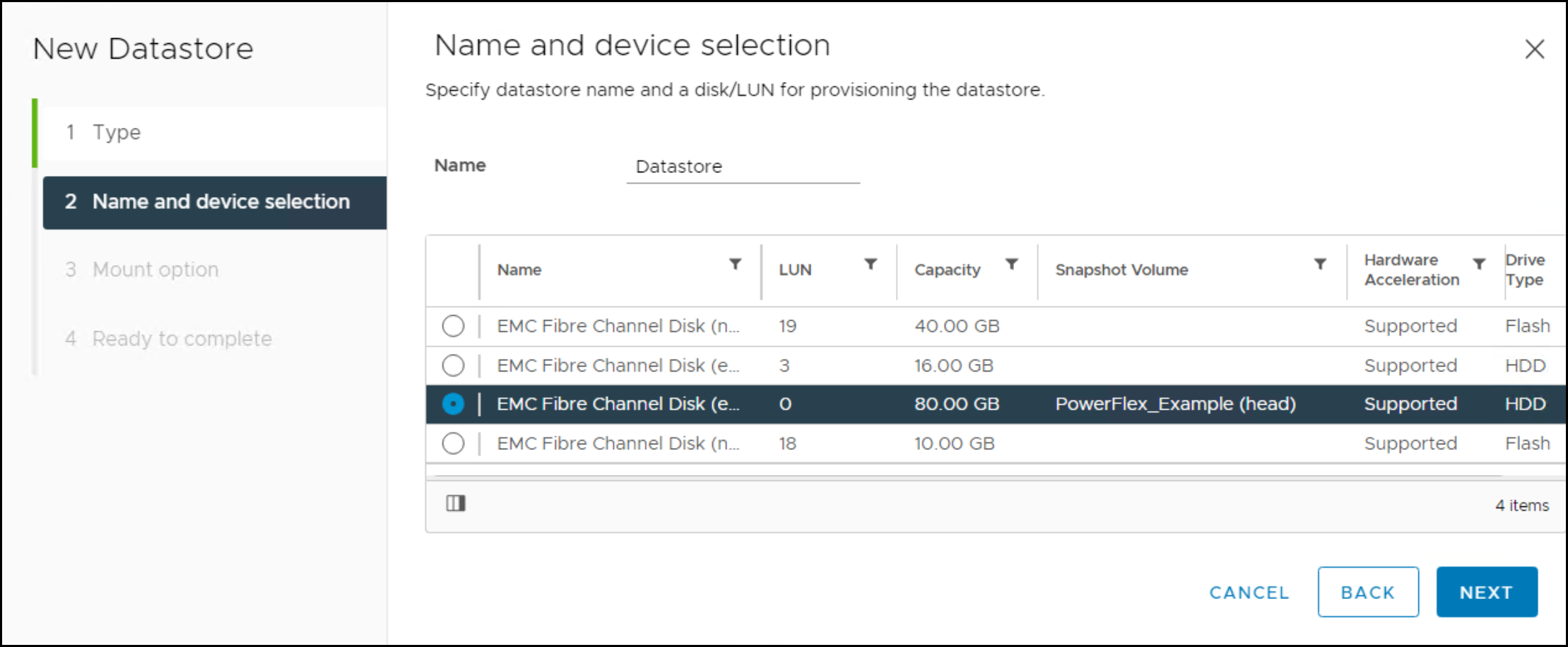
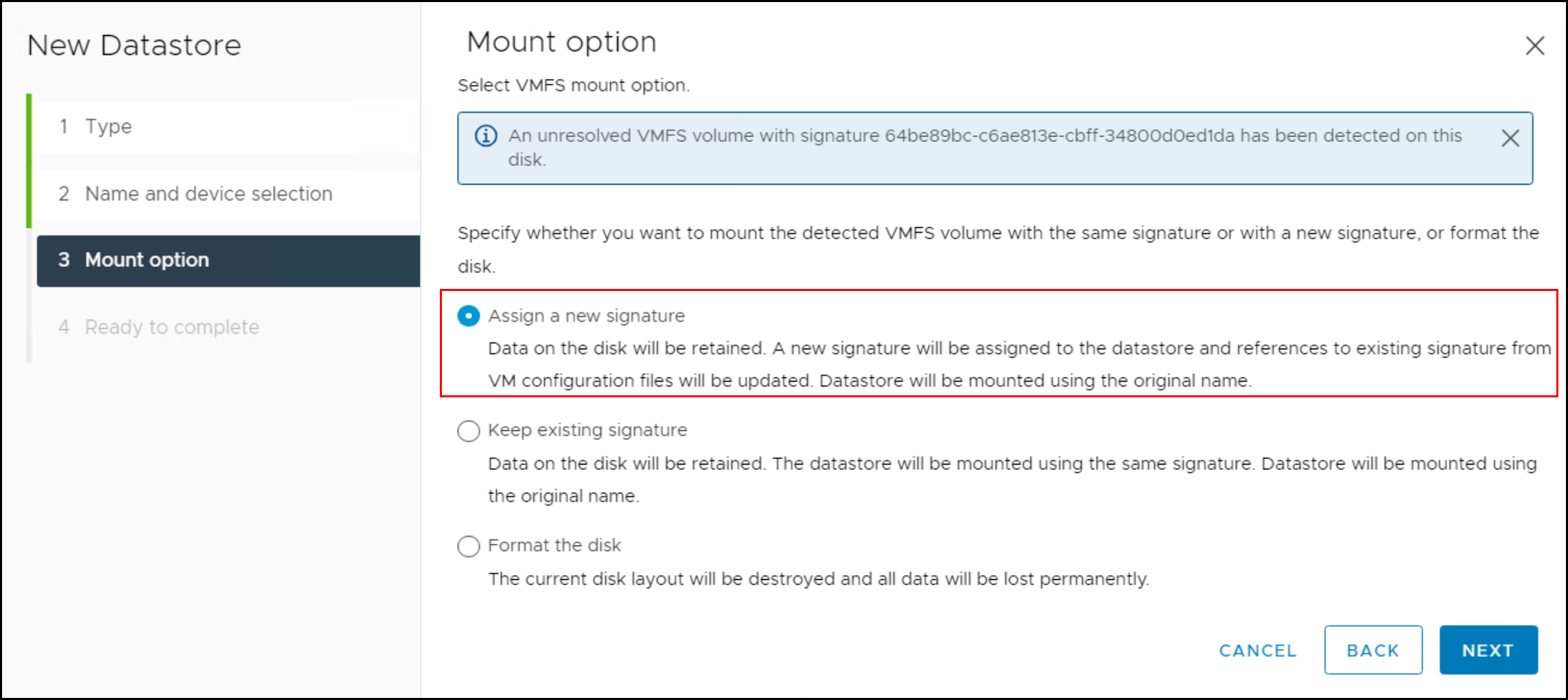
It is easiest to resignature the datastore through the GUI client using the create datastore wizard. Select the previous volume and then choose the radio button Assign a new signature. It will default to keeping the signature which is not recommended.
By default, VMware assigns a prefix to the volume after resignature:

This can be renamed back to the original. If the user failed to remove the VMs in the datastore from inventory, do so now or the datastore cannot be renamed. Once available, navigate to the datastore folders and register the VMs. After registering the VM in this example, the Edit Settings screen shows that the RDM is missing:
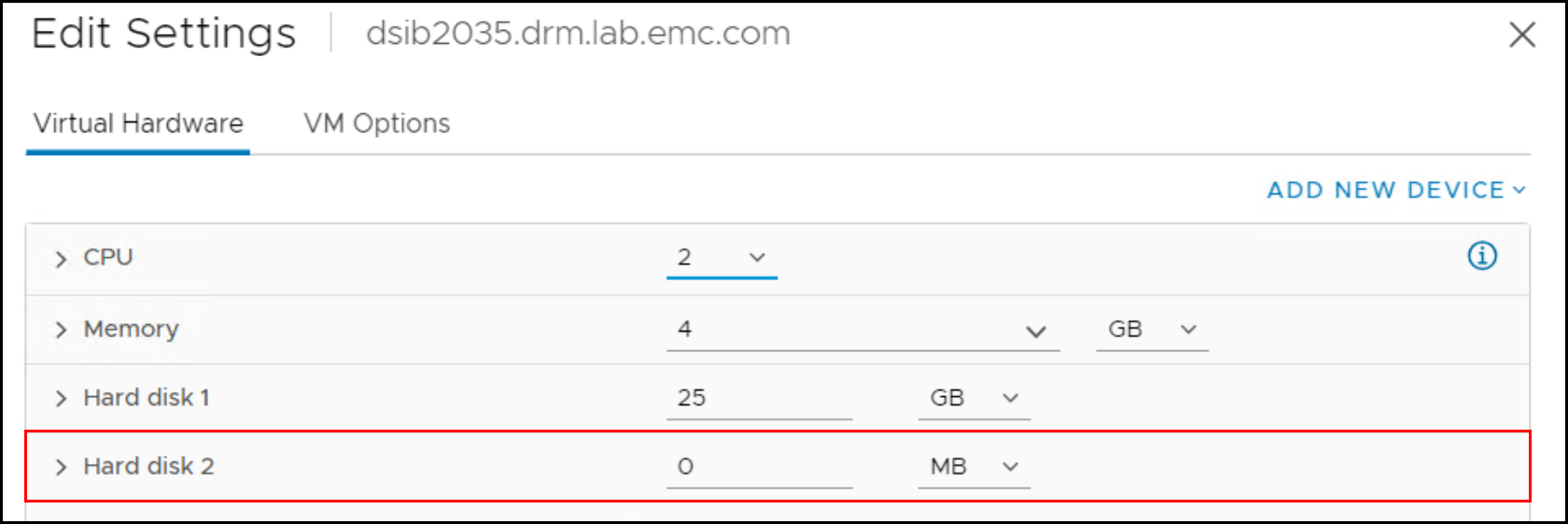
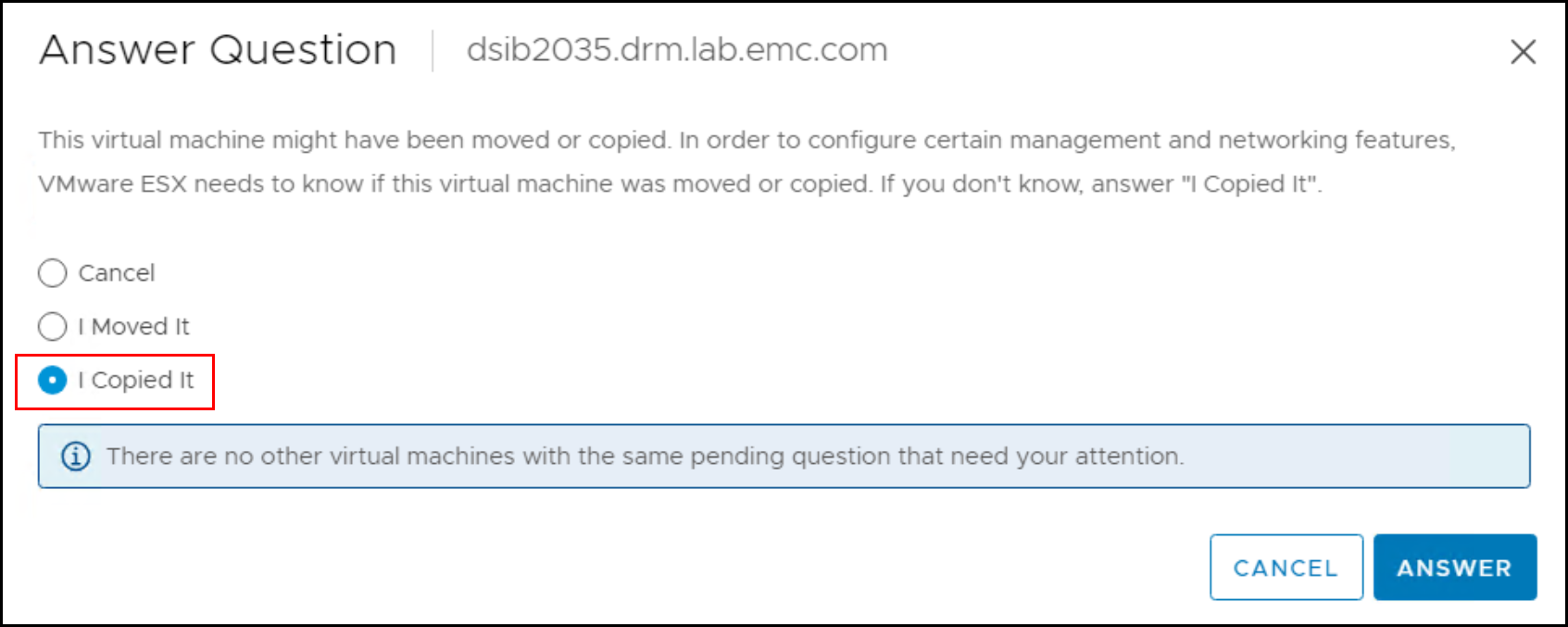
If you failed to remove the RDM, do so now and add it back. When you power on the VM, you must answer a question about whether the VM was moved or copied. Select I Copied It only.
If the user now queries the same RDM with the parameter change, all the trailing zeros are removed and any application requiring this format will work.
