OpenManage Enterprise:OMEVV 可能無法註冊 vCenter 並發生內部伺服器錯誤
Summary: VMware vCenter 註冊可能會在 OMEVV 1.3 中失敗,並在 OpenManage Enterprise (OME) 或 vCenter 中安裝自訂憑證鏈結。
This article applies to
This article does not apply to
This article is not tied to any specific product.
Not all product versions are identified in this article.
Symptoms
適用於 VMware vCenter (OMEVV) 1.3 (OME 4.0.x) 的 OpenManage Enterprise Integration 可能無法註冊 vCenter,並顯示錯誤「internal server error」後跟錯誤「Client is temporarily blocked for too many unsuccessful authentication attempts「
在 OpenManage Enterprise 中使用憑證鏈結時會發現此問題,其具有採用 SHA1RSA 演算法的根 CA 憑證。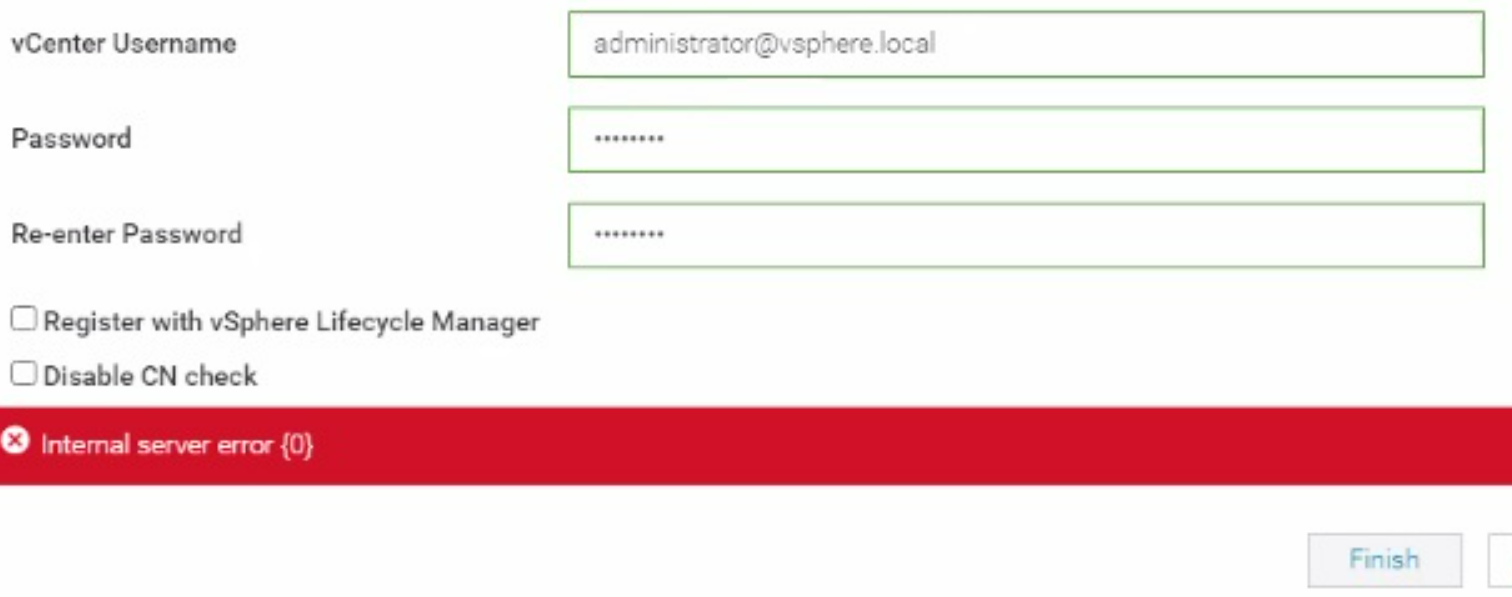
再次嘗試註冊時,可能會出現下列錯誤。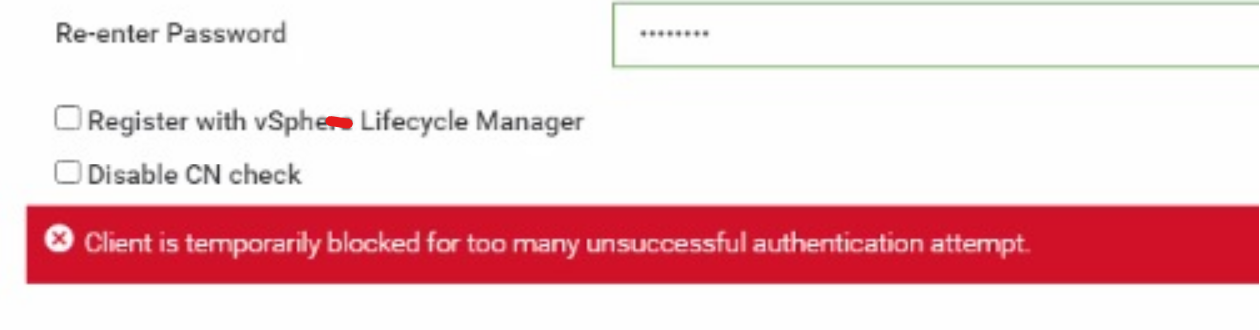
當 VMware vCenter 的憑證鏈結中有 SHA1 憑證時,也會發現此問題。
下列命令可用於從 OpenManage Enterprise (OME) 裝置或 VMware vCenter 取得憑證詳細資料。
openssl s_client -showcerts -connect vcenter_IP:443 > vCenter_certificate.txt
openssl s_client -showcerts -connect OME_IP:443 > OME_certificate
請確定 OpenSSL 已安裝在執行命令的用戶端上。
Cause
SHA1 演算法被視為較弱,並且已被包括根 CA 在內的所有憑證封鎖。
Resolution
因應措施:
如果 SHA1 演算法是根 CA 或公有 CA 交叉簽署憑證的一部分,且是完成 OME 遷移所必需的,請執行下列步驟:
解決方案:
建議不要在 OpenManage Enterprise 中使用 SHA1 憑證。嘗試使用憑證中沒有 SHA1 演算法的憑證鏈結,然後嘗試註冊。下一個版本的 OMEVV 將具有增強功能,以支援根 CA 中的 SHA1。
如果 SHA1 演算法是根 CA 或公有 CA 交叉簽署憑證的一部分,且是完成 OME 遷移所必需的,請執行下列步驟:
- 若要從 OpenManage Enterprise 3.10.x 遷移到 4.0.x,需要憑證鏈結。
- 遷移完成後,可將採用 SHA2 演算法的 Leaf 憑證 (OME 端憑證) 上傳至 OpenManage Enterprise 做為憑證,而非鏈結。
- 載入不含鏈的新葉憑證後,請重新啟動裝置,並嘗試進行 vCenter 註冊。
解決方案:
建議不要在 OpenManage Enterprise 中使用 SHA1 憑證。嘗試使用憑證中沒有 SHA1 演算法的憑證鏈結,然後嘗試註冊。下一個版本的 OMEVV 將具有增強功能,以支援根 CA 中的 SHA1。
Affected Products
OpenManage Enterprise Integration for VMware vCenter, VMware ESXi 7.x, VMware ESXi 8.xProducts
C Series, Modular Infrastructure, Rack Servers, Tower Servers, XR Servers, Dell EMC OpenManage EnterpriseArticle Properties
Article Number: 000223404
Article Type: Solution
Last Modified: 01 May 2025
Version: 2
Find answers to your questions from other Dell users
Support Services
Check if your device is covered by Support Services.