OpenManage Enterprise:OMEVV 可能无法向内部服务器注册 vCenter,错误
Summary: 在 OpenManage Enterprise (OME) 或 vCenter 中安装了自定义证书链的 OMEVV 1.3 中,VMware vCenter 注册可能会失败。
This article applies to
This article does not apply to
This article is not tied to any specific product.
Not all product versions are identified in this article.
Symptoms
OpenManage Enterprise Integration for VMware vCenter (OMEVV) 1.3 (OME 4.0.x) 可能无法注册 vCenter,并显示错误”internal server error“后跟错误”Client is temporarily blocked for too many unsuccessful authentication attempts“
在具有根 CA 证书和SHA1RSA算法的 OpenManage Enterprise 中使用证书链时,会出现此问题。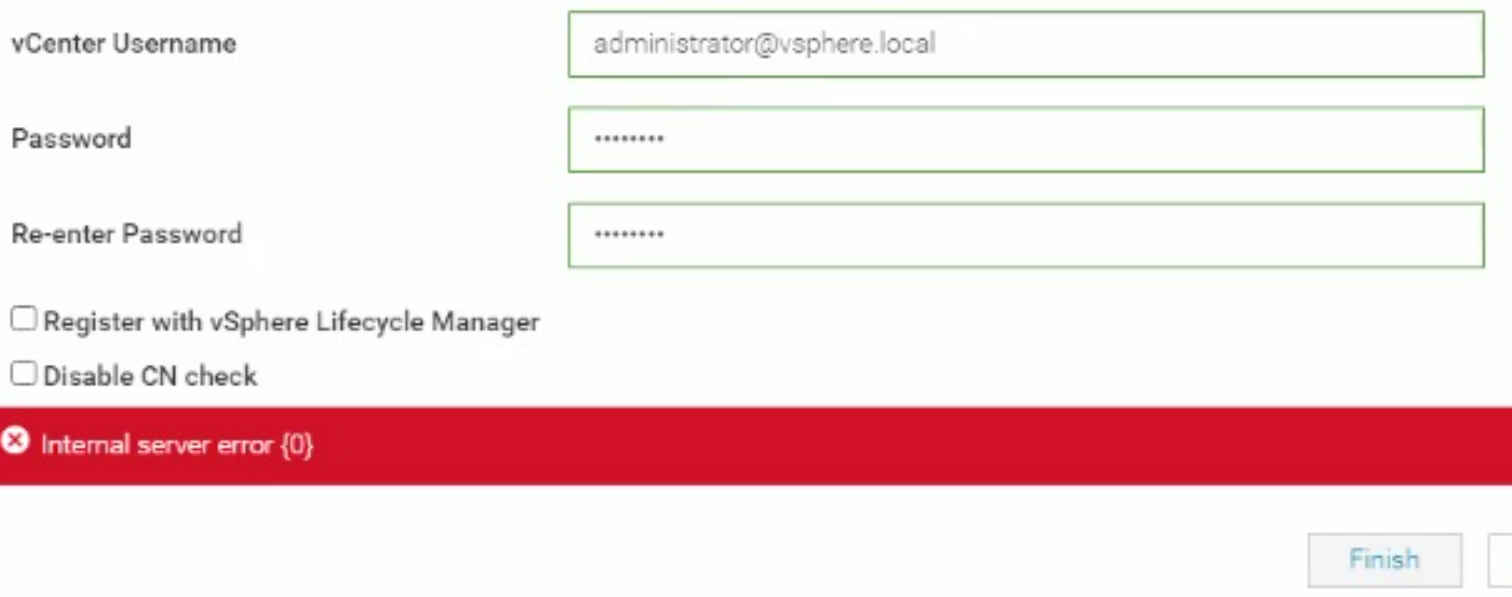
重新尝试注册时,可能会出现以下错误。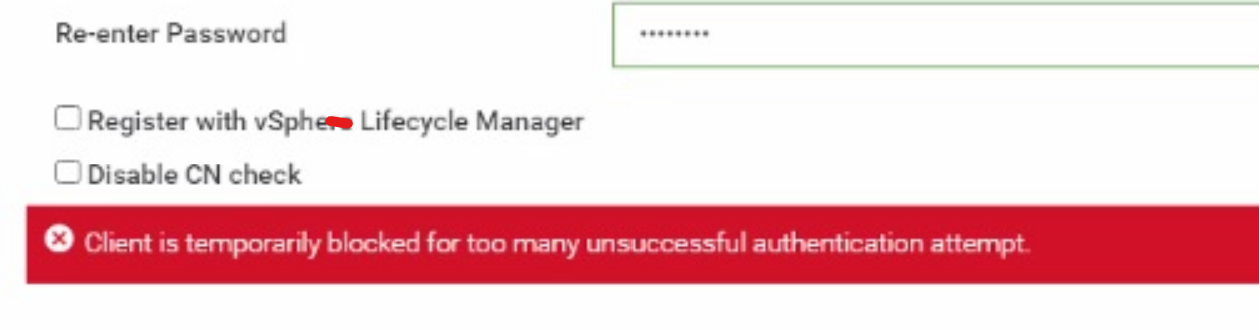
当 VMware vCenter 的证书在证书链中具有 SHA1 时,也会发现此问题。
以下命令可用于从 OpenManage Enterprise (OME) 设备或 VMware vCenter 获取证书详细信息。
openssl s_client -showcerts -connect vcenter_IP:443 > vCenter_certificate.txt
openssl s_client -showcerts -connect OME_IP:443 > OME_certificate
确保在运行该命令的客户端上安装了 OpenSSL。
Cause
SHA1 算法被视为弱算法,并且会阻止所有证书(包括根 CA)。
Resolution
解决方法:
如果 SHA1 算法是根 CA 或公共 CA 的交叉签名证书的一部分,并且需要完成 OME 迁移,请执行以下步骤:
解决方案:
建议不要在 OpenManage Enterprise 中使用 SHA1 证书。尝试使用证书中没有 SHA1 算法的证书链,然后尝试注册。下一版本的 OMEVV 将具有增强功能,可在根 CA 中支持 SHA1。
如果 SHA1 算法是根 CA 或公共 CA 的交叉签名证书的一部分,并且需要完成 OME 迁移,请执行以下步骤:
- 要从 OpenManage Enterprise 3.10.x 迁移到 4.0.x,需要证书链。
- 迁移完成后,使用 SHA2 算法的叶证书(OME 结束证书)可以作为证书(而不是链)上传到 OpenManage Enterprise。
- 加载无链的新叶证书后,重新启动设备并尝试 vCenter 注册。
解决方案:
建议不要在 OpenManage Enterprise 中使用 SHA1 证书。尝试使用证书中没有 SHA1 算法的证书链,然后尝试注册。下一版本的 OMEVV 将具有增强功能,可在根 CA 中支持 SHA1。
Affected Products
OpenManage Enterprise Integration for VMware vCenter, VMware ESXi 7.x, VMware ESXi 8.xProducts
C Series, Modular Infrastructure, Rack Servers, Tower Servers, XR Servers, Dell EMC OpenManage EnterpriseArticle Properties
Article Number: 000223404
Article Type: Solution
Last Modified: 01 May 2025
Version: 2
Find answers to your questions from other Dell users
Support Services
Check if your device is covered by Support Services.