Dell VxRail: Error During Node Add "Cluster Member Updates Are Not Enabled on the below Nodes"
Summary: Validation processes during node add failed with error: Cluster member updates are not enabled on the below nodes….
This article applies to
This article does not apply to
This article is not tied to any specific product.
Not all product versions are identified in this article.
Symptoms
During the validation process of a node, add, it fails with an error message:
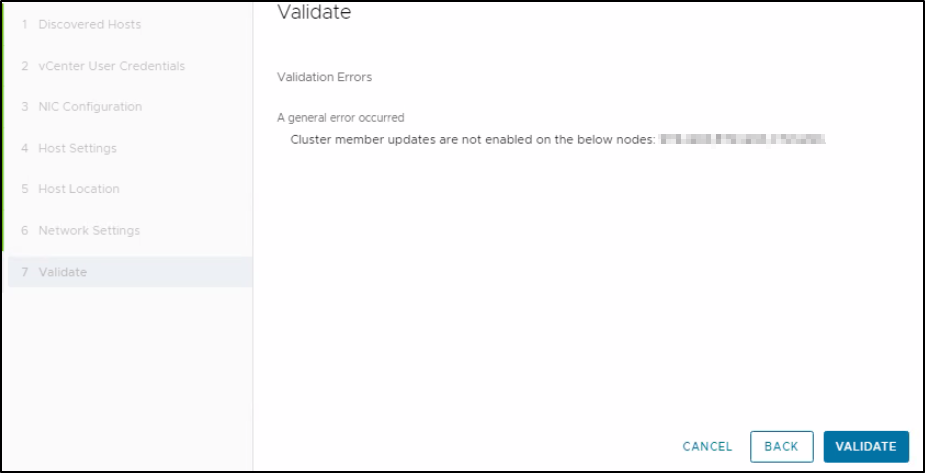
Validation Errors
A general error occurred
  Cluster member updates are not enabled on the below nodes: XXXXXXX  XXXXXXX  XXXXXXX
Cause
This occurs when the "IgnoreClusterMemberListUpdates" value is equaled to 1 instead of 0 which is the default value.
Running the command below to see this output:
esxcfg-advcfg -g /VSAN/IgnoreClusterMemberListUpdates

Value of IgnoreClusterMemberListUpdtes is 1
- If the value is 1, the host ignores updates
- If the value is 0 (default value), then it accepts updates
Resolution
1. SSH the affected nodes prompted on the validation process and run the following command:
4. Click again on Validate, it should finish with no errors.

esxcfg-advcfg -g /VSAN/IgnoreClusterMemberListUpdates2. If the result is 1, then change it to 0 by running this command:
esxcfg-advcfg -s 0 /VSAN/IgnoreClusterMemberListUpdates3. Run again the command on step 1 and check that the output is now 0.
4. Click again on Validate, it should finish with no errors.
Affected Products
VxRail, VxRail SoftwareArticle Properties
Article Number: 000224540
Article Type: Solution
Last Modified: 21 Aug 2025
Version: 2
Find answers to your questions from other Dell users
Support Services
Check if your device is covered by Support Services.