PowerProtect:无法配置系统日志转发,并出现错误:身份验证模式“x509/anon”不受支持
Summary: PowerProtect Data Manager — 无法配置系统日志转发,并显示错误:身份验证模式“x509/anon”不受支持。
This article applies to
This article does not apply to
This article is not tied to any specific product.
Not all product versions are identified in this article.
Symptoms
系统日志转发不能通过 TLS 工作,但通过 UDP 工作正常。
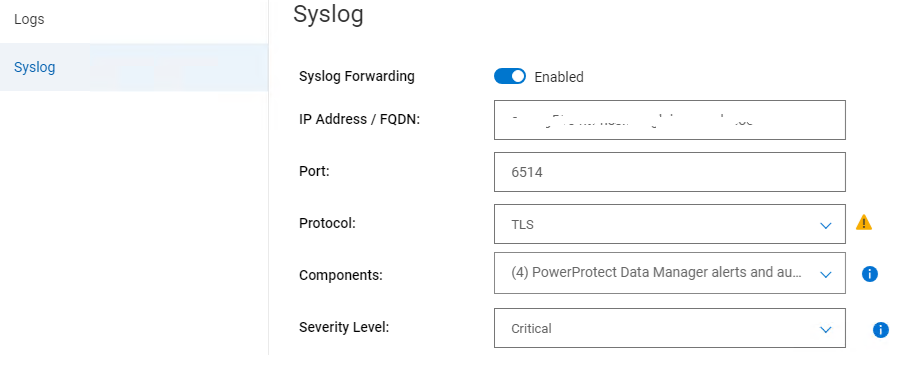
在 /var/log/message 中,我们可以看到以下关键错误:
在 /var/log/message 中,我们可以看到以下关键错误:
2024-06-20T16:16:47.330297+10:00 xxx rsyslogd: error: authentication mode 'x509/anon' not supported by gtls netstream driver
Cause
身份验证模式设置不正确。
Resolution
1.在文件 /usr/local/brs/lib/logmgr/config/syslog-tls.properties 中,确保 syslog.tls.streamDriverAuthMode 为 anon。
确保 StreamDriverAuthMode 为“anon”
syslog.tls.streamDriverAuthMode=anon2.在 PowerProtect Data Manager 系统日志中,/etc/rsyslog.d 下的配置文件(名为 <uuid.conf>)。
确保 StreamDriverAuthMode 为“anon”
 Port="6514"
                Protocol="TCP"
                StreamDriver="gtls"
                StreamDriverMode="1"
                StreamDriverAuthMode="anon"
Affected Products
PowerProtect Data Manager, PowerProtect SoftwareArticle Properties
Article Number: 000226290
Article Type: Solution
Last Modified: 19 Aug 2024
Version: 2
Find answers to your questions from other Dell users
Support Services
Check if your device is covered by Support Services.