Dell NativeEdge: Container metrics are missing when the deployed container’s name contains spaces
Summary: NativeEdge Endpoints, virtual machine deployments, and container deploy collect and display related metrics. This includes CPU usage, memory usage, disk space consumption, network I/O measurements, and so on. However, when a container is deployed, where the deployment name contains a space, metrics for that container are not displayed. ...
This article applies to
This article does not apply to
This article is not tied to any specific product.
Not all product versions are identified in this article.
Symptoms
For example, here is a container deployment created with the name "My Deployment":

This results in a successful container deployment to the endpoint, as shown:
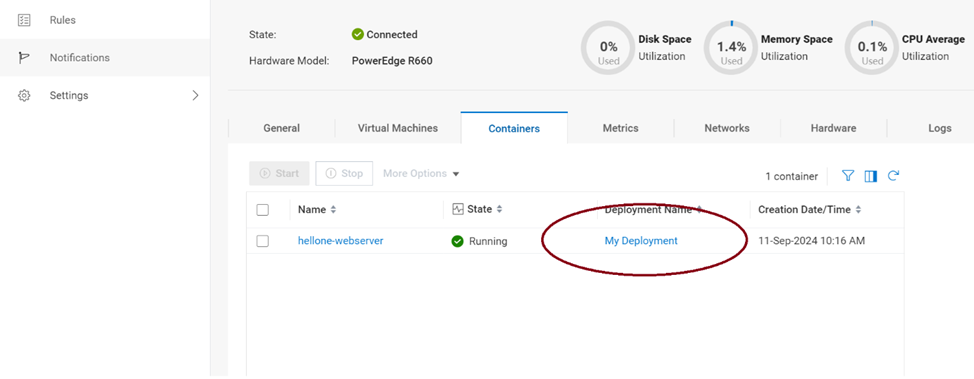
However, when navigating to the Metrics tab, no data is present:
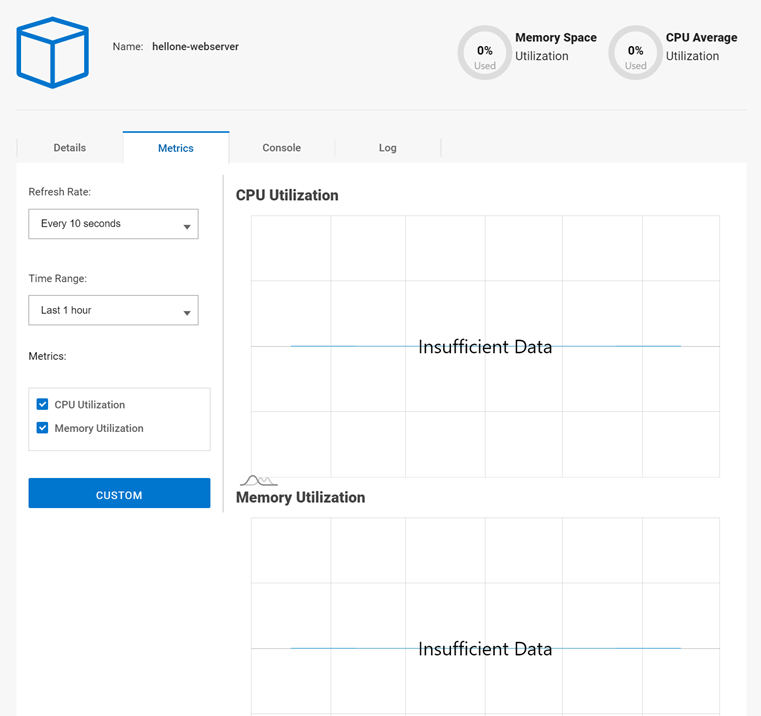
This results in a successful container deployment to the endpoint, as shown:
However, when navigating to the Metrics tab, no data is present:
Cause
"Metrics for containers" is a new feature in NativeEdge 2.2.0.0.
This issue is resolved in NativeEdge 3.0.0.0.
Resolution
This issue is resolved in NativeEdge 3.0.0.0.
Workaround for NativeEdge 2.2.0.0:
To avoid this issue, ensure all the name of a Container deployment to a NativeEdge endpoint does not contain any spaces. Instead, use dashes or underscores in the name to separate words, as in "My-Deployment," shown below: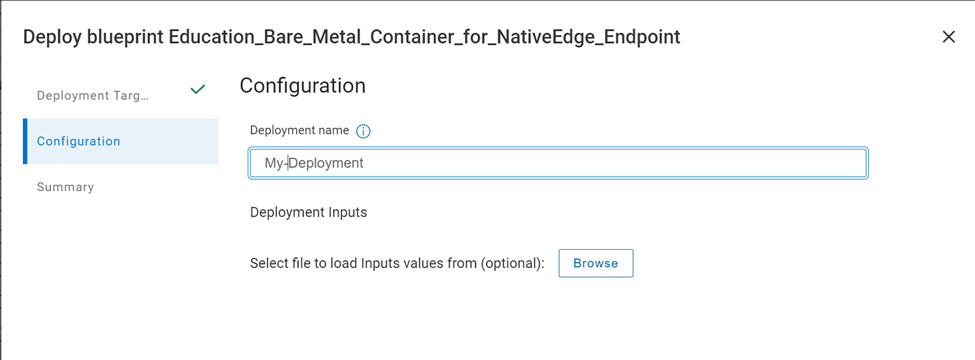
Affected Products
NativeEdge Solutions, NativeEdgeArticle Properties
Article Number: 000228600
Article Type: Solution
Last Modified: 15 Jan 2025
Version: 2
Find answers to your questions from other Dell users
Support Services
Check if your device is covered by Support Services.