PowerVault ME5:使用“全选”复选框时出现磁盘组创建错误
Summary: 使用 ME5 用户界面创建线性 RAID 阵列时,选择所有可用磁盘可能会导致子组无法正确填充。此问题发生在所有 RAID 级别。
This article applies to
This article does not apply to
This article is not tied to any specific product.
Not all product versions are identified in this article.
Symptoms
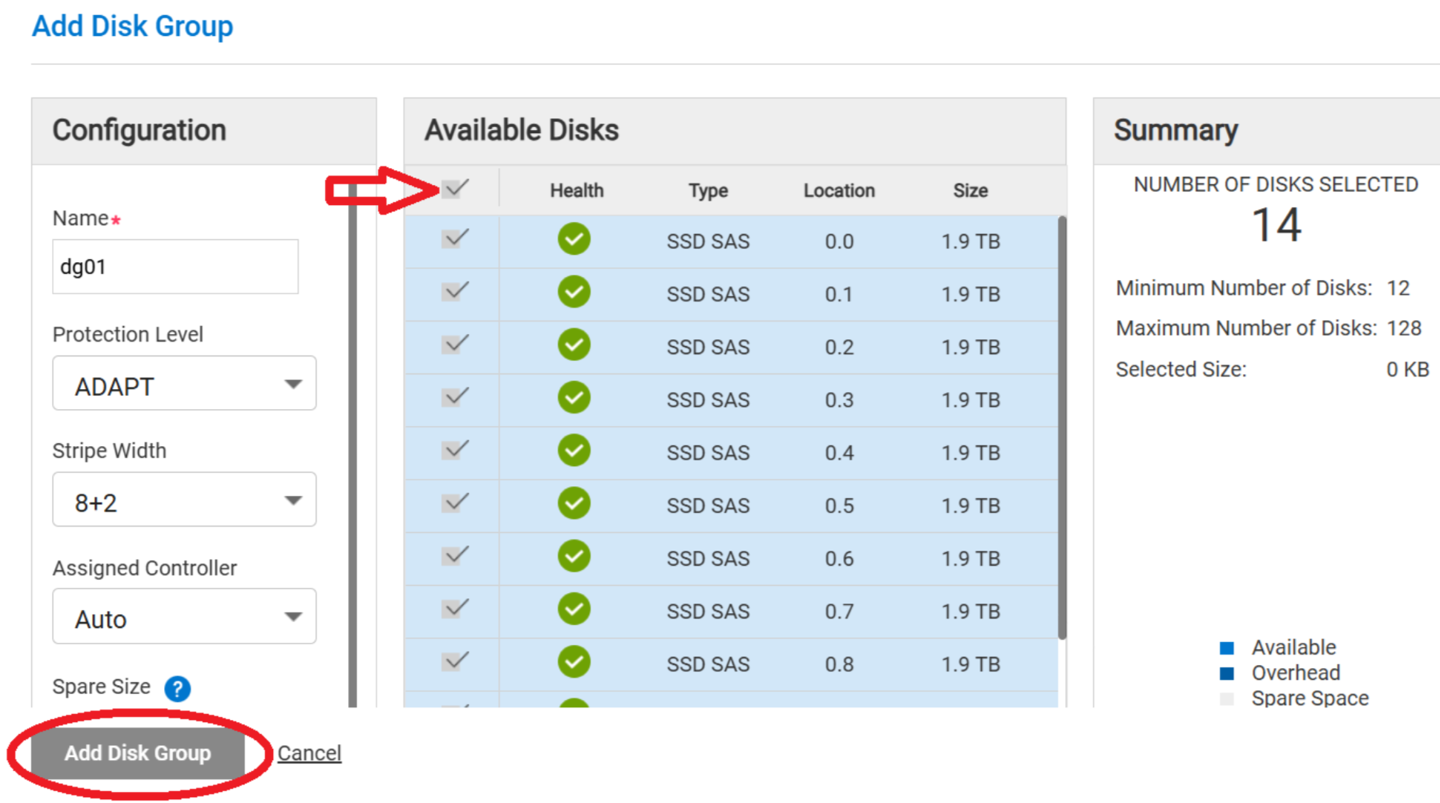
在创建线性磁盘组期间,选择添加磁盘组按钮时,使用可用磁盘顶部顶部的全选复选框选项不会创建磁盘组。
图 1:
Cause
固件代码版本 5.1.2.1.1 和更早版本
Resolution
戴尔工程部门正在研究解决方案。
有可用的解决方法:
- 选择所有可用磁盘
- 单击一个磁盘以清除其选择
- 重新选择在步骤 2 中单击的磁盘
- 继续创建磁盘组
此问题与所有磁盘组类型相关。
解决此问题的固件更新计划在 2025 年 9 月至 10 月的时间范围内发布。
在修复可用之前,用户可以使用上述解决方法成功创建磁盘组。
Affected Products
ME Series, PowerVault ME5012, PowerVault ME5024, PowerVault ME5084Article Properties
Article Number: 000280682
Article Type: Solution
Last Modified: 07 Mar 2025
Version: 2
Find answers to your questions from other Dell users
Support Services
Check if your device is covered by Support Services.