PowerFlex TPM 2.0: Device Detected, but a Connection Cannot be Established
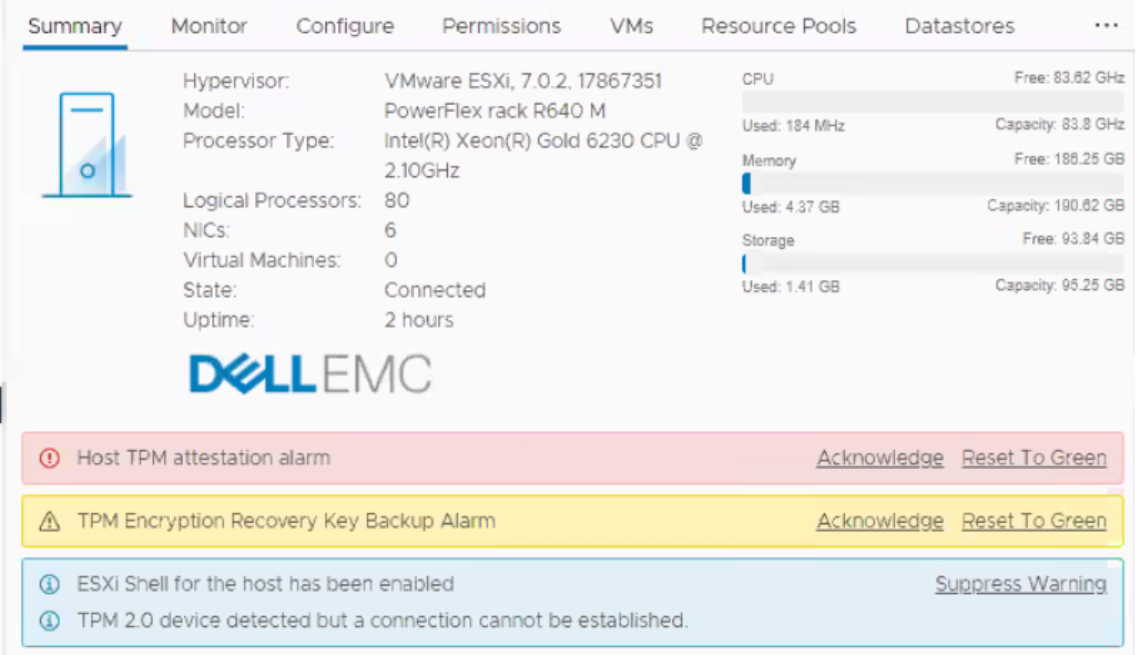
Summary: This message may appear during new deployments, installs, or expansion. All the hosts show alerts in vCenter stating "TPM 2.0 device detected but a connection cannot be established. Warning: Host TPM attestation alarm." ...
This article applies to
This article does not apply to
This article is not tied to any specific product.
Not all product versions are identified in this article.
Symptoms
Alarm in vCenter:

Cause
For more information about Trusted Platform Module (TPM) version 2.0 in the vCenter 6.7 environment, see VMware documentation at vSphere Security
The ESXi vCenter queries the host BIOS to see if it has a TPM chip. If it does, an alarm sounds as it cannot communicate due to the chip being present and not enabled. This is cosmetic in nature and can be ignored.

Resolution
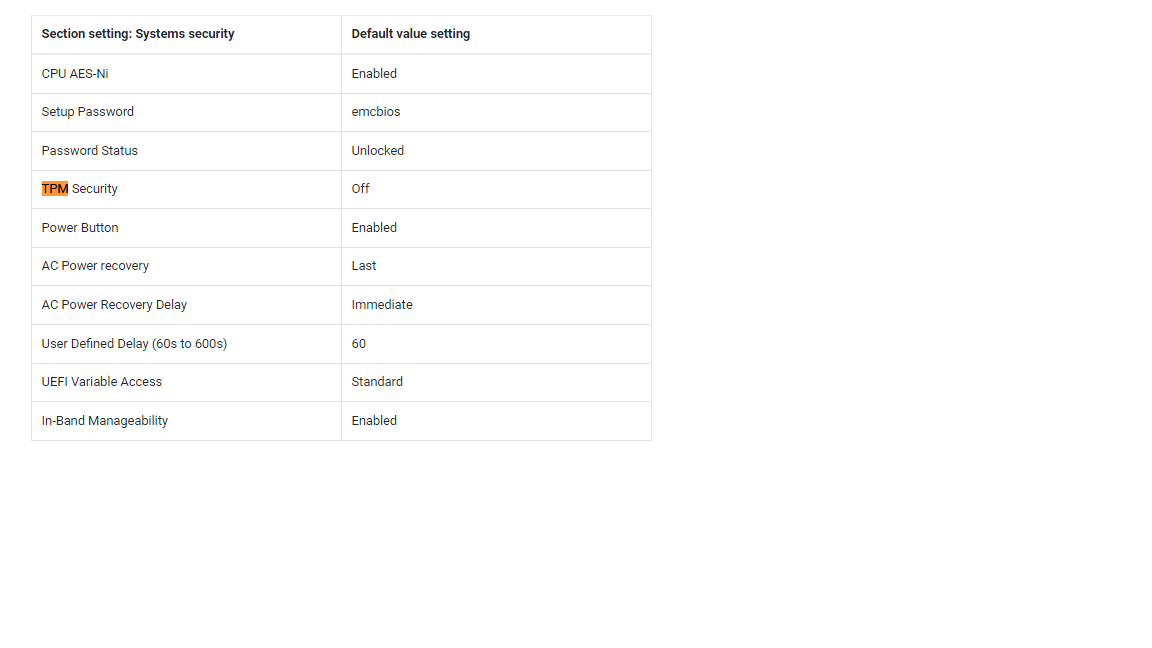
The PowerFlex personality module is TPM disabled by default. The feature is not properly supported but is expected to be coming in future releases.
Option 1:
Disable TPM and safely ignore this message. Engineering is investigating the best way to suppress this message in the future but until that time, disable TPM.
Option 2:
Using the command line to disable TPM safely using RacADM:
(Scripted notes after # are comments and not part of the command.)
racadm -r <ip addr> -u root -p XXXXX get Bios.SysSecurity.TpmSecurity              # command to check effective value

racadm -r <ip addr> -u root -p XXXXX set Bios.SysSecurity.TpmSecurity Off          # command to disable it.

racadm -r <ip addr> -u root -p XXXXX get Bios.SysSecurity.TpmSecurity              # command to check the pending value

racadm -r <ip addr> -u root -p XXXXX jobqueue create BIOS.Setup.1-1 -r pwrcycle    # command soft-reboots the host immediately and applies
Affected Products
Converged Infrastructure, PowerFlex rackArticle Properties
Article Number: 000317199
Article Type: Solution
Last Modified: 05 Jun 2025
Version: 2
Find answers to your questions from other Dell users
Support Services
Check if your device is covered by Support Services.