Dell NativeEdge:上传令牌并显示“无法解码令牌”错误
Summary: 在 NativeEdge Orchestrator 上上传令牌并显示“无法解码令牌”错误。
This article applies to
This article does not apply to
This article is not tied to any specific product.
Not all product versions are identified in this article.
Symptoms
2025 年 5 月 29 日之后,如果用户尝试从 Dell Digital Locker(或作为“我的帐户”)生成新的访问令牌并上传到现有 NativeEdge Orchestrator,用户将在 Orchestrator 用户界面上看到“cannot decode token”(无法解码令牌)错误。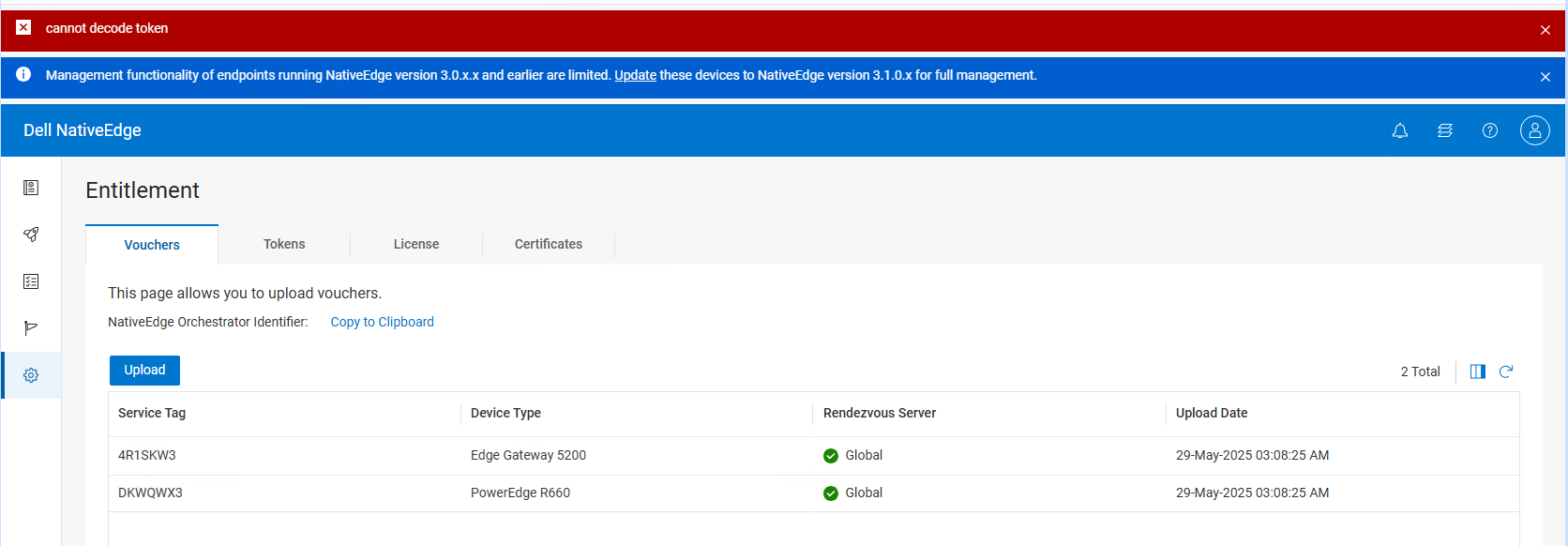
Cause
这是由于 Dell Digital Locker 的意外后端更改造成的。
页眉和页脚应位于字符串下方。
-----BEGIN EDGE ORCHESTRATOR ACCESS TOKEN-----
-----END EDGE ORCHESTRATOR ACCESS TOKEN-----
相反,它显示为下面的字符串。
-----开始访问令牌-----
-----END ACCESS TOKEN-----
Resolution
NativeEdge 工程人员已意识到此问题,并与 Dell Digital Locker 端合作撤销更改。
将页眉和页脚恢复为正确格式后,此知识库文章将更新。
唯一的解决方法是使用安全隔离方法上传凭证。
注意:将不正确的页眉和页脚格式替换为正确的页眉和页脚格式将不允许访问令牌从 Dell Digital Locker 中提取凭证,因为它无法识别修改后的访问令牌。
6月18日的更新
Dell Digital Locker 端已恢复更改,新创建的访问令牌正常工作。在 5 月 29 日至 6 月 18 日之间生成的访问令牌已损坏。建议客户从“我的帐户”生成新令牌。
Affected Products
NativeEdge SolutionsArticle Properties
Article Number: 000333293
Article Type: Solution
Last Modified: 23 Jun 2025
Version: 2
Find answers to your questions from other Dell users
Support Services
Check if your device is covered by Support Services.