VxRail: How to enable SSH for vCenter
Summary: How to manually enable SSH when receiving error "An internal error has occurred - Error #1009"
This article applies to
This article does not apply to
This article is not tied to any specific product.
Not all product versions are identified in this article.
Instructions
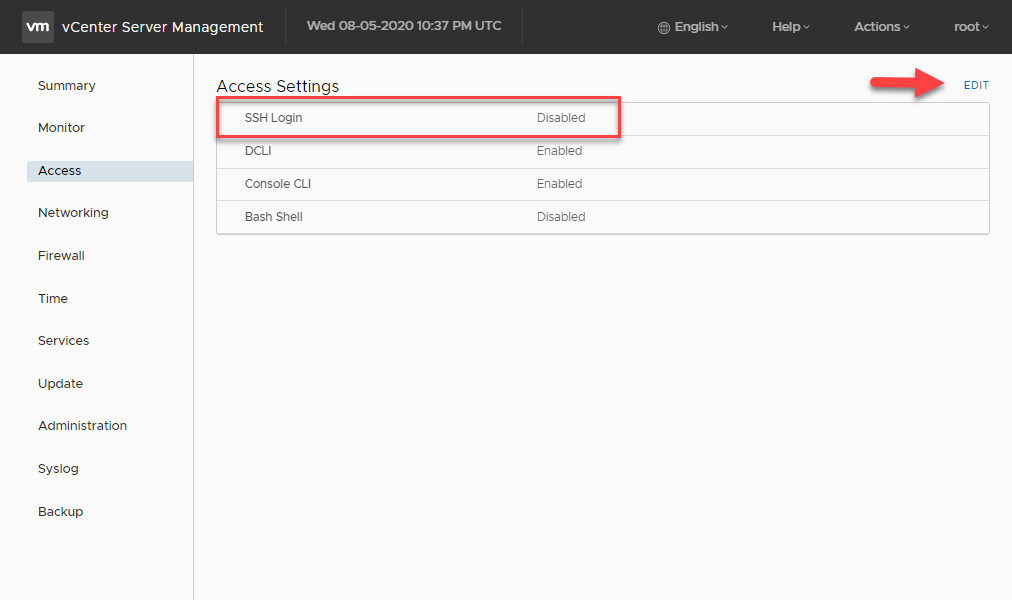
Enable SSH following the below steps:
- Open a browser and go to VAMI:
https://<vcenter-ip>:5480 - Log in with the root credentials.
- In the left-hand menu, click Access.
- Click the Edit button.
- Enable the SSH Login option and click OK to save the change
Article Properties
Article Number: 000022532
Article Type: How To
Last Modified: 23 Jun 2026
Version: 7
Find answers to your questions from other Dell users
Support Services
Check if your device is covered by Support Services.