Connectivity SANnav: Error message in events tab of SANnav "Registration for telemetry profile: 'Profile_PortMetrics_[IP ADDRESS]' has failed on the switch:[IP address]: Error Connecting to Stream Server."
Summary: Receiving an error message in SANnav events tab that is related to telemetry registration.
This article applies to
This article does not apply to
This article is not tied to any specific product.
Not all product versions are identified in this article.
Symptoms
SANnav events tab contains multiple events that are related to telemetry registration failure for few switches.
On the problematic switch, issue the command #telemetryapp --show all using root credentials.
"Registration for telemetry profile: 'Profile_PortMetrics_{}' has failed on the switch: {} : Error Connecting to Stream Server. Server will not be able to collect high granular data"
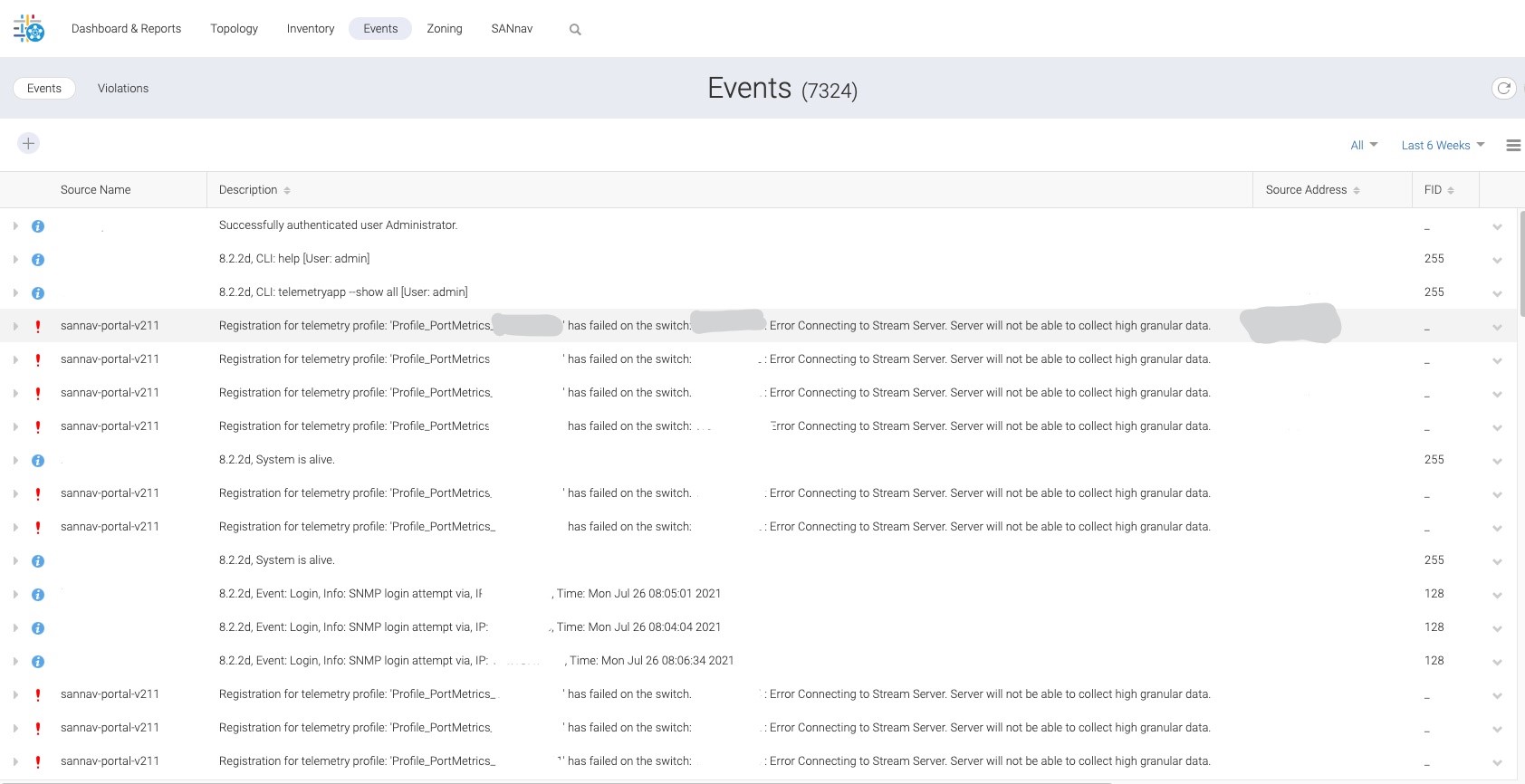
On the problematic switch, issue the command #telemetryapp --show all using root credentials.
Schema Server Configuration:
============================
Server Name : Brocade_Schema_Server_[]
Server IP : IP ADDRESS
Stream Server Configuration:
============================
Server Name : Brocade_Stream_Server_[]
Server IP : iP ADDRESS
Secure Protocol: SSL
Server State : Connection Error
Server Status : Stream Server Not Reachable
Profile Configuration:
======================
Profile Name : Profile_PortMetrics_[]
State : Profile Error
Status : Stream Server Not Reachable
Schema Server : Brocade_Schema_Server_[]
Stream Server : Brocade_Stream_Server_[]
Feature : PortMetrics
Interval : 2sec
Cause
There is an SSL connection issue between SANnav and the problematic switch. Also, the switches are not fully registered for telemetry data gathering.
Resolution
In order to refresh the SSL connection between switch and SANnav, perform the following action plan:
- Log in to SANnav.
- Go to SANnav > Fabric Discover.
- Click View option for the concerned fabric which contains the problematic switches.
- Click the concerned switch and click Stop Monitoring option.
- Click Monitor option.
Article Properties
Article Number: 000190250
Article Type: Solution
Last Modified: 11 May 2026
Version: 3
Find answers to your questions from other Dell users
Support Services
Check if your device is covered by Support Services.