S4100スイッチにONIE、ファームウェア アップデーター、SSDファームウェア、OS10をクリーン インストールする方法
Summary: この記事では、USBからONIE、ファームウェア アップデーター、SSDファームウェア、OS10のクリーン インストールを実行する手順について説明します これは、工場出荷時にインストールされたファームウェアまたは古いファームウェアからスイッチをアップグレードする場合に役立ちます。OS10をアンインストールし、『Dell SmartFabric OS10インストール、アップグレード、ダウングレード ガイド』に従って、10.4.2.x以前のリリースで実行されているスイッチのクリーン インストールを実行する必要があります。 ...
This article applies to
This article does not apply to
This article is not tied to any specific product.
Not all product versions are identified in this article.
Instructions
- USBペン ドライブをFAT32形式でフォーマットし、必要なすべてのファイルをUSBフォルダーのルートに移動します
- スイッチのバックアップを作成します(
show running-configuration)をリロードします。通常、古いファームウェアで作成されたxmlバックアップの場合、startup.xmlリストアは機能しません。コマンドの出力をコピーしてメモ帳に貼り付けることができます。 - スイッチの電源を入れ直すか再起動し、[ONIE]、[Uninstall OS]の順に選択します
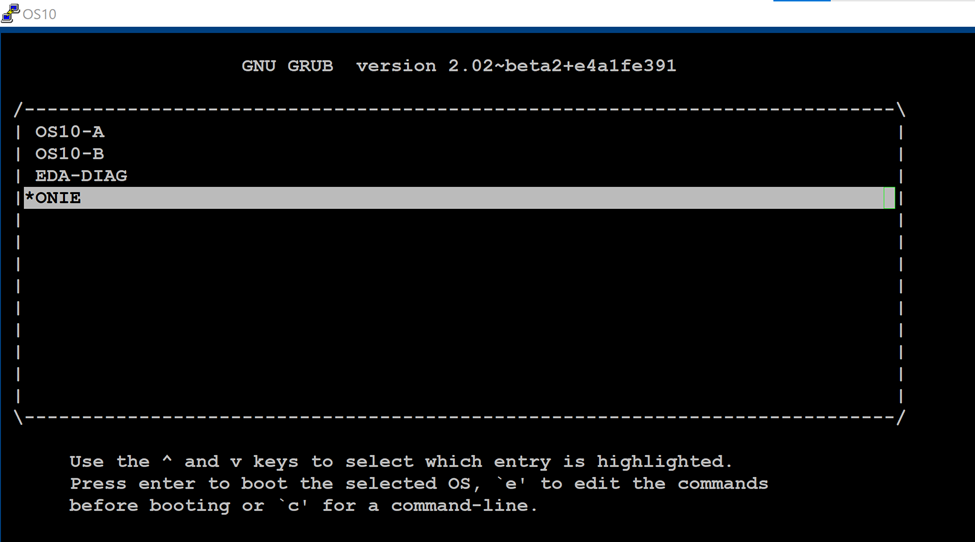
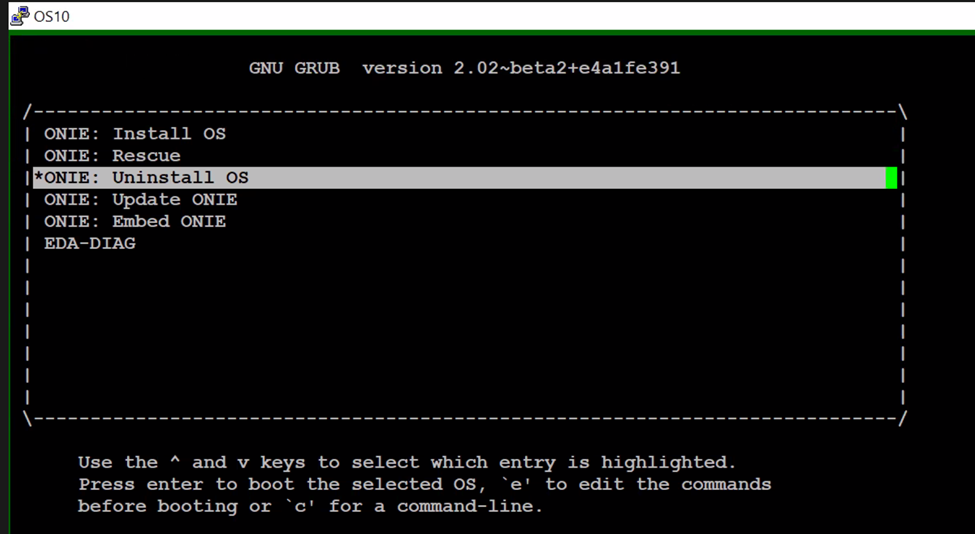
4.既存のOSをアンインストールし、電源を入れ直します。ONIEのメニューから[Update ONIE]を選択して、ONIEソフトウェアをアップデートします。

5. ONIEプロンプトが起動したら、次の手順に従います
onie-discovery-stop  <------------------------- stop discovery messages
fdisk -l                     <------------------------- See the list of partitions
mkdir /mnt/usb    <------------------------- Create a directory for the USB to mount to
mount -t vfat /dev/sdb1 /mnt/usb  <------------------------- Mount the USB to the newly created directory
cd /mnt/usb             <------------------------- Navigate to the directory that we just mounted the USB drive
ls -al                             <------------------------- list the contents of USB

6.コマンド「onie-self-update <onie filename>」を発行します。
onie-self-update onie-updater-x86_64-dellemc_s4100_c2338-r0.3.33.1.1-10
7.スイッチはONIEソフトウェアをアップデートし、電源を入れ直します。ONIEメニューから「ONIE-Rescue」を選択します。

8.もう一度STEP5を実行してください。ONIEプロンプトが表示されたら

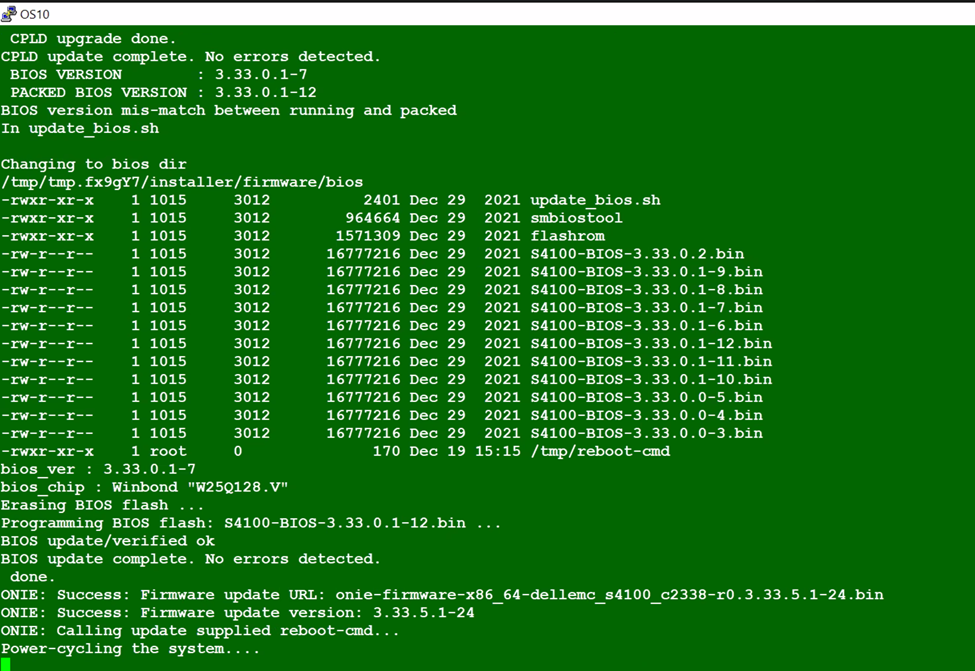
9.スイッチの電源の入れ直し。ONIEメニューからONIE-Rescueを選択し、再度STEP5を行ってください。
onie-self-update <firmware updater file >
10.次のコマンドを実行します。

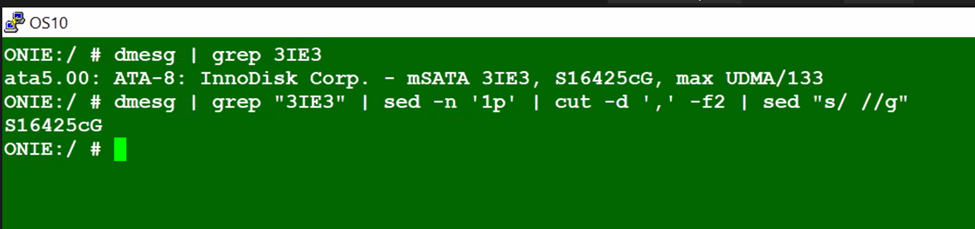
11.スイッチの電源サイクル。[ ONIE-Rescue ]を再度選択し、次の2つのコマンドを使用してSSDファームウェアがアップデートされていることを確認します。
 onie-self-update <ssd firmware>
example :  onie-self-update ssd-firmware-updater-3ie3-r0.3.00.7.0-1.bin
dmesg | grep "3IE3" | sed -n '1p' | cut -d ',' -f2 | sed "s/ //g"
dmesg | grep 3IE3

onie-nos-install <OS10 file>
example :onie-nos-install PKGS_OS10-Enterprise-10.5.6.1.100buster-installer-x86_64.bin

14.以前に取得したバックアップから構成をセグメント単位でリストアし、保存します
15. 古い構成と新しい構成を比較します。
15. 古い構成と新しい構成を比較します。
Additional Information
NA
Affected Products
Operating Systems, Switches, SmartFabric OS10 SoftwareArticle Properties
Article Number: 000206589
Article Type: How To
Last Modified: 09 Jun 2025
Version: 4
Find answers to your questions from other Dell users
Support Services
Check if your device is covered by Support Services.