NetWorker: Azure VM Snapshot restore fails "the source blob does not belong to the same region as the disk"
Summary: NetWorker Azure Virtual Machine (VM) Snapshot restore fails, reporting that the source blob does not belong to the same region as the disk.
Symptoms
Azure VMs are protected using NetWorker Azure VM snapshot protection.
An Azure VM snapshot restore fails with the following error in a Debug 7 (D7) recover log:
208119:nsrazure_recover: Error from url 'https://management.azure.com/subscriptions/SUBSRIPTION_ID/resourceGroups/RESOURCE_GROUP_NAME/providers/Microsoft.Compute/disks/VM-NAME_OsDisk_JOB-NAME_JOBID_TIME-STAMP?api-version=2021-12-01': Response Code: 400 Response Data: {
  "error": {
    "code": "BadRequest",
    "message": "The source blob https://STORAGE-ACCOUNT-NAME.blob.core.windows.net/CONTAINER-NAME/VM-NAME_OsDisk_JOB-NAME_JOBID_TIME-STAMP does not belong to the same region as the disk."
  }
}
..
MM/DD/YY HH:mm:SS nsrazure_recover-D7 restoreDiskFromBlob failed for payload '{
  "location": "REGION-NAME",
  "properties": {
    ...
    },
    "creationData": {
      "createOption": "Import",
      "sourceUri": https://STORAGE-ACCOUNT-NAME.blob.core.windows.net/CONTAINER-NAME/VM-NAME_OsDisk_JOB-NAME_JOBID_TIME-STAMP,
      "storageAccountId": "/subscriptions/SUBSCRIPTION-ID/resourceGroups/RESOURCE-GROUP-NAME/providers/Microsoft.Storage/storageAccounts/STORAGE-ACCOUNT-NAME"
    },
    "diskSizeGB": SIZE
  }
}'
MM/DD/YY HH:mm:SS nsrazure_recover-D6 restoreDiskFromBlob: end
207541:nsrazure_recover: Unable to start recover session for subscription 'SUBSCRIPTION-NAME', resource group 'RESOURCE-GROUP-NAME', storage account 'STORAGE-ACCOUNT-NAME'
Cause
The target disk location selected in the restore is in a different Azure region from the Azure blob storage account. For example, the restore target used is southcentralus; however, the Azure storage account specified in the restore resides in eastus2.
The source blob and the target managed disk must be in the same region.
Resolution
- Log in to the Azure portal.
- Navigate to the Storage Account used during the restore. https://portal.azure.com/#browse/Microsoft.Storage%2FStorageAccounts
- From the Storage Account's Overview tab, check the Location. If the storage account's location does not match the target disk location, identify or create a storage account within the same Azure region. For example:


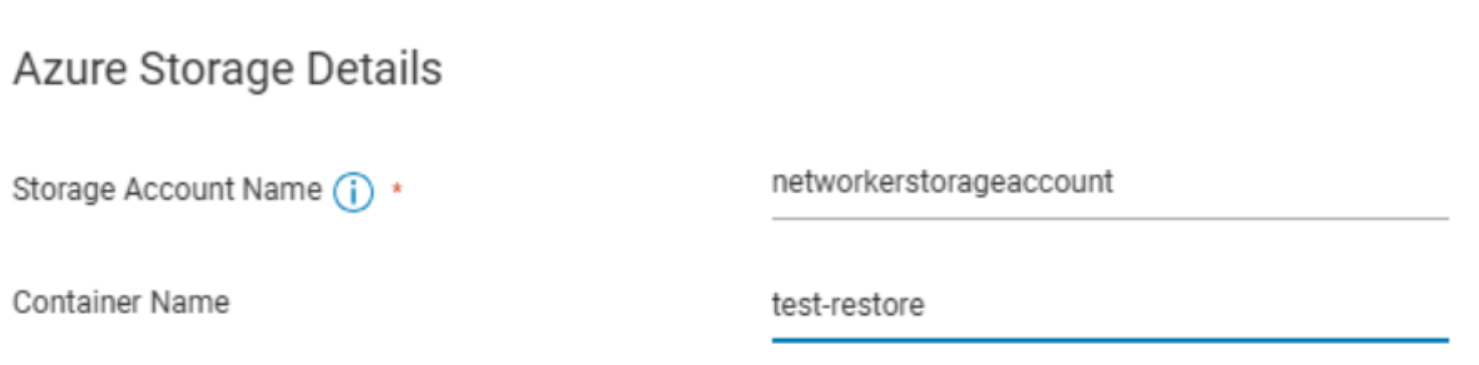
- Perform the Azure restore again using the Azure storage account location that matches the target disk location:
Additional Information
This is a constraint within Azure. When importing through the Azure portal, you must select a Destination Azure region that is available to the storage account. Regions not associated with the storage account cannot be selected.
See: Tutorial: Import data to Blob Storage with the Azure Import/Export service
The NetWorker Azure VM Snapshot Integration Guide states the following for the recover command-line options:
| -L | Specifies the region of the created VM. This option is derived from the information that is collected during the backup. |
Since there is no option in the recover UI, the target region is derived from the backup.
All NetWorker Guides are available through: https://www.dell.com/support/product-details/product/networker/docs