檔案總管在 Windows 10 中沒有回應
Summary: 是否遇到檔案總管在 Windows 10 中沒有回應的問題?請遵循本指南清除歷程記錄、重設資料夾及還原預設設定以解決問題。重新開機您的電腦以修正問題。
This article applies to
This article does not apply to
This article is not tied to any specific product.
Not all product versions are identified in this article.
Symptoms
受影響的作業系統:
- Windows 10
Windows 10 檔案總管是否無法回應,繼續進入工作迴圈,然後出現無回應訊息?
Cause
出現此問題是因為下載到計算機的某些應用程式可能會導致某些設置更改,從而導致檔資源管理器鎖定和計算機性能緩慢。若要解決此問題,請執行下列步驟:
Resolution
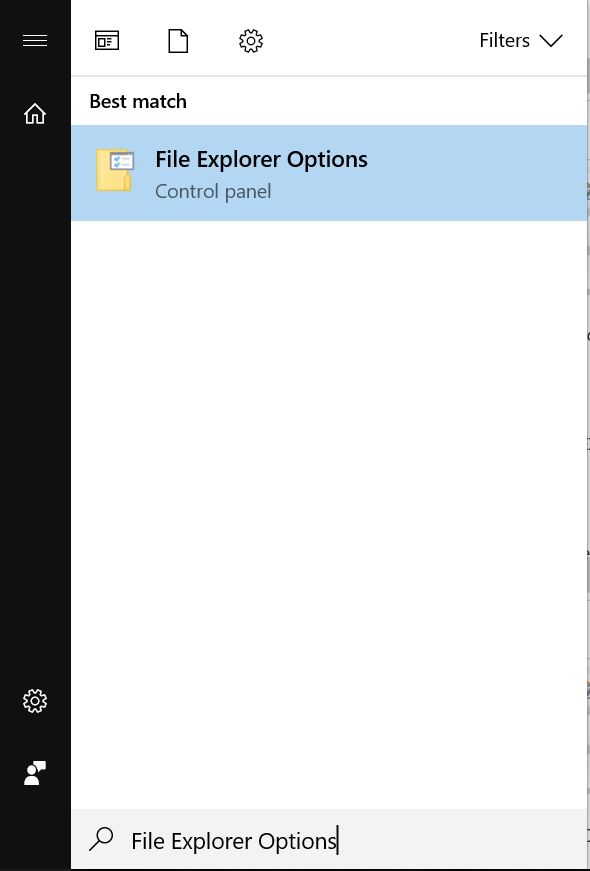
- 按一下「開始」按鈕,然後輸入檔案 總管選項:
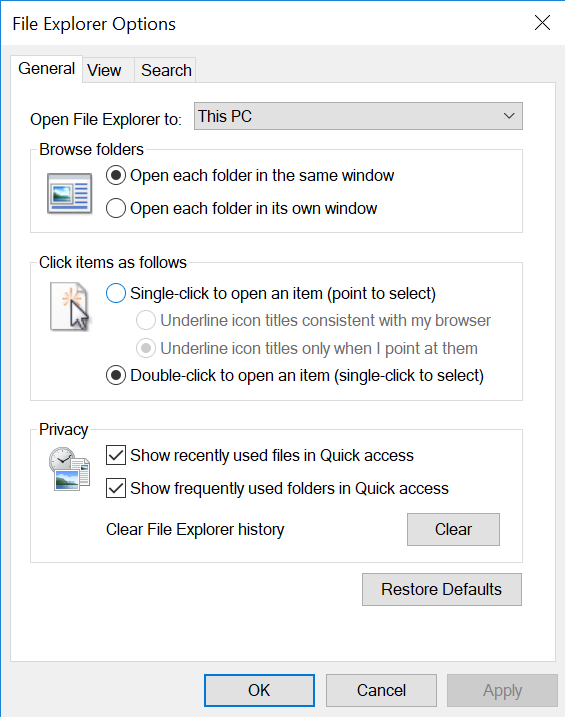
- 按一下 一般 標籤,在清除檔案總管歷程記錄選項中,按一下 清除,然後按一下還原 預設值,最後按一下套 用。
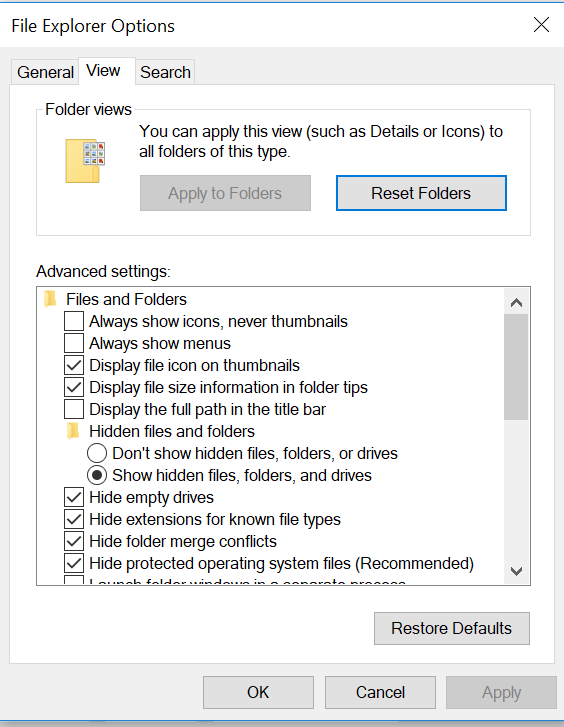
- 現在按一下檢視標籤,選取重設資料夾,然後按一下是。接著按一下還原 預設值,再按一下 套用。
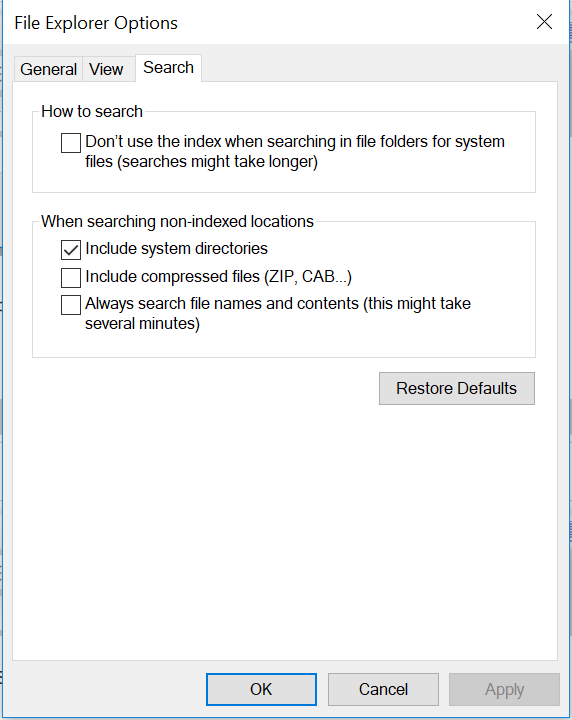
- 在 搜尋 標籤中,按一下還原 預設值 ,然後按一下 套用。
- 完成此作業後, 請重新開機 電腦,問題應該會解決。
Affected Products
Alienware, Inspiron, Legacy Desktop Models, OptiPlex, Vostro, XPS, G Series, G Series, Alienware, Inspiron, Latitude, Vostro, XPS, Legacy Laptop Models, Fixed Workstations, Mobile WorkstationsArticle Properties
Article Number: 000148462
Article Type: Solution
Last Modified: 17 Jul 2025
Version: 8
Find answers to your questions from other Dell users
Support Services
Check if your device is covered by Support Services.