Latitude 7320 and 7350 Detachable Folio Keyboard is Difficult to Attach to the Tablet for the First Time in Angled Mode
Summary: Information about having difficulty attaching the folio keyboard on the Latitude 7320 and 7350 when it is in angled mode.
This article applies to
This article does not apply to
This article is not tied to any specific product.
Not all product versions are identified in this article.
Symptoms
You may find that when you attempt to use the folio keyboard in angled mode, the keyboard does not magnetically attach to the tablet.
The Latitude 7320 and 7350 detachable folio keyboard can be used in several ways. The keyboard can be used with the bottom flat on the surface or can be tilted at the back by lifting and attaching to the system face magnetically which angles the keyboard for more comfortable typing. With new systems and keyboards, you may find that the keyboard does not remain attached to the tablet in angled mode.
Cause
The detachable folio keyboard assemblies use "glue" to bond all parts including the fabric. The strong FPC leather design sometimes means it can be hard to bend to attach the keyboard, and it will not remain magnetically attached to the tablet screen.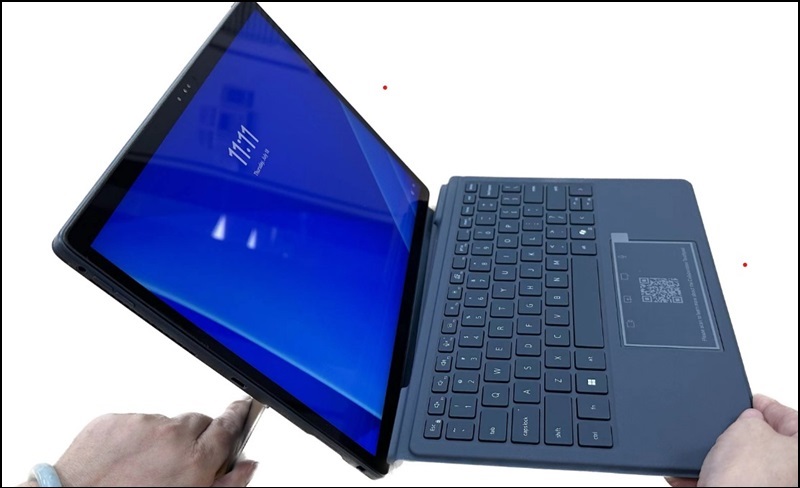
Resolution
Folio Keyboard Attachment
There are two options to resolve this issue. By manually manipulating and folding the folio keyboard, it can loosen the fabric which allows the keyboard to remain attached to the screen.
- Option 1:
Flip up and push down a little on two sides to let the tablet magnet attract with folio.

- Option 2:
- Close the folio with the tablet.
- Let the folio magnet find the tablet magnet.
- Flip back KB

Affected Products
Latitude 7320 Detachable, Latitude 7350 DetachableArticle Properties
Article Number: 000227656
Article Type: Solution
Last Modified: 24 Jul 2025
Version: 4
Find answers to your questions from other Dell users
Support Services
Check if your device is covered by Support Services.