Avamar: Data Domain Capacity Resolution Path
Summary: Data Domain Capacity Resolution Path.
This article applies to
This article does not apply to
This article is not tied to any specific product.
Not all product versions are identified in this article.
Symptoms
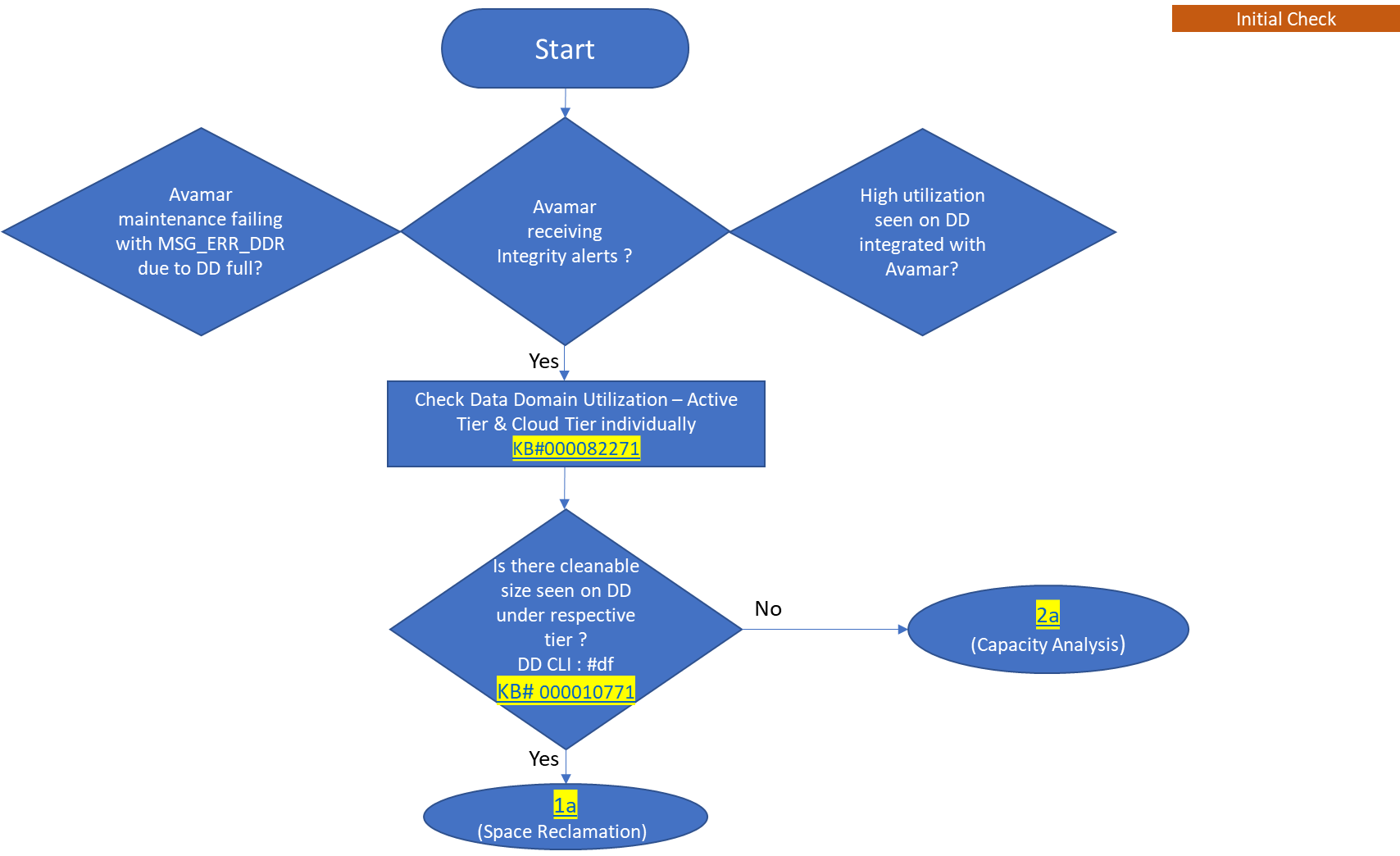
- Avamar maintenance is failing with
MSG_ERR_DDRdue to Data Domain full. - Avamar is receiving Integrity alerts.
- High utilization is seen on Data Domain that is integrated with Avamar.
Cause
This Resolution Path explains how to do Capacity Management when Data Domain has Avamar as the source of data ingest. In other words, when Avamar backups are residing on Data Domain.
Resolution
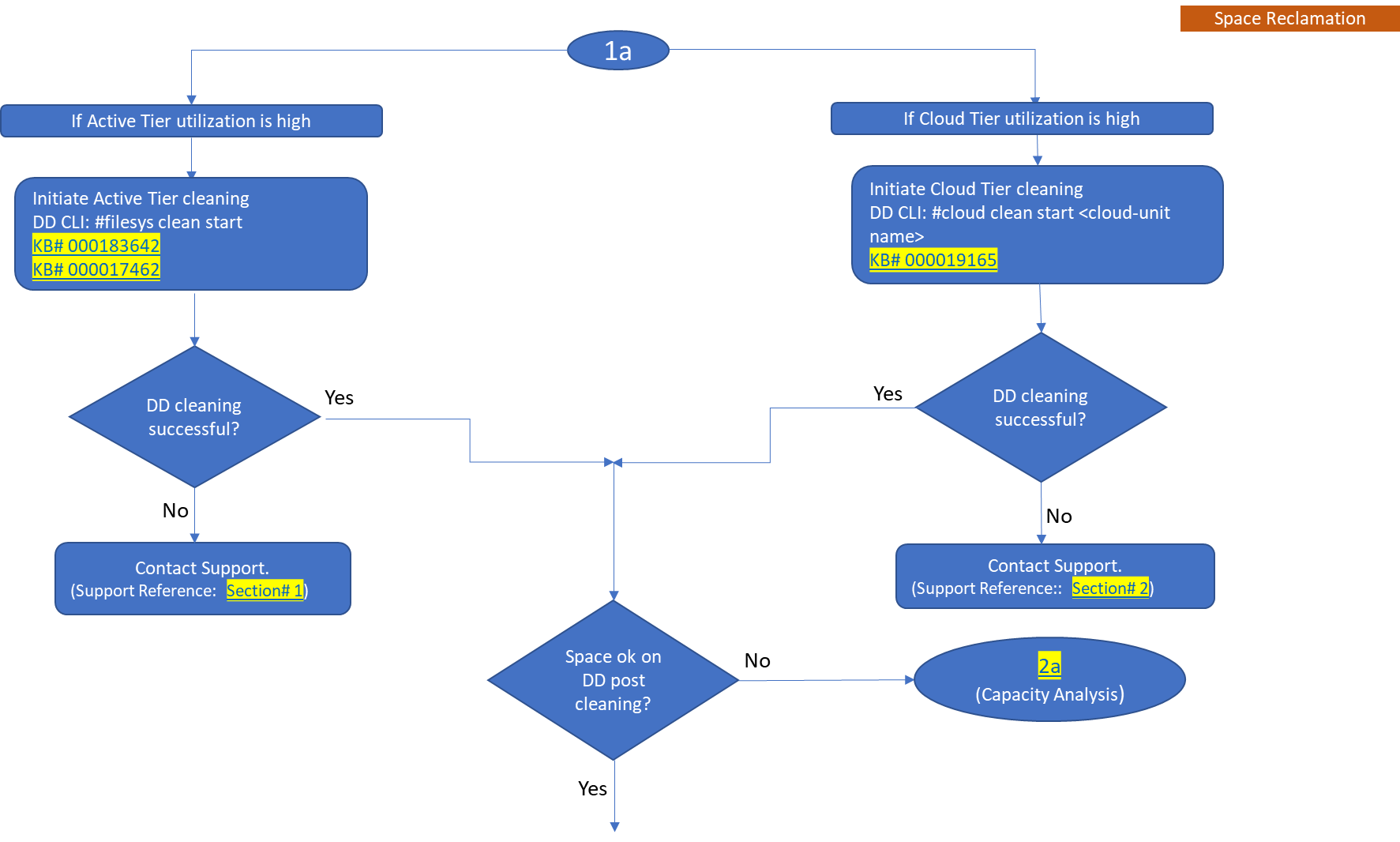
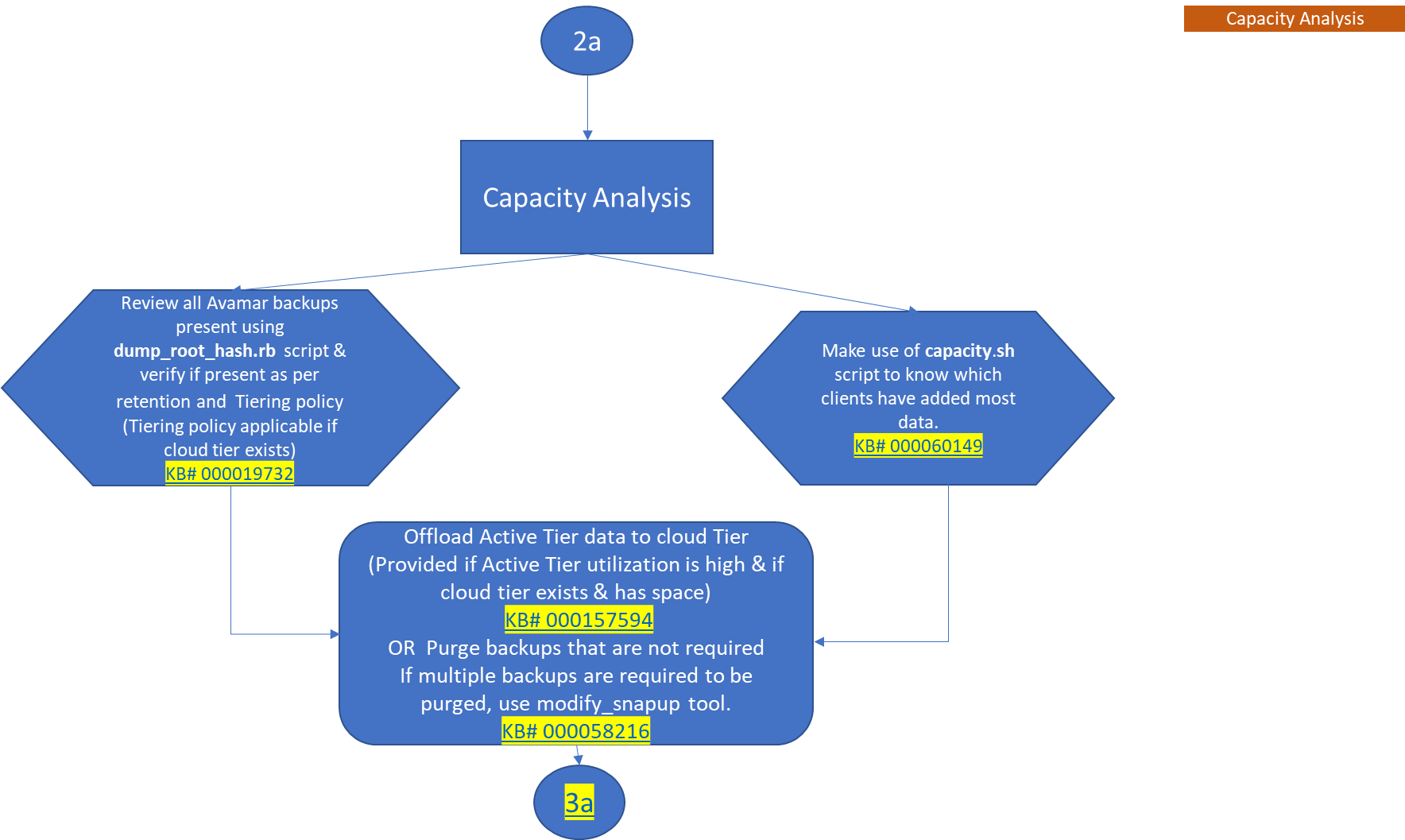
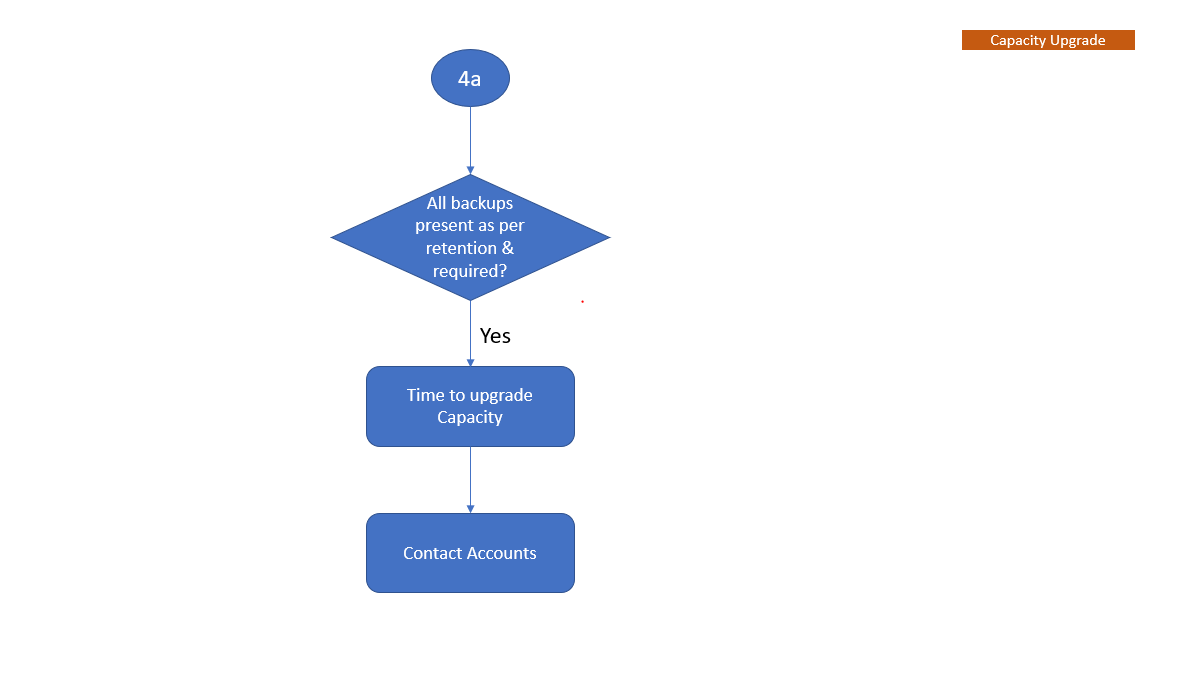
The flow chart depicts the capacity management workflow to help understand when Data Domain is integrated with Avamar.
NOTE: Sign in to download the PDF attached for referenced KBs.
-
Initial Check
Watch on YouTube
-
Space Reclamation
Watch on YouTube
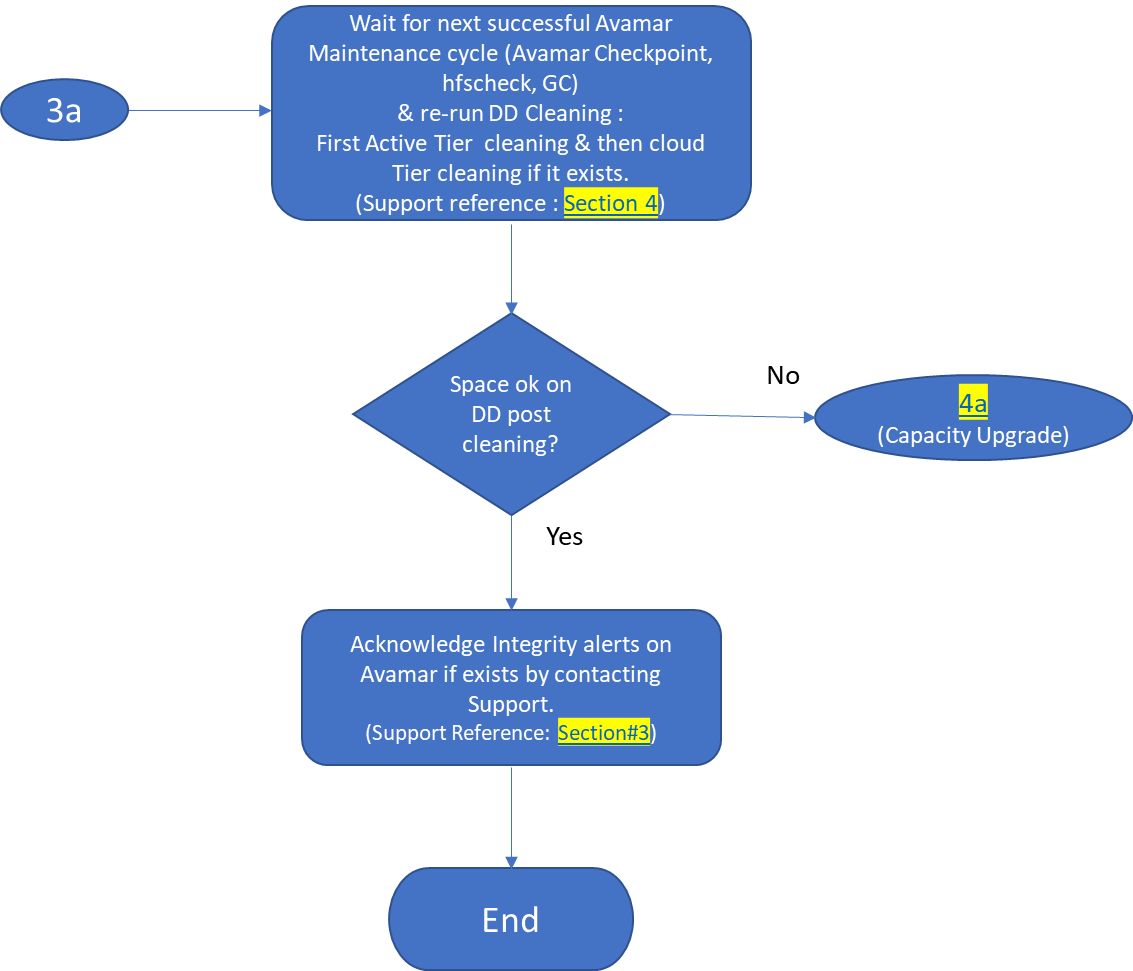
NOTE: Also, know about Automatic Cleaning, the new feature on Data Domain.
See Dell KB article 199927: PowerProtect DP Series: Protection Storage: Data Domain: Automatic Cleaning.
Click on below video to know "How to setup Automatic Cleaning on Data Domain"
Watch on YouTube
-
Capacity Analysis
Watch on YouTube
-
Capacity Upgrade
Affected Products
Avamar, Data DomainAttachments
Article Properties
Article Number: 000192662
Article Type: Solution
Last Modified: 01 Oct 2026
Version: 14
Find answers to your questions from other Dell users
Support Services
Check if your device is covered by Support Services.