Avamar:Data Domain 容量解決方案路徑
Summary: Data Domain 容量解決方案路徑。
This article applies to
This article does not apply to
This article is not tied to any specific product.
Not all product versions are identified in this article.
Symptoms
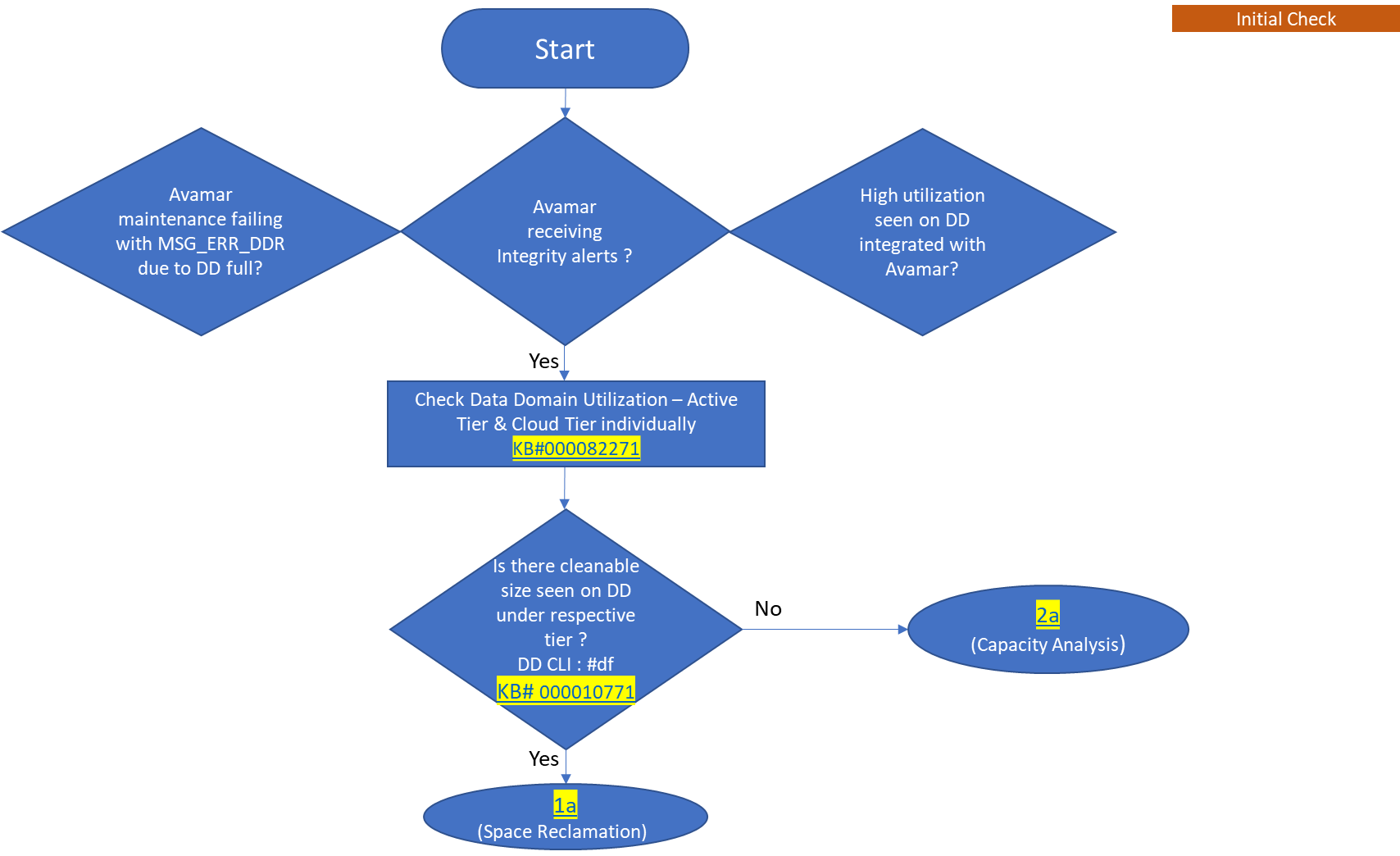
- 由於 Data Domain 已滿,導致 Avamar 維護失敗,並顯示 MSG_ERR_DDR。
- Avamar 收到完整性警示。
- 與 Avamar 整合的 Data Domain 會出現高使用率。
Cause
此解決方法路徑說明當 Data Domain 將 Avamar 作為資料接收的來源時,如何執行容量管理。換言之,當 Avamar 備份存在於 Data Domain 時。
Resolution
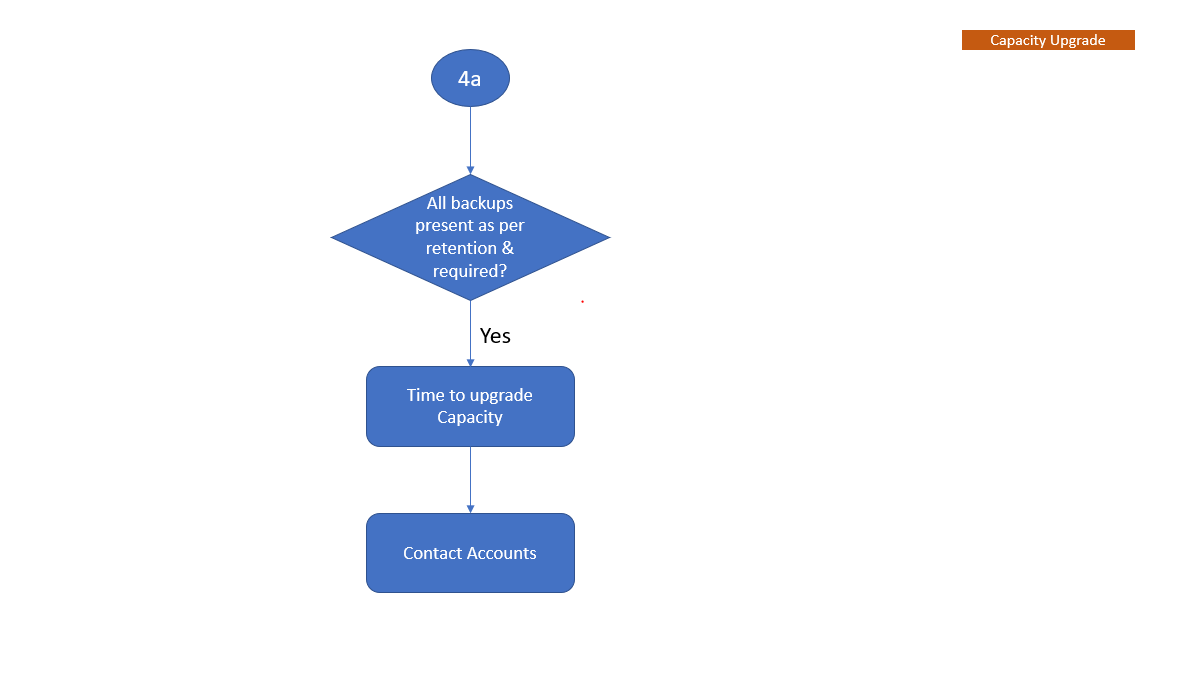
此流程圖描述了容量管理工作流程,以協助瞭解 Data Domain 與 Avamar 整合的時間。
注意:請登入以下載所附加的 PDF,以供參考的 KB 使用。
-
初始檢查
在 YouTube 上觀看
-
空間回收
在 YouTube 上觀看
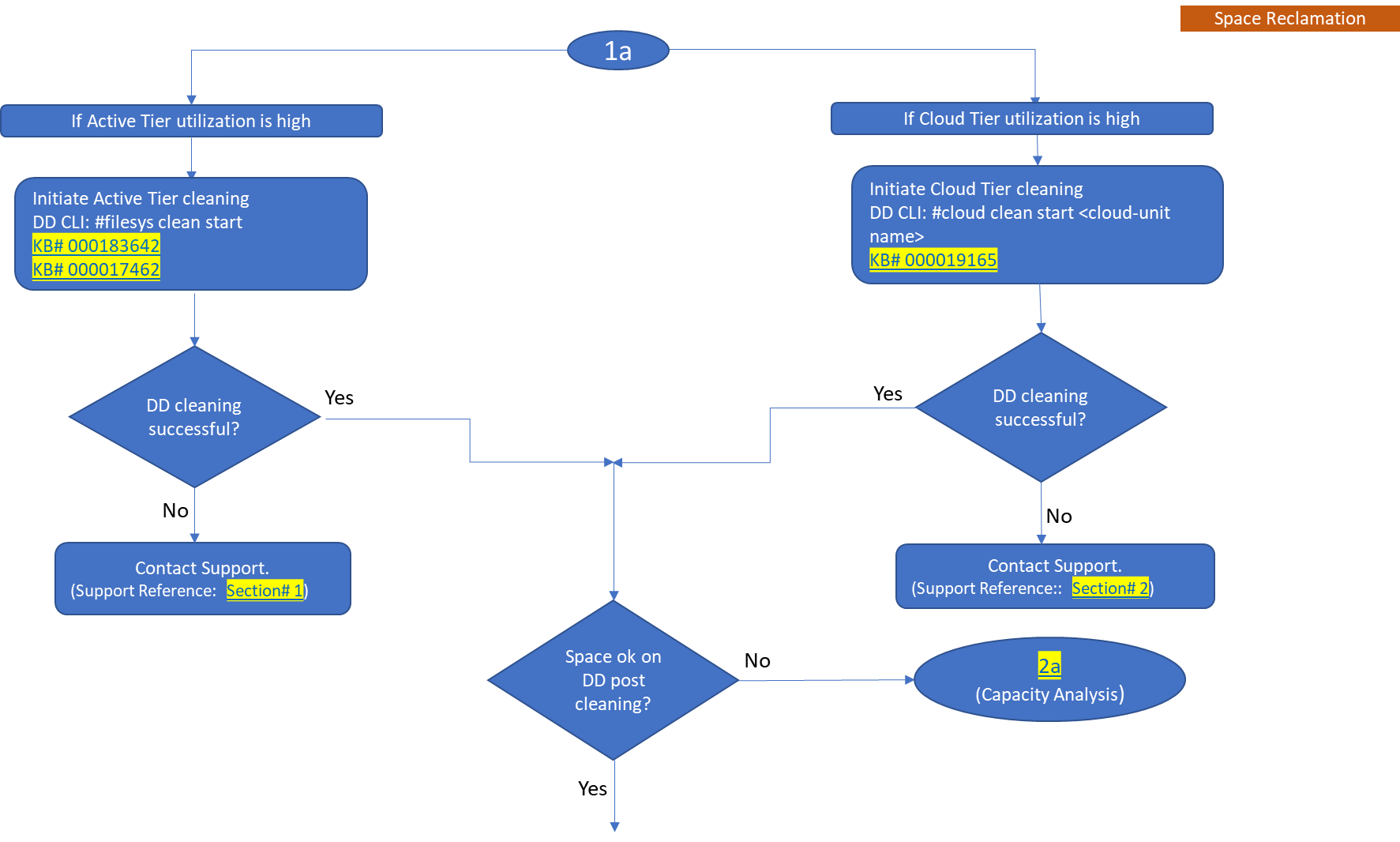
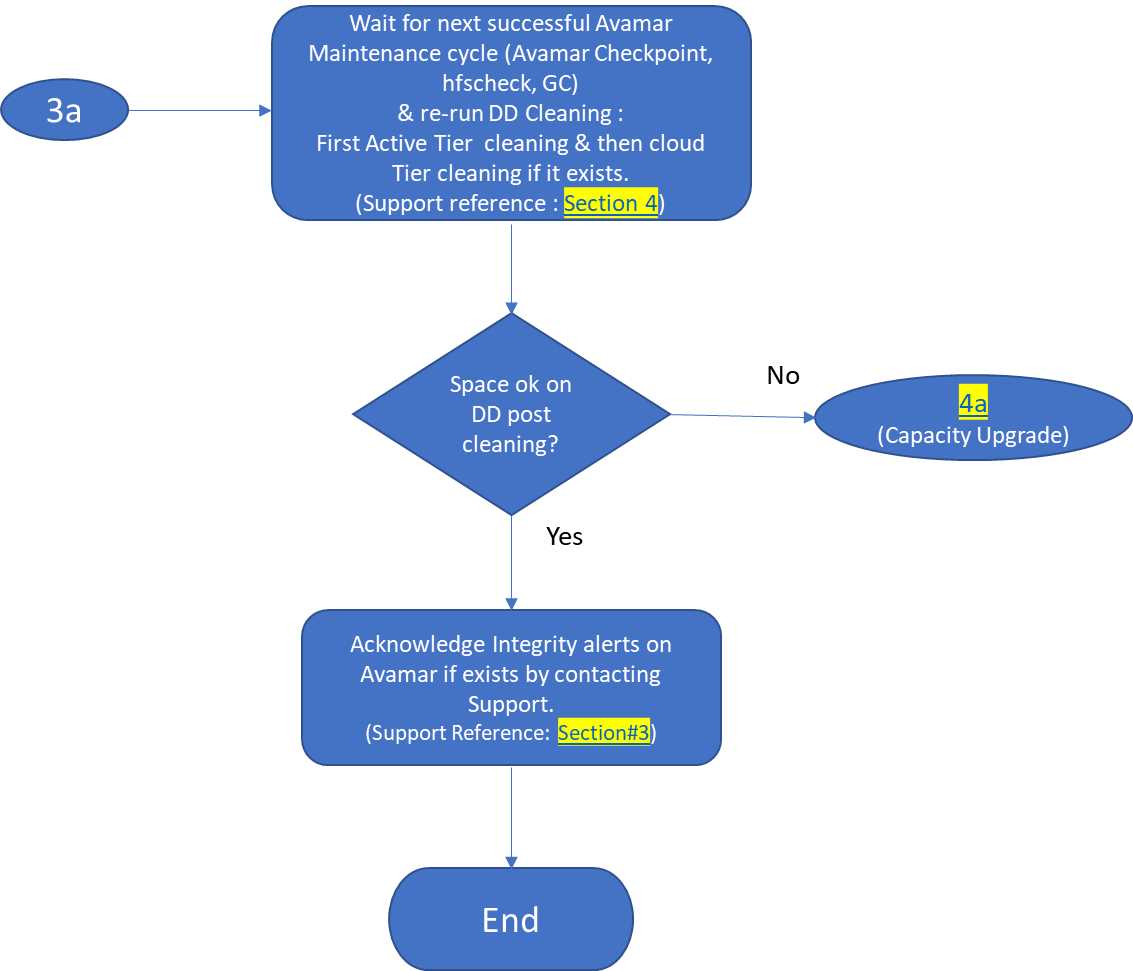
注意:另外,也要瞭解 Data Domain 上的新功能「自動清理」。
請參閱 Dell KB 文章 199927:PowerProtect DP 系列:保護儲存裝置:Data Domain:自動清理。
按一下以下影片,瞭解「如何在 Data Domain 上設定自動清理」
在 YouTube 上觀看
-
容量分析
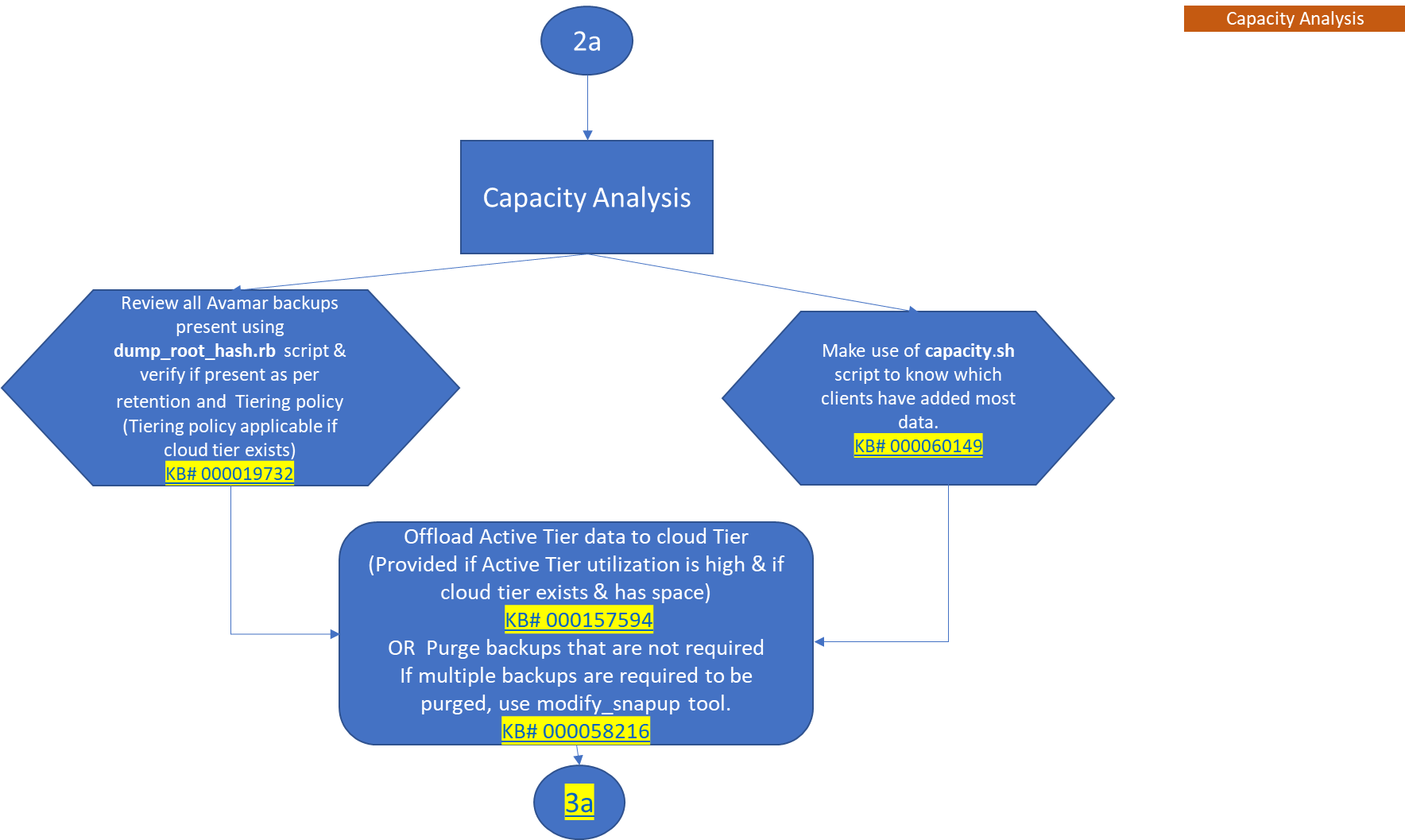
在 YouTube 上觀看
-
容量升級
Affected Products
Avamar, Data DomainArticle Properties
Article Number: 000192662
Article Type: Solution
Last Modified: 14 Jul 2026
Version: 13
Find answers to your questions from other Dell users
Support Services
Check if your device is covered by Support Services.