NVP-vProxy: Unable to browse FLR when the file path has more than 186 characters
Summary: Performing a Virtual Machine (VM) File Level Restore (FLR) "Error 200" appears when browsing a file/folder path that exceeds 186 characters.
Symptoms
NetWorker VMware Protection(NVP) with vProxy is implemented for backups and restores. When attempting to browse a virtual machine(VM) for File Level Recovery(FLR) feature, it is observed that the browse fails:
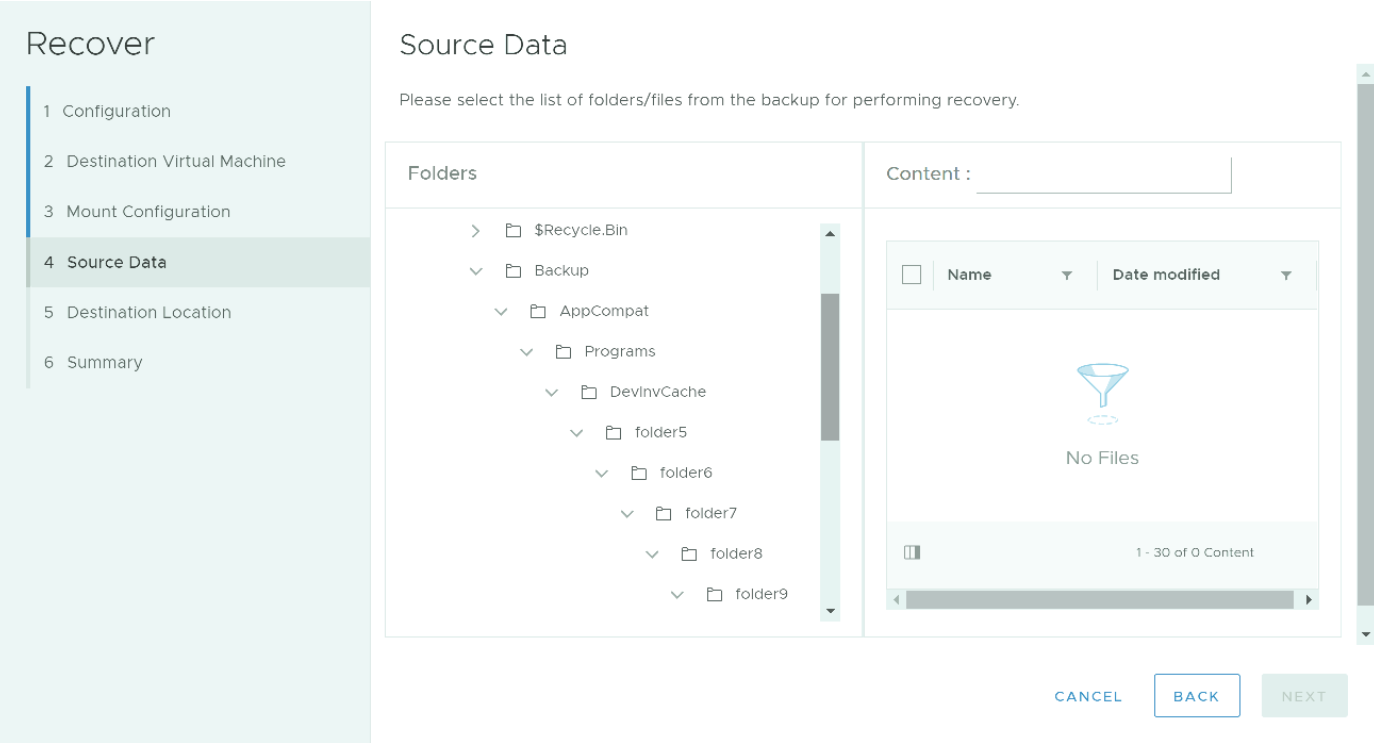
- Using NetWorker Management Console (NMC), the following error appears during a VM FLR if the file path exceeds 186 characters.

Figure 1: NMC FLR recovers wizard reports "Error while browsing 200" when the file system path exceeds 186 characters.
- Using the FLR web UI, no content is seen when browsing to the file location.
This only affects browsing when the path to be browsed has more than 186 characters after:
'C:\'. For example:"C:\folder1-longnamed-folder9or10\fol2\fol3\fol4\fol5\fol6\fol7\fol8\fol9-longlonglomglonglon;ngnamemanemnamenamenamenamenamenamenamnamssdiiiiiiiii123456789101112131415161718192021\o\9.txt"
The NetWorker server is 19.6.0.0 or older.
Cause
Known limitations in the Application Program Interface (API) call used in NetWorker 19.6.0.0 and older.
Resolution
NetWorker can be downloaded from: https://www.dell.com/support/home/product-support/product/networker/drivers
The NetWorker Compatibility matrix is available through: https://elabnavigator.dell.com/eln/modernHomeAutomatedTiles?page=NetWorker
Workaround:
Manually browse the file system to copy the contents on the target VM.
- Start your FLR request which mounts the file system on the target VM.
- On the target Virtual machine, use Windows explorer to open the install location and browse the mountpoints.
The install location is: "C:\Program Files (x86)\EMC\vProxy FLR Agent\flr\mountpoints\ID\00-X$"
For example: "C:\Program Files (x86)\EMC\vProxy FLR Agent\flr\mountpoints\FLR186731658\00-C$"
- Files and folders can be copied from the FLR mount to another location on the VM.