Data Domain: How to change the sync alert threshold
Yhteenveto: This article explains how to change the sync alert threshold using the command line. By default, the sync alert threshold is set to 24 hours. However, based on specific requirements, it may need to be adjusted for a particular mtree to prevent the error: “Sync-as-of time is more than 24 hours ago.” ...
Tämä artikkeli koskee tuotetta
Tämä artikkeli ei koske tuotetta
Tämä artikkeli ei liity tiettyyn tuotteeseen.
Tässä artikkelissa ei yksilöidä kaikkia tuoteversioita.
Ohjeet
- Use SSH to connect to the PowerProtect Data Domain with the admin privilege.
- Run the "replication option show" command to check the sync alert threshold.
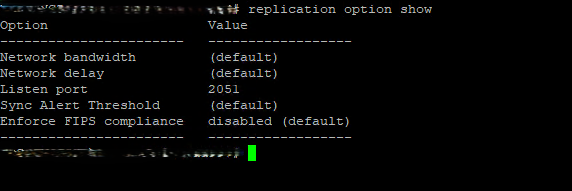
- To change the default value to different hours we need to use command "replication option set default-sync-alert-threshold <value>"
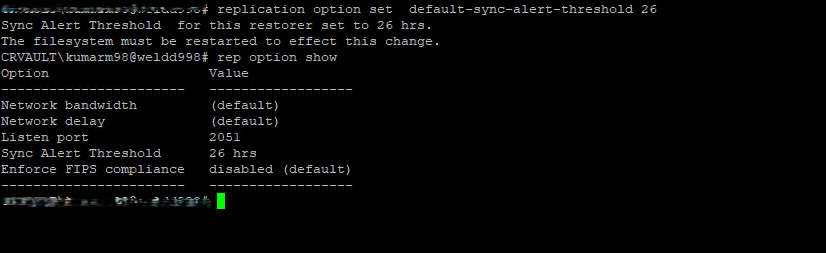
- The filesystem must be restarted to effect this change.
filesys restart
Tuotteet, joihin vaikutus kohdistuu
Data DomainArtikkelin ominaisuudet
Artikkelin numero: 000462922
Artikkelin tyyppi: How To
Viimeksi muutettu: 11 toukok. 2026
Versio: 1
Etsi vastauksia kysymyksiisi muilta Dell-käyttäjiltä
Tukipalvelut
Tarkista, kuuluuko laitteesi tukipalveluiden piiriin.