NetWorker Webユーザー インターフェイス従来のクライアントFLR参照デスティネーション パスでディレクトリーコンテンツを取得できなかった
Résumé: NetWorker Webユーザー インターフェイス(NWUI)は、NetWorkerデータゾーンの管理に使用されます。NETWorkerの従来のファイル レベル リカバリ(FLR)はNWUIを介して実行されていますが、[Browse Destination]ウィンドウはディレクトリコンテンツを取得できなかったことを示します。
Cet article concerne
Cet article ne concerne pas
Cet article n’est associé à aucun produit spécifique.
Toutes les versions du produit ne sont pas identifiées dans cet article.
Symptômes
NWUIコンソール ウィンドウには、次の情報が表示されます。
Could not get directory contents. Error in browsing the content. Please check the logs for more details
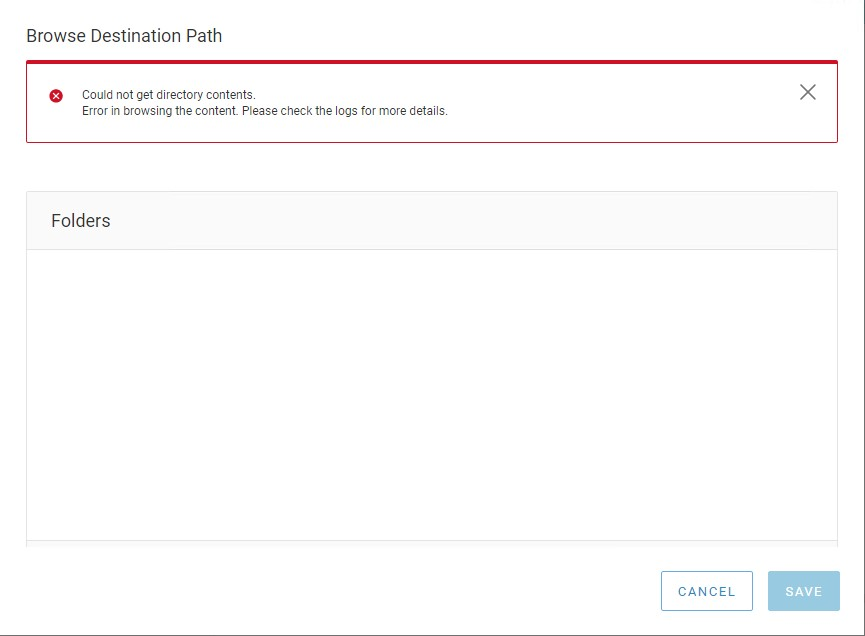
図1: NetWorker Webユーザー インターフェイス(NWUI)でエラーが返された
nwui.logには次の情報が表示されます。
15:01:28.612 [https-jsse-nio-9090-exec-7] ERROR c.e.n.c.n.impl.ClientApi - api.client.clientbrowse.backup.error Unrecognized field "fsSubtype" (class com.emc.nw.model.nwrestapi.FileSystemObject), not marked as ignorable (6 known properties: "size", "isCriticalVolume", "fstype", "saveTime", "name", "mTime"]) at [Source: (String)"{"count":1,"items":[{"fsSubtype":"None","fstype":"dir","name":"var","saveTime":"2022-06-14T19:00:11-04:00","size":512}]}"; line: 1, column: 35] (through reference chain: com.emc.nw.model.nwrestapi.FolderObject["items"]->java.util.ArrayList[0]->com.emc.nw.model.nwrestapi.FileSystemObject["fsSubtype"])
Cause
fsSubtypeクラスはNetWorker 19.5.xでは使用できず、NWUIが[Browse Destination]ウィンドウに入力できません。NetWorkerデータ ゾーンは最近、バージョン19.5.xから19.6.xにアップグレードされました。lgtonwuiserv-19.6*.x86_64パッケージのインストールでnwui.warの更新に失敗しました。そのため、NetWorkerデータ ゾーンは引き続き19.5.x nwui.warバージョンを使用しています。lgtonwuiserv-19.6.*.x86_64パッケージのインストール日とnwui.warの作成日を比較して、更新されたことを確認できます。
mynve:/nsr/authc/webapps # rpm -qa --last | grep nwui
lgtonwuiserv-19.6.1.2-1.x86_64                Mon Jul 25 15:46:39 YYYY
mynve:/nsr/authc/webapps # ls -ltr | grep nwui.war
-rwxr-xr-x  1 root   root  36842400 Jan 12 15:51 nwui.war
Résolution
lgtonwuiserv-19.6.*.x86_64 パッケージの再インストール中に、/nsr/authc/webapps/ディレクトリーのコンテンツをクリアする必要があります。これにより、nwui.warのアップデート中にクラス ファイルを開いているプロセスやJavaキャッシュが存在しないようにします。
- Networkerサービスを停止します。
systemctl stop networker - lgtonwuiserv-19.6.*.x86_64 パッケージを削除します。
rpm -e lgtonwuiserv-19.6.*.x86_64 - 使用可能な場合は、nwui.warファイルとディレクトリを削除します。
rm -rf /nsr/authc/webapps/nwui* - lgtonwuiserv-19.6.*.x86_64 パッケージをインストールします。
rpm -ivh lgtonwuiserv-19.6.*.x86_64 - NetWorkerサービスを開始します。
systemctl start networker
Propriétés de l’article
Numéro d’article: 000202485
Type d’article: Solution
Dernière modification: 23 oct. 2024
Version: 5
Trouvez des réponses à vos questions auprès d’autres utilisateurs Dell
Services de support
Vérifiez si votre appareil est couvert par les services de support.