NetWorker Web User Interface Traditional Client FLR Browse Destination Path에서 디렉토리 콘텐츠를 얻을 수 없음
Résumé: NWUI(NetWorker Web User Interface)는 NetWorker 데이터 존을 관리하는 데 사용됩니다. NWUI를 통해 NetWorker FLR(Traditional File Level Recover)이 수행되고 있지만 Browse Destination 창은 디렉토리 콘텐츠를 가져올 수 없음을 나타냅니다.
Cet article concerne
Cet article ne concerne pas
Cet article n’est associé à aucun produit spécifique.
Toutes les versions du produit ne sont pas identifiées dans cet article.
Symptômes
NWUI 콘솔 창에는 다음이 표시됩니다.
Could not get directory contents. Error in browsing the content. Please check the logs for more details
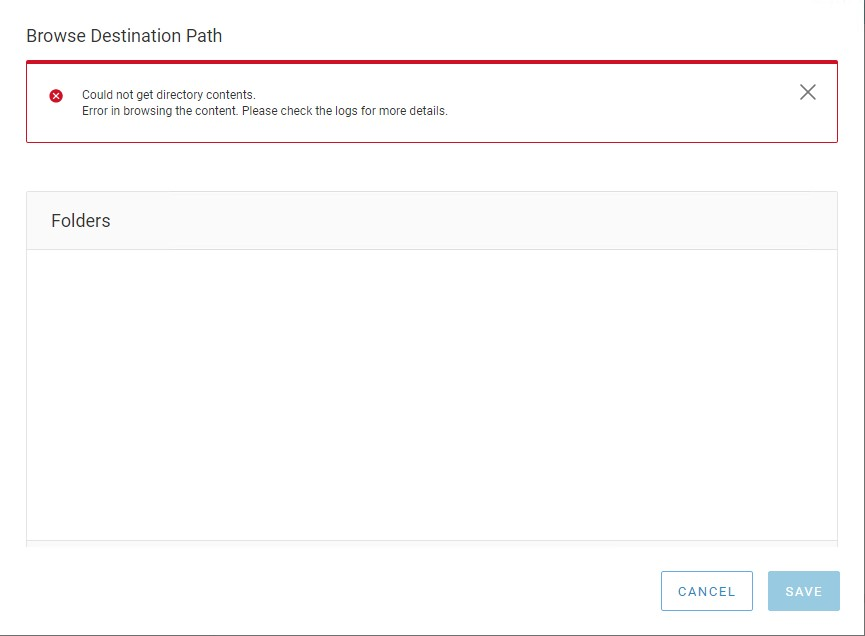
그림 1: NWUI(NetWorker Web User Interface)에서 오류가 반환됨
nwui.log 다음과 같이 표시됩니다.
15:01:28.612 [https-jsse-nio-9090-exec-7] ERROR c.e.n.c.n.impl.ClientApi - api.client.clientbrowse.backup.error Unrecognized field "fsSubtype" (class com.emc.nw.model.nwrestapi.FileSystemObject), not marked as ignorable (6 known properties: "size", "isCriticalVolume", "fstype", "saveTime", "name", "mTime"]) at [Source: (String)"{"count":1,"items":[{"fsSubtype":"None","fstype":"dir","name":"var","saveTime":"2022-06-14T19:00:11-04:00","size":512}]}"; line: 1, column: 35] (through reference chain: com.emc.nw.model.nwrestapi.FolderObject["items"]->java.util.ArrayList[0]->com.emc.nw.model.nwrestapi.FileSystemObject["fsSubtype"])
Cause
fsSubtype 클래스는 NetWorker 19.5.x에서 사용할 수 없으며 NWUI가 Browse Destination 창을 채울 수 없습니다. NetWorker 데이터 존은 최근 버전 19.5.x에서 19.6.x로 업그레이드되었습니다. lgtonwuiserv-19.6*.x86_64 패키지 설치가 nwui.war를 업데이트하지 못하므로 NetWorker 데이터 존은 여전히 19.5.x nwui.war 버전을 사용하고 있습니다. lgtonwuiserv-19.6.*.x86_64 패키지 설치 날짜 및 nwui.war 생성 날짜를 비교하여 업데이트되었는지 확인할 수 있습니다.
mynve:/nsr/authc/webapps # rpm -qa --last | grep nwui
lgtonwuiserv-19.6.1.2-1.x86_64                Mon Jul 25 15:46:39 YYYY
mynve:/nsr/authc/webapps # ls -ltr | grep nwui.war
-rwxr-xr-x  1 root   root  36842400 Jan 12 15:51 nwui.war
Résolution
lgtonwuiserv-19.6.*.x86_64 패키지를 재설치하는 동안 /nsr/authc/webapps/디렉토리 콘텐츠를 지워야 합니다. 이렇게 하면 nwui.war 업데이트 중에 클래스 파일을 열어 두는 프로세스 또는 Java 캐시가 없습니다.
- 네트워킹 서비스 중지:
systemctl stop networker - lgtonwuiserv-19.6.*.x86_64 패키지를 제거합니다.
rpm -e lgtonwuiserv-19.6.*.x86_64 - 가능한 경우 nwui.war 파일 및 디렉토리를 삭제합니다.
rm -rf /nsr/authc/webapps/nwui* - lgtonwuiserv-19.6.*.x86_64 패키지를 설치합니다.
rpm -ivh lgtonwuiserv-19.6.*.x86_64 - NetWorker 서비스를 시작합니다.
systemctl start networker
Propriétés de l’article
Numéro d’article: 000202485
Type d’article: Solution
Dernière modification: 23 oct. 2024
Version: 5
Trouvez des réponses à vos questions auprès d’autres utilisateurs Dell
Services de support
Vérifiez si votre appareil est couvert par les services de support.