RHEL: How to install or reinstall RPM packages in Red Hat Linux's rescue mode
Summary: The instructions below explain how to install or reinstall the RPM package in Red Hat Enterprise Linux's rescue mode by booting the server from a RHEL ISO image. If the server cannot boot, log in to the operating system or is unable to install any RPM packages, this step below would be helpful. ...
Ez a cikk a következő(k)re vonatkozik:
Ez a cikk nem vonatkozik a következő(k)re:
Ez a cikk nem kapcsolódik egyetlen konkrét termékhez sem.
Ez a cikk nem azonosítja az összes termékverziót.
Instructions
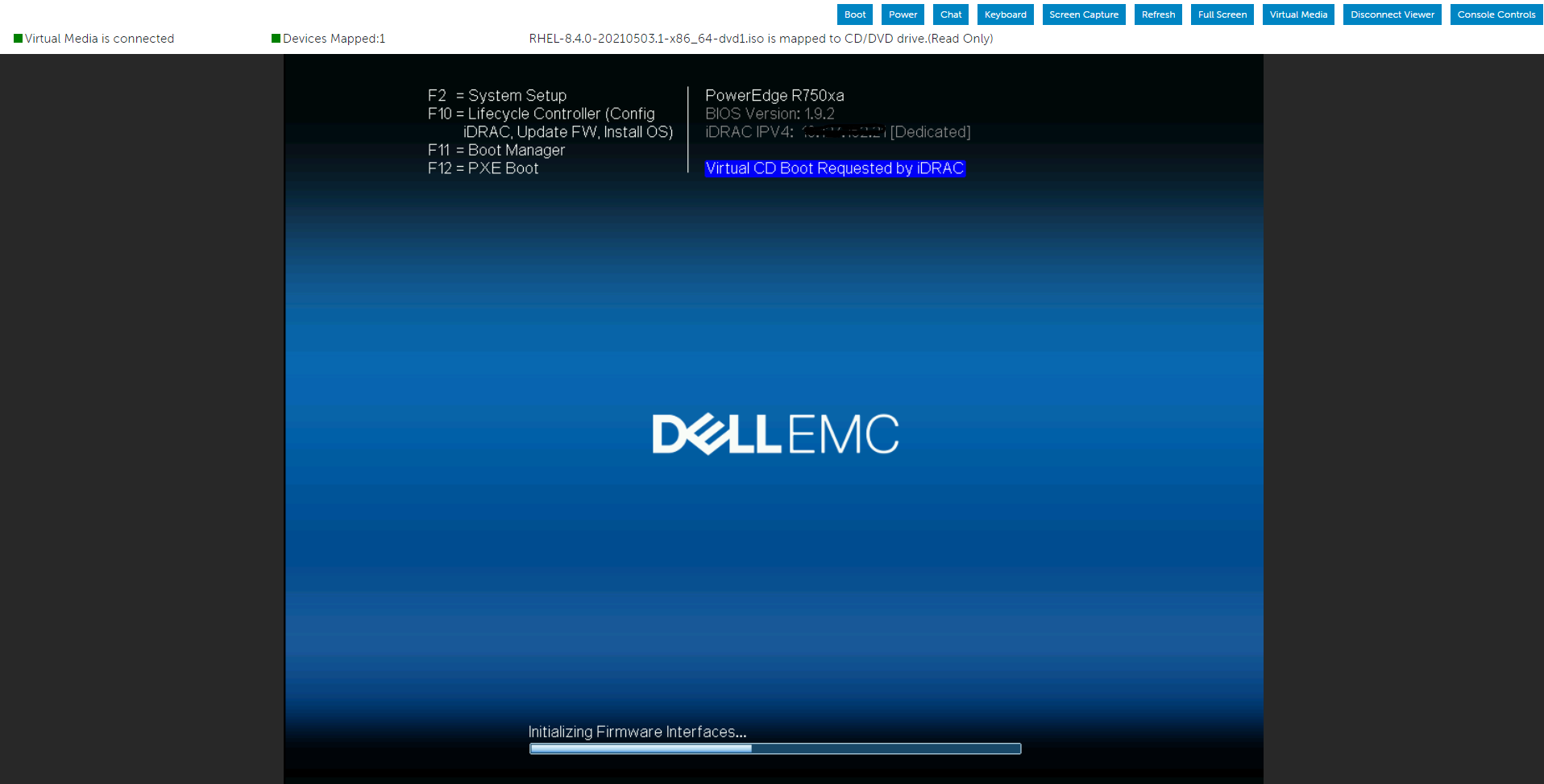
Let us use IDRAC’s virtual media to mount the operating system iso image and then boot the server from a virtual optical drive.
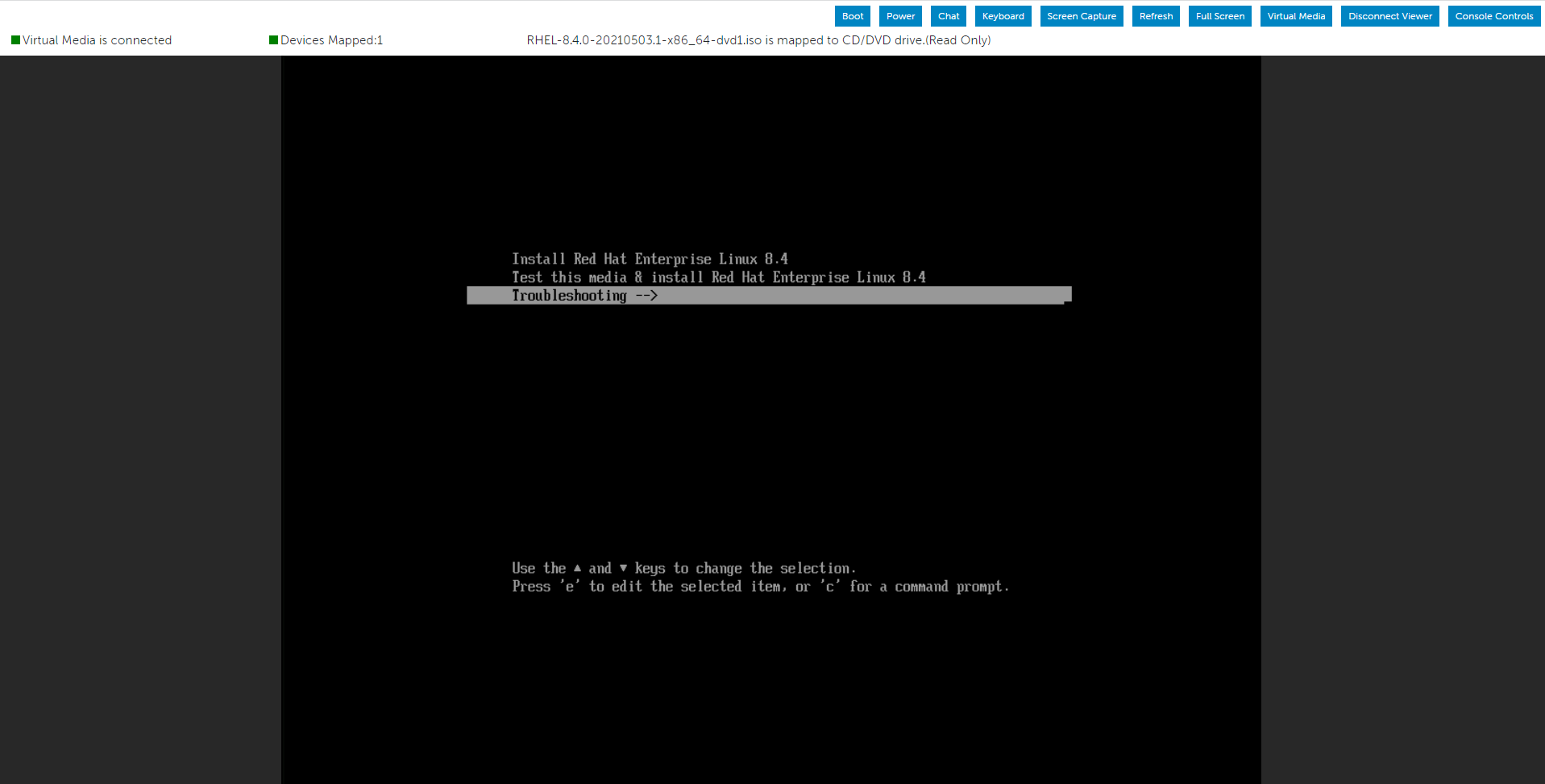
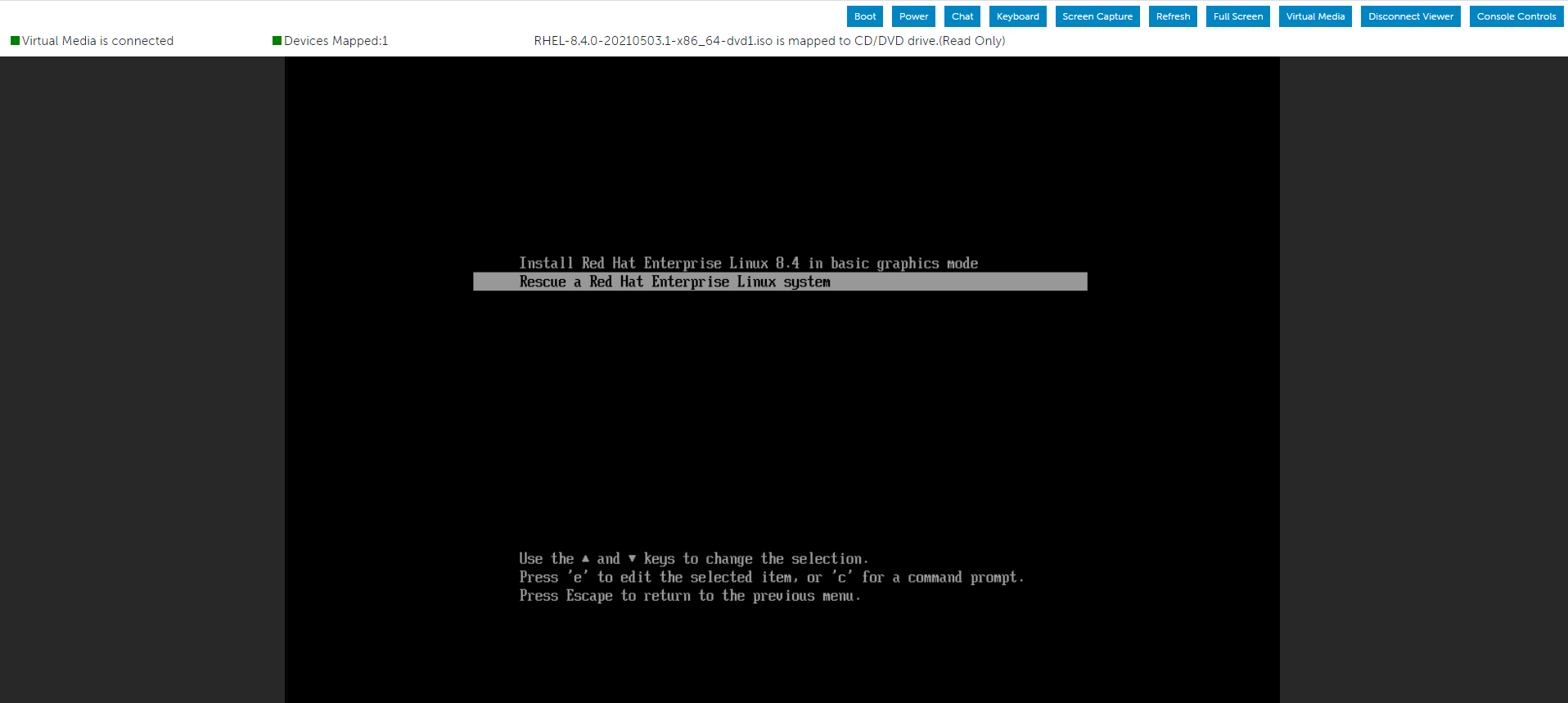
Select the Troubleshooting option from the menu, and then choose the Rescue option.
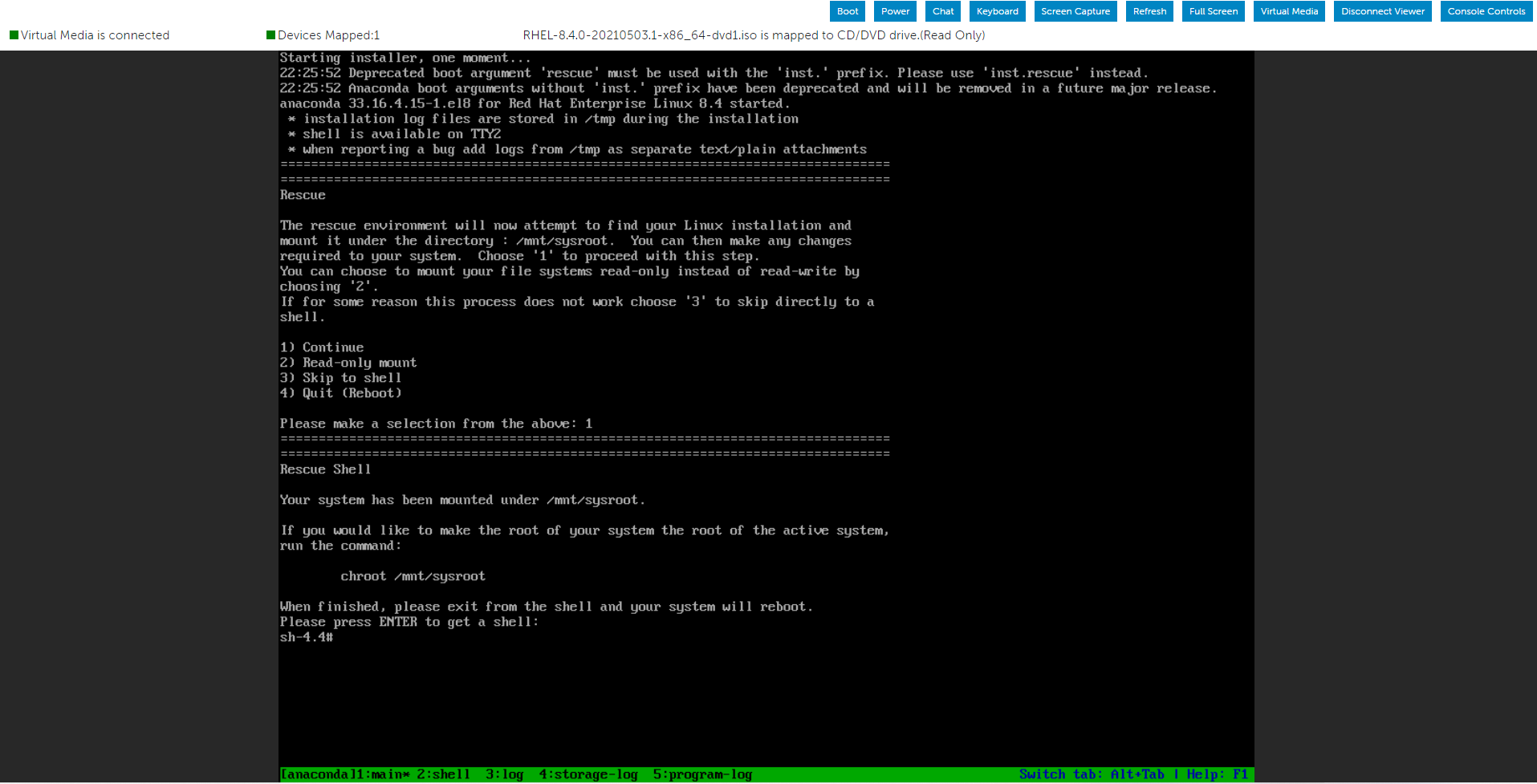
After the system has entered the Rescue environment, create a directory and mount the ISO image inside it.

You can now use the Packages folder that we mounted using the Operating System ISO image to look for the necessary RPM file.

As a demonstration, I could locate the wanted place when I searched for the "openssl-libs" RPM packages in both the Packages folders.
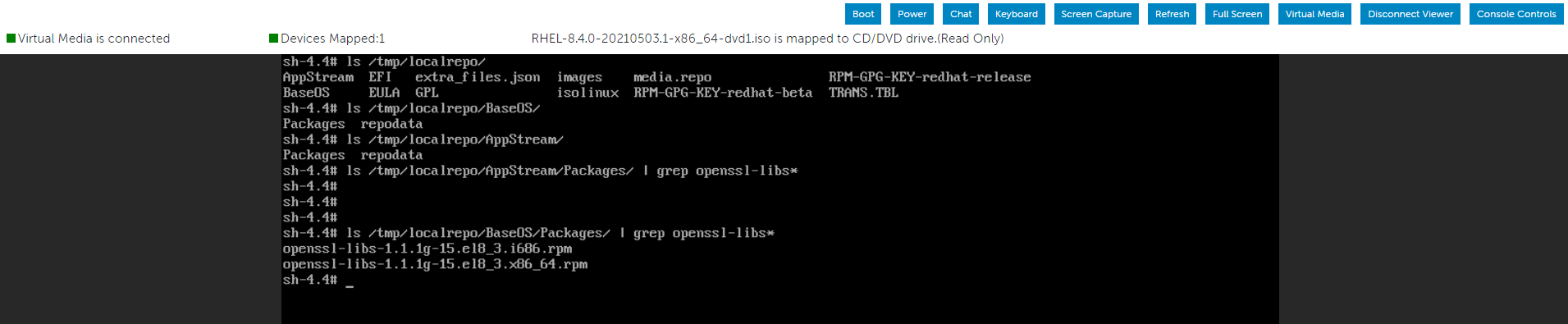
The option below allows installing the RPM package inside the root partition:
After installing the RPM packages, use the below command to exit the current environment and restart the server.
Select the Troubleshooting option from the menu, and then choose the Rescue option.
After the system has entered the Rescue environment, create a directory and mount the ISO image inside it.
You can now use the Packages folder that we mounted using the Operating System ISO image to look for the necessary RPM file.
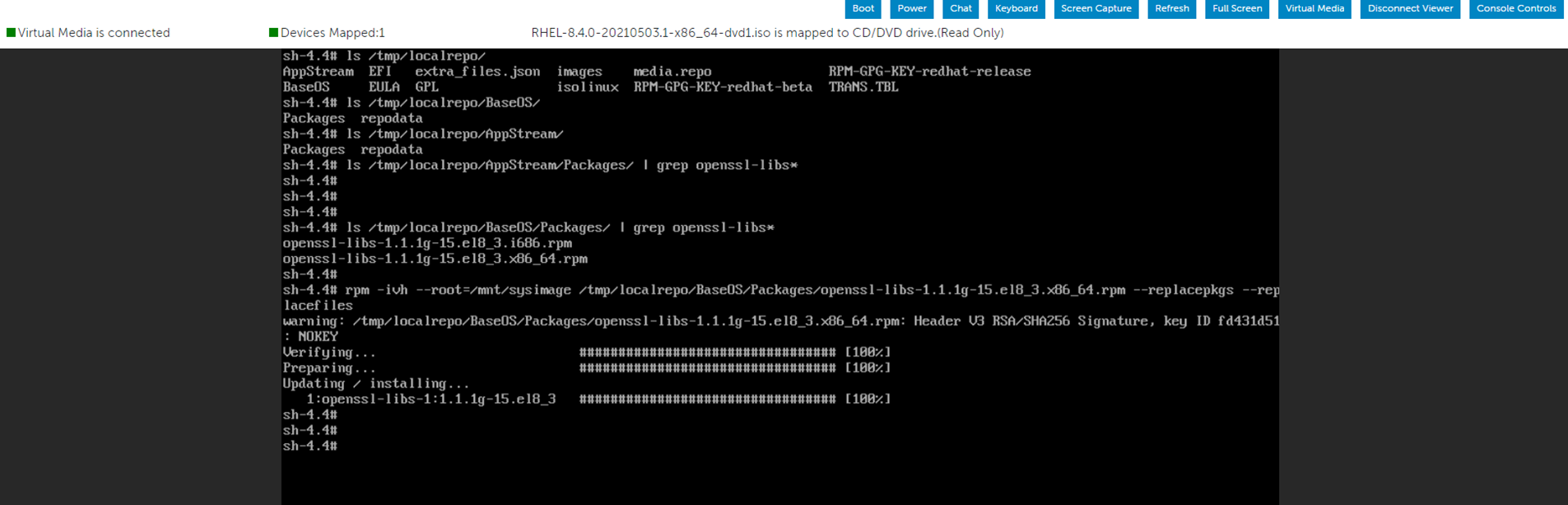
As a demonstration, I could locate the wanted place when I searched for the "openssl-libs" RPM packages in both the Packages folders.
The option below allows installing the RPM package inside the root partition:
"--root=/mnt/sysimage"
After installing the RPM packages, use the below command to exit the current environment and restart the server.
# RPM -ivh --root=/mnt/sysimage <Location_Of_RPM_Package> --replacepkgs --replacefiles
# exit
Érintett termékek
Red Hat Enterprise Linux Version 7, Red Hat Enterprise Linux Version 9, Red Hat Enterprise Linux Version 8Termék tulajdonságai
Article Number: 000213359
Article Type: How To
Utoljára módosítva: 17 dec. 2024
Version: 5
Választ kaphat kérdéseire más Dell-felhasználóktól
Támogatási szolgáltatások
Ellenőrizze, hogy a készüléke rendelkezik-e támogatási szolgáltatással.