VNX:Unable to open Unisphere - Issues with Java plugin & Browser
Riepilogo: When trying to access Unisphere through IE11 "Java is required for this Application" error is displayed and other issues related to Java and Browsers over Unisphere access.
Questo articolo si applica a
Questo articolo non si applica a
Questo articolo non è legato a un prodotto specifico.
Non tutte le versioni del prodotto sono identificate in questo articolo.
Sintomi
Unable to open Unisphere through browser.
Internet Explorer 11 is not supported for Unisphere access.
Mozilla is the recommended browser for Unisphere, yet it gives JAVA plug in required error while accessing Unisphere.
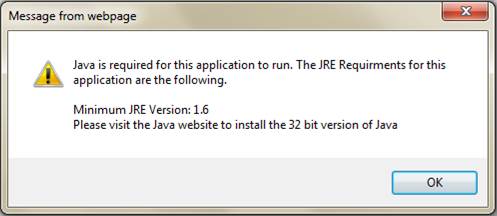
Causa
One of the causes of this issue is existence of Deployment Toolkit in installed JRE Run time environment package and Internet Explorer 11 is not supported for Unisphere access.
Risoluzione
Since IE11 is not the supported browser of Unisphere, we use the Mozilla browser. Mozilla is the most recommended browser for Unisphere indeed.
Now open JAVA configure as Control Panel=> JAVA(32 bit)
Verify only one JRE should be installed( 1.7u80 or 1.7u79 32-bit works the better):
(Java SE Runtime Environment 7 - Downloads | Oracle Technology Network | Oracle)

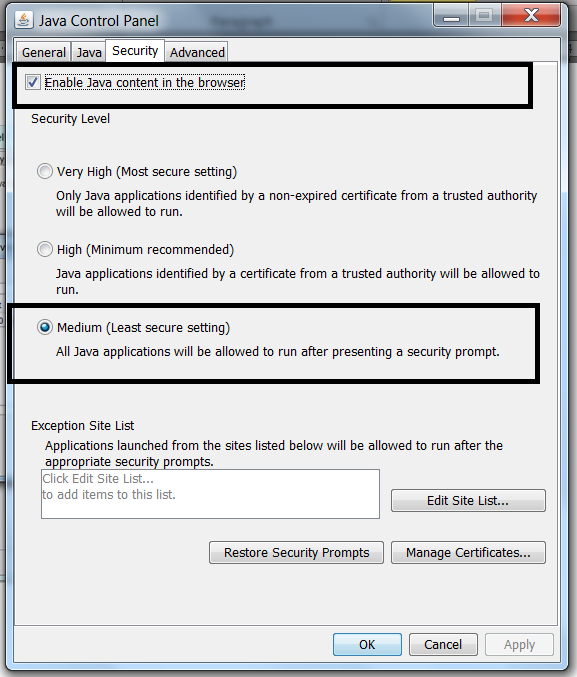
Then check the Security to be at Medium and Enable JAVA content in the browser must be checked:
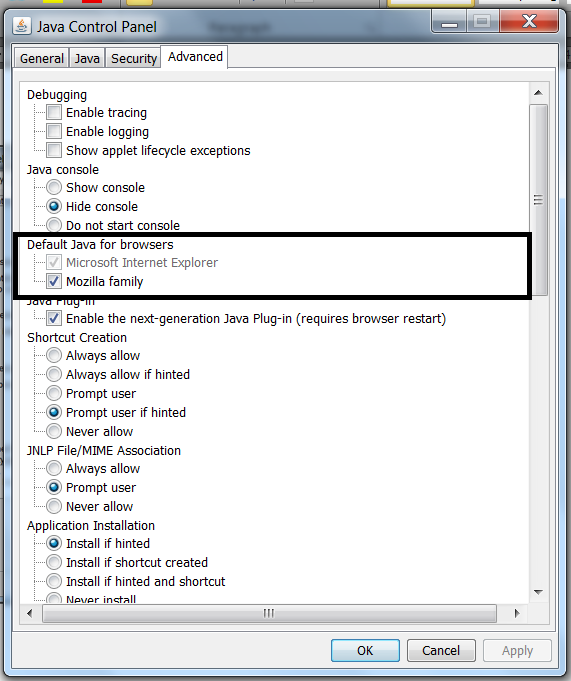
In Advanced Tab, check the Mozilla Family : This enables the JAVA contents in Mozilla browser.
Now re-open the Mozilla browser to access Unisphere.
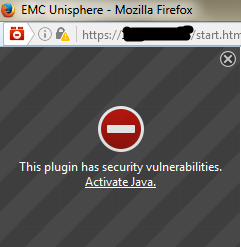
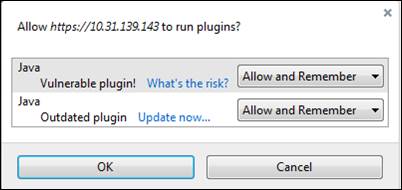
If you get below window then click on Activate Java and then Show All to select Allow and Remember:
Now open JAVA configure as Control Panel=> JAVA(32 bit)
Verify only one JRE should be installed( 1.7u80 or 1.7u79 32-bit works the better):
(Java SE Runtime Environment 7 - Downloads | Oracle Technology Network | Oracle)
Then check the Security to be at Medium and Enable JAVA content in the browser must be checked:
In Advanced Tab, check the Mozilla Family : This enables the JAVA contents in Mozilla browser.
Open the Mozilla browser:
Go to settings and open Plugins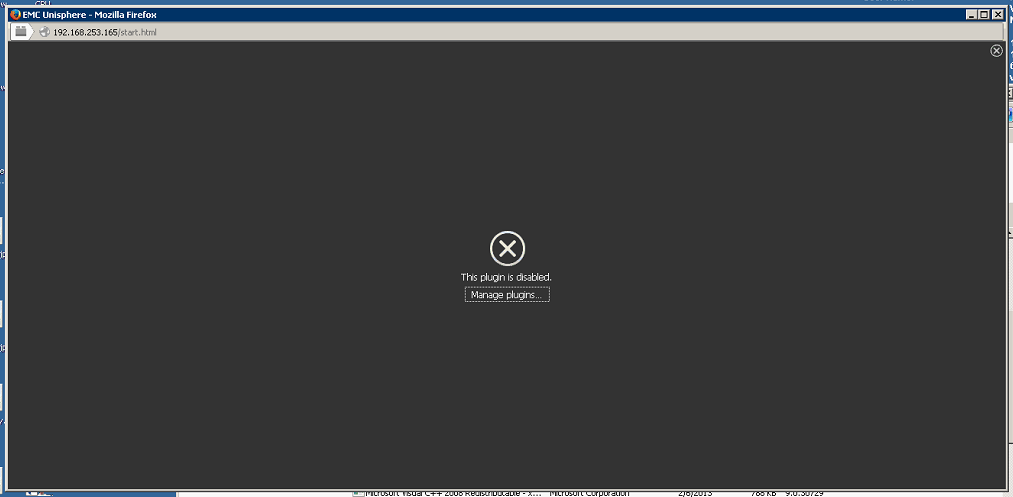
Make sure only JAVA™ Platform SE 7 U80 is at Ask to activate, if there is any Java Deployment Toolkit, then make it Never Activate(Disable) as bellow;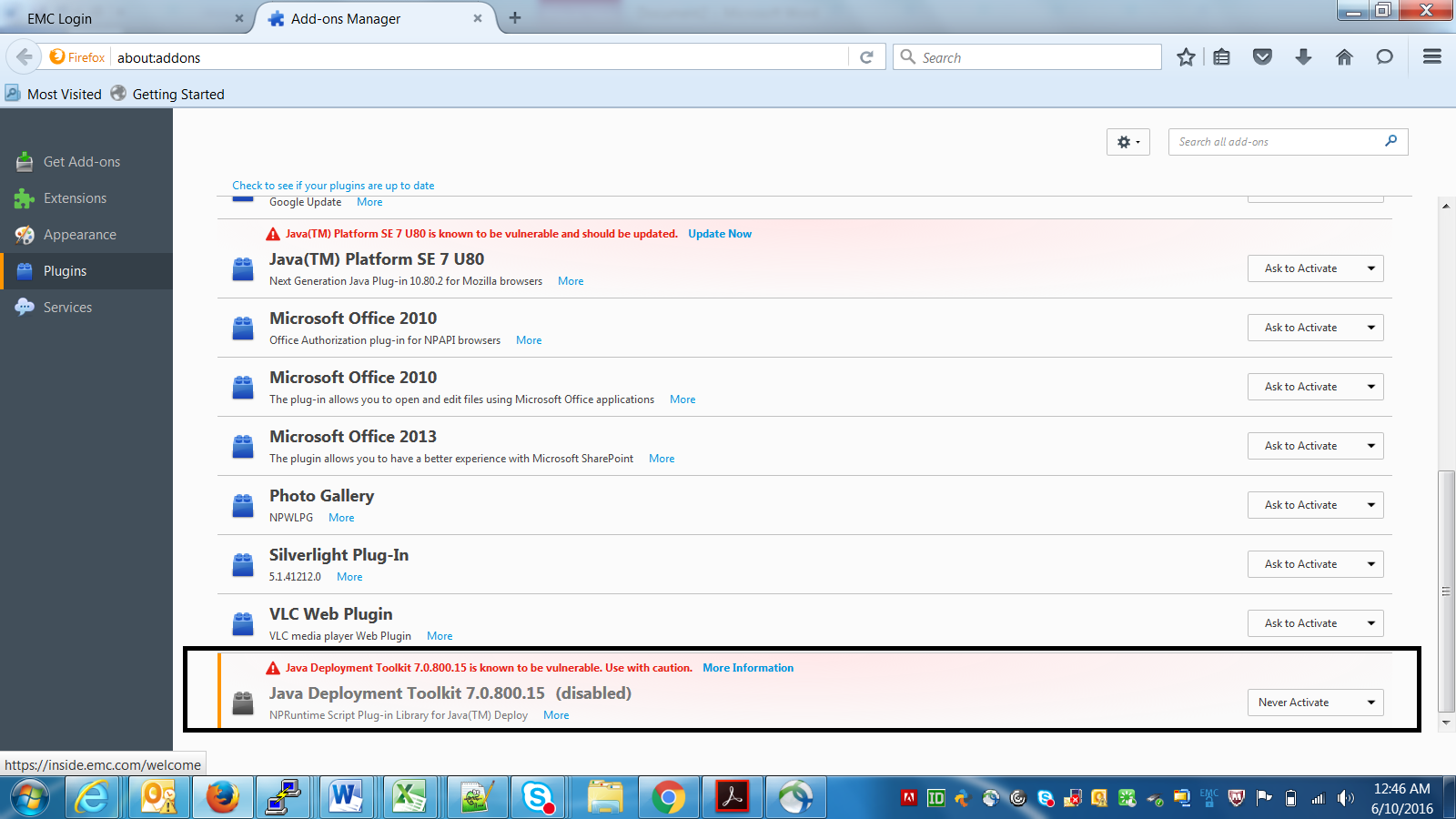
Now re-open the Mozilla browser to access Unisphere.
If you get below window then click on Activate Java and then Show All to select Allow and Remember:
Prodotti interessati
Unisphere Central, VNX1 Series, VNX2 SeriesProprietà dell'articolo
Numero articolo: 000056514
Tipo di articolo: Solution
Ultima modifica: 07 nov 2025
Versione: 5
Trova risposta alle tue domande dagli altri utenti Dell
Support Services
Verifica che il dispositivo sia coperto dai Servizi di supporto.