Data Domain: How to change the sync alert threshold
Riepilogo: This article explains how to change the sync alert threshold using the command line. By default, the sync alert threshold is set to 24 hours. However, based on specific requirements, it may need to be adjusted for a particular mtree to prevent the error: “Sync-as-of time is more than 24 hours ago.” ...
Questo articolo si applica a
Questo articolo non si applica a
Questo articolo non è legato a un prodotto specifico.
Non tutte le versioni del prodotto sono identificate in questo articolo.
Istruzioni
- Use SSH to connect to the PowerProtect Data Domain with the admin privilege.
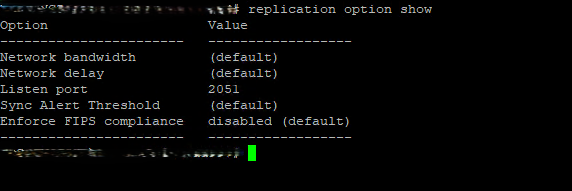
- Run the "replication option show" command to check the sync alert threshold.
- To change the default value to different hours we need to use command "replication option set default-sync-alert-threshold <value>"
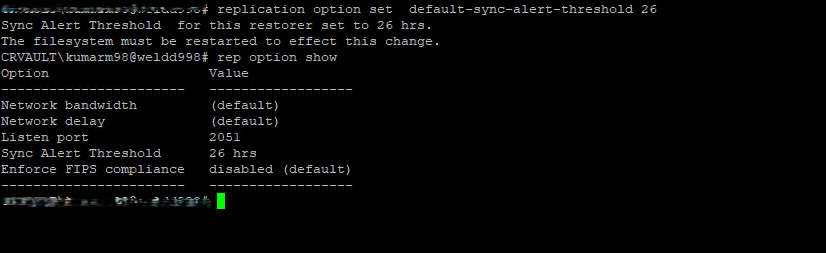
- The filesystem must be restarted to effect this change.
filesys restart
Prodotti interessati
Data DomainProprietà dell'articolo
Numero articolo: 000462922
Tipo di articolo: How To
Ultima modifica: 11 mag 2026
Versione: 1
Trova risposta alle tue domande dagli altri utenti Dell
Support Services
Verifica che il dispositivo sia coperto dai Servizi di supporto.