PowerEdge: Cabling the Switch Stack FN410
Sammendrag: Cabling the Switch Stack FN410.
Denne artikkelen gjelder for
Denne artikkelen gjelder ikke for
Denne artikkelen er ikke knyttet til noe bestemt produkt.
Det er ikke produktversjonene som identifiseres i denne artikkelen.
Instruksjoner
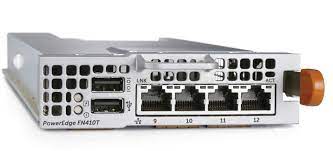
Dell PowerEdge FN I/O Aggregators are connected to operate as a single stack in a ring topology using the SFP+ or Base-T ports on the frontend ports 9 and 10. To create a stack in either a ring or daisy-chain topology, use two units on the same chassis or up to six units across multiple chassis.
Prerequisite: Before attaching the stacking cables, all Aggregators in the stack must be powered up with the default or reconfigured settings.
To connect stacking ports, use only SFP+ transceivers, SFP+ cables, and BaseT and its supported cables (separately purchased). For example:
- Insert a cable in port 9 on the first aggregator.
- Connect the cable to port 10 on the next aggregator.
- Continue this pattern on up to six aggregators.
- Connect a cable from port 9 on the last aggregator to port 10 on the first aggregator. This creates a ring topology.
Berørte produkter
PowerEdge FX2/FX2sArtikkelegenskaper
Artikkelnummer: 000191995
Artikkeltype: How To
Sist endret: 22 apr. 2025
Versjon: 4
Få svar på spørsmålene dine fra andre Dell-brukere
Støttetjenester
Sjekk om enheten din er dekket av støttetjenestene.