How to Uninstall Dell Data Protection Cloud Edition
Podsumowanie: Learn about how to uninstall Dell Data Protection Cloud Edition by following these step-by-step instructions for either Windows or Mac.
Ten artykuł dotyczy
Ten artykuł nie dotyczy
Ten artykuł nie jest powiązany z żadnym konkretnym produktem.
Nie wszystkie wersje produktu zostały zidentyfikowane w tym artykule.
Instrukcje
Note:
- As of May 2018, Dell Data Protection | Cloud Edition has reached End of Life. This product and its articles are no longer updated by Dell. For more information, reference Product Life Cycle (End of Support and End of Life) Policy for Dell Data Security. If you have any questions on alternative articles, either reach out to your sales team or contact endpointsecurity@dell.com.
- Reference Endpoint Security for additional information about current products.
Dell Data Protection | Cloud Edition may be uninstalled from an endpoint to:
- Fix licensing discrepancies
- Troubleshoot the product
- Address operating system incompatibilities
Affected Products:
- Dell Data Protection | Cloud Edition
Affected Versions:
- 1.0
Affected Operating Systems:
- Windows
- Mac
The uninstallation process differs between Windows and Mac. Click the appropriate operating system for the steps to uninstall Dell Data Protection | Cloud Edition.
Windows
Note: The Dell Data Protection | Cloud Edition installer must be downloaded before performing these steps.
- Right-click the Windows start menu and then click Run.
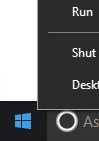
- In the Run UI, type
appwiz.cpland then press OK. This opens Programs and Features.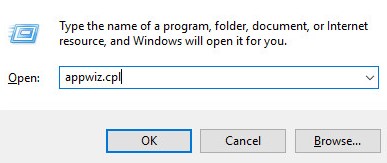
- Double-click Dell Data Protection | Cloud Edition.
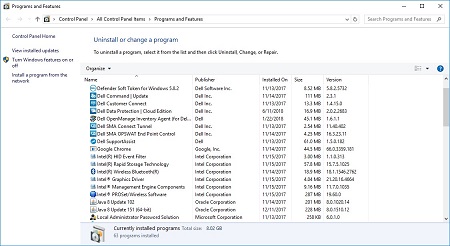
- Click Next to proceed.
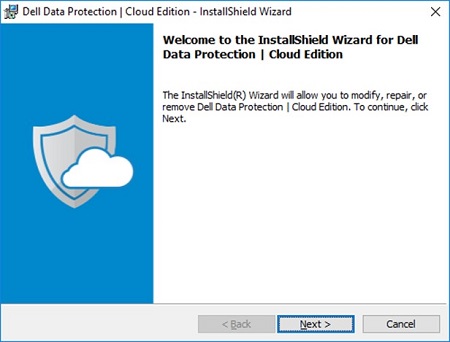
- Select Remove and then click Next.
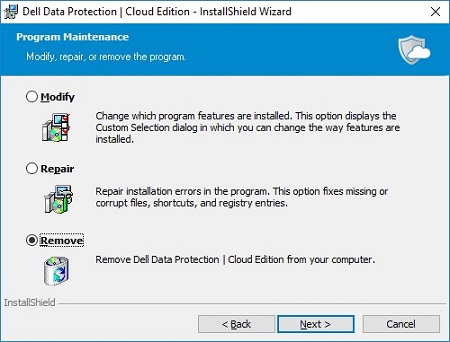
- Click Remove.
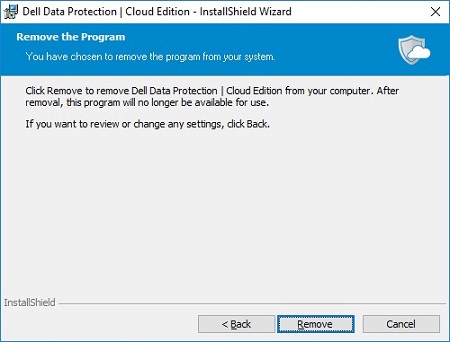
- Upon removal, click Finish to close the UI.
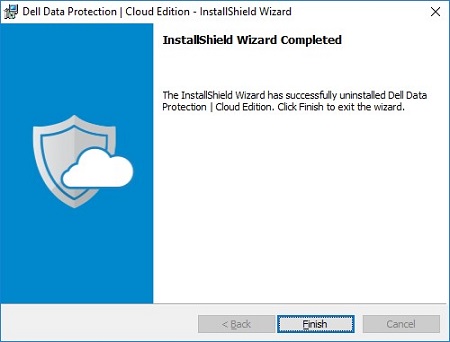
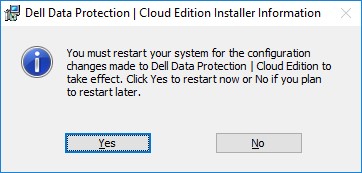
- Click Yes to reboot the machine.
Mac
- Locate the DDP Cloud Edition icon on your desktop.
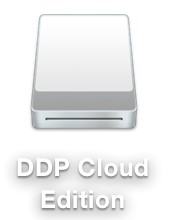
- Drag the DDP Cloud Edition icon to the Trash icon.

Produkty, których dotyczy problem
Dell Data GuardianWłaściwości artykułu
Numer artykułu: 000126851
Typ artykułu: How To
Ostatnia modyfikacja: 13 lut 2025
Wersja: 10
Znajdź odpowiedzi na swoje pytania u innych użytkowników produktów Dell
Usługi pomocy technicznej
Sprawdź, czy Twoje urządzenie jest objęte usługą pomocy technicznej.