如何下载 Dell Data Security 卸载程序
Podsumowanie: 了解如何按照以下说明下载 Dell Data Security 卸载程序。
Ten artykuł dotyczy
Ten artykuł nie dotyczy
Ten artykuł nie jest powiązany z żadnym konkretnym produktem.
Nie wszystkie wersje produktu zostały zidentyfikowane w tym artykule.
Instrukcje
注:
- 受影响的产品中列出的产品可能未处于活动状态。有关产品支持的最新信息,请参阅 Dell Data Security 产品生命周期(结束支持/停售)政策。如果您对其他文章有任何疑问,请联系您的销售团队或联系 endpointsecurity@dell.com。
- 请参阅端点安全性,了解有关当前产品的其他信息。
Dell Data Security 卸载程序为列出的 Windows Dell Data Security(以前称为 Dell Data Protection)影响的产品提供简化的删除方法。本文提供为这些产品获取 Dell Data Security 卸载程序的步骤。
受影响的产品:
- Dell Encryption Enterprise
- Dell Data Protection | Enterprise Edition
- Dell Encryption Personal
- Dell Data Protection | Personal Edition
- Dell Encryption External Media
- Dell Data Protection | External Media Edition
- Dell Data Guardian
- Dell Encryption Enterprise Self-Encrypting Drive Manager
- Dell BitLocker Manager
- Dell Full Disk Encryption
- Dell Data Protection | Secure Lifecycle
- Dell Data Protection | Cloud Edition
- Dell Endpoint Security Suite Enterprise
- Dell Endpoint Security Suite Pro
- Dell Threat Defense
- Dell Data Protection | Server Encryption
- Dell Data Protection | Security Tools
受影响的版本:
- v8.0.X 及更高版本
受影响的操作系统:
- Windows
- 在网页浏览器中,访问 https://www.dell.com/support/home/。
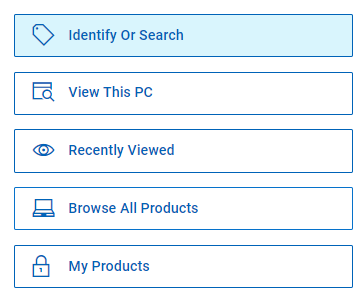
- 单击 Browse All Products。
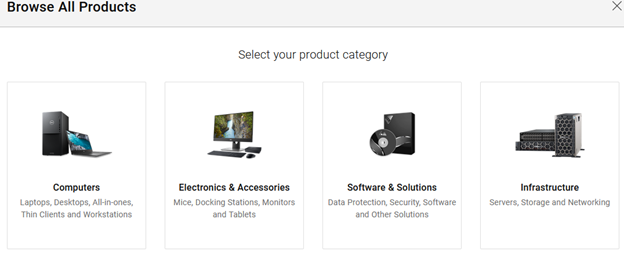
- 单击 Software & Solutions。
- 单击安全。

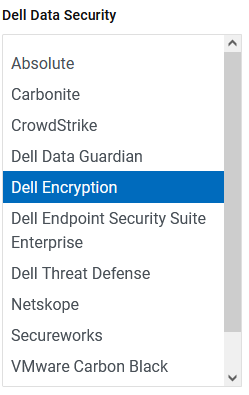
- 单击 Dell Data Security。

- 单击 Dell Encryption。
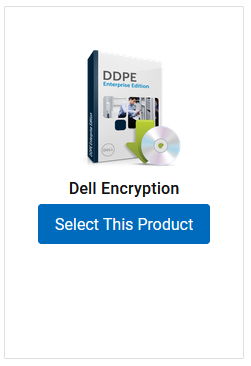
- 单击 Select This Product。
- 单击驱动程序和下载。

- 从“Operating system”下拉列表中,选择 Windows 7 [X-bit]、Windows 8 [X-bit]、Windows 8.1 [X-bit]、Windows 10 [X-bit] 或 Windows 11。

- 在 Dell Data Security 卸载程序右侧,单击 Download。
 发布日期可能与以上屏幕截图中不同。
Produkty, których dotyczy problem
Dell Data Guardian, Dell Encryption, Dell Threat Defense, Dell Endpoint Security Suite Pro, Dell Endpoint Security Suite EnterpriseWłaściwości artykułu
Numer artykułu: 000130754
Typ artykułu: How To
Ostatnia modyfikacja: 05 sie 2026
Wersja: 15
Znajdź odpowiedzi na swoje pytania u innych użytkowników produktów Dell
Usługi pomocy technicznej
Sprawdź, czy Twoje urządzenie jest objęte usługą pomocy technicznej.