Importing MDT boot images into Windows Deployment Services
Podsumowanie: Import Microsoft Deployment Toolkit (MDT) boot image to use with Windows Deployment Services (WDS).
Ten artykuł dotyczy
Ten artykuł nie dotyczy
Ten artykuł nie jest powiązany z żadnym konkretnym produktem.
Nie wszystkie wersje produktu zostały zidentyfikowane w tym artykule.
Objawy
Przyczyna
Rozwiązanie
Follow the steps below to import Microsoft Deployment Toolkit (MDT) boot images into Windows Deployment Services (WDS).
NOTE: A working knowledge of both Microsoft Deployment Toolkit and Windows Deployment Services is recommended to use this article.
Windows Deployment Services (WDS) update.
When a boot image (with updated drivers for example) is updated in MDT, it does not update WDS automatically.
How to import the boot image
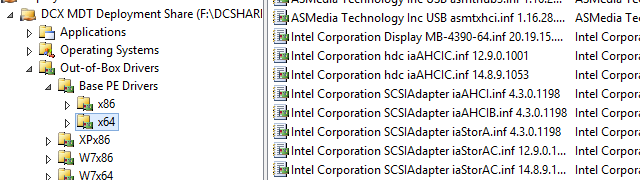
- Supply the correct drivers in MDT:
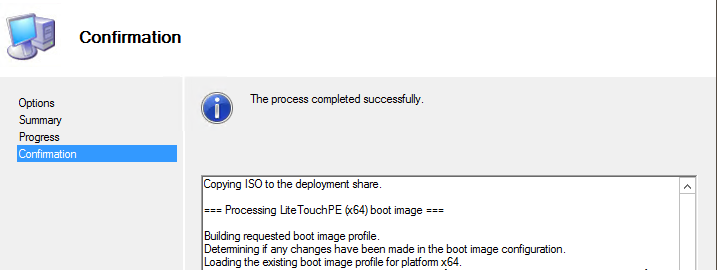
- Update the Deployment Share
- Go to Windows Deployment Services, Boot Images
- Go to Add Boot Image (LiteTouchPE_x64.wim) if Lite Touch Windows PE x64 is not already present in WDS:
- If Lite Touch Windows PE (x64) is already in WDS Boot Images, right click on the image and choose Replace Image (and then select the location of LiteTouchPE_x64.wim).
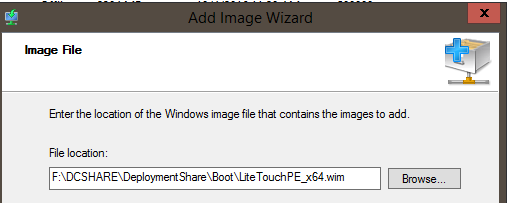
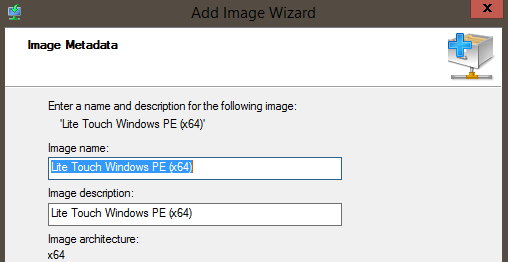
- If Lite Touch Windows PE (x64) is already in WDS Boot Images, right click on the image and choose Replace Image (and then select the location of LiteTouchPE_x64.wim).
Właściwości artykułu
Numer artykułu: 000134992
Typ artykułu: Solution
Ostatnia modyfikacja: 30 kwi 2026
Wersja: 4
Znajdź odpowiedzi na swoje pytania u innych użytkowników produktów Dell
Usługi pomocy technicznej
Sprawdź, czy Twoje urządzenie jest objęte usługą pomocy technicznej.