Openshift: Klaster nie działa po wyłączeniu i włączeniu zasilania w jednym węźle płaszczyzny sterowania
Podsumowanie: Jeden węzeł płaszczyzny sterowania nie zostanie bezpiecznie zamknięty, po włączeniu przejdzie w stan "niegotowy" i spowoduje, że klaster nie będzie działał.
Ten artykuł dotyczy
Ten artykuł nie dotyczy
Ten artykuł nie jest powiązany z żadnym konkretnym produktem.
Nie wszystkie wersje produktu zostały zidentyfikowane w tym artykule.
Objawy
Bezpośrednio wyłącz i ponownie włącz jeden węzeł płaszczyzny kontrolnej po uruchomieniu węzła, gdy klaster nie zostanie odzyskany.
Strony interfejsu użytkownika będą wyświetlać informacje o błędzie lub puste informacje, na przykład:
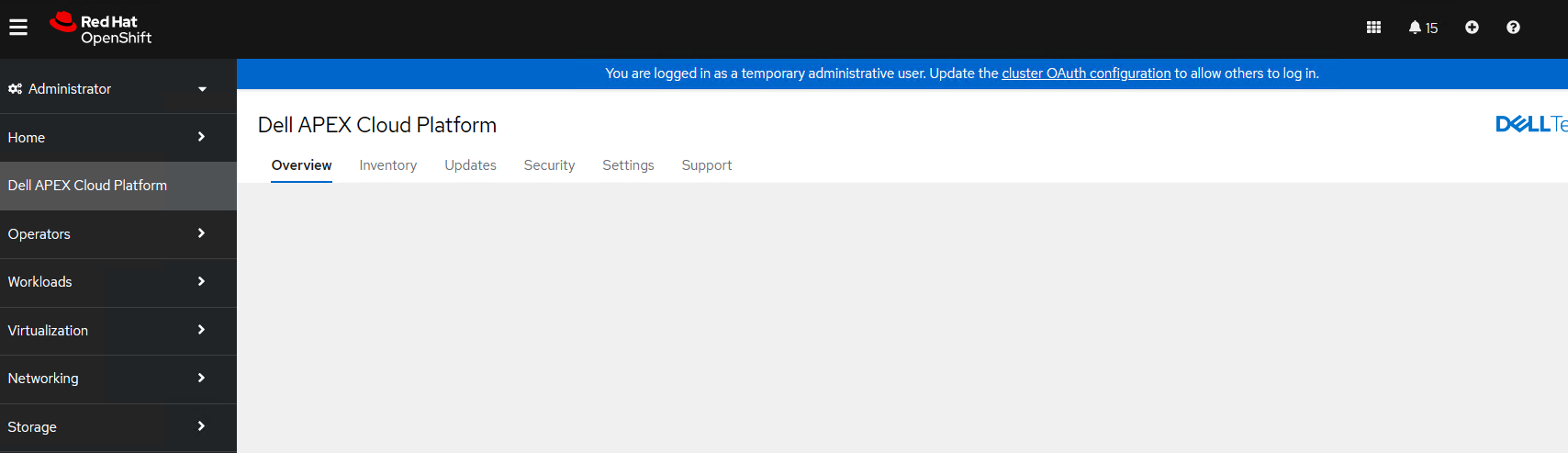
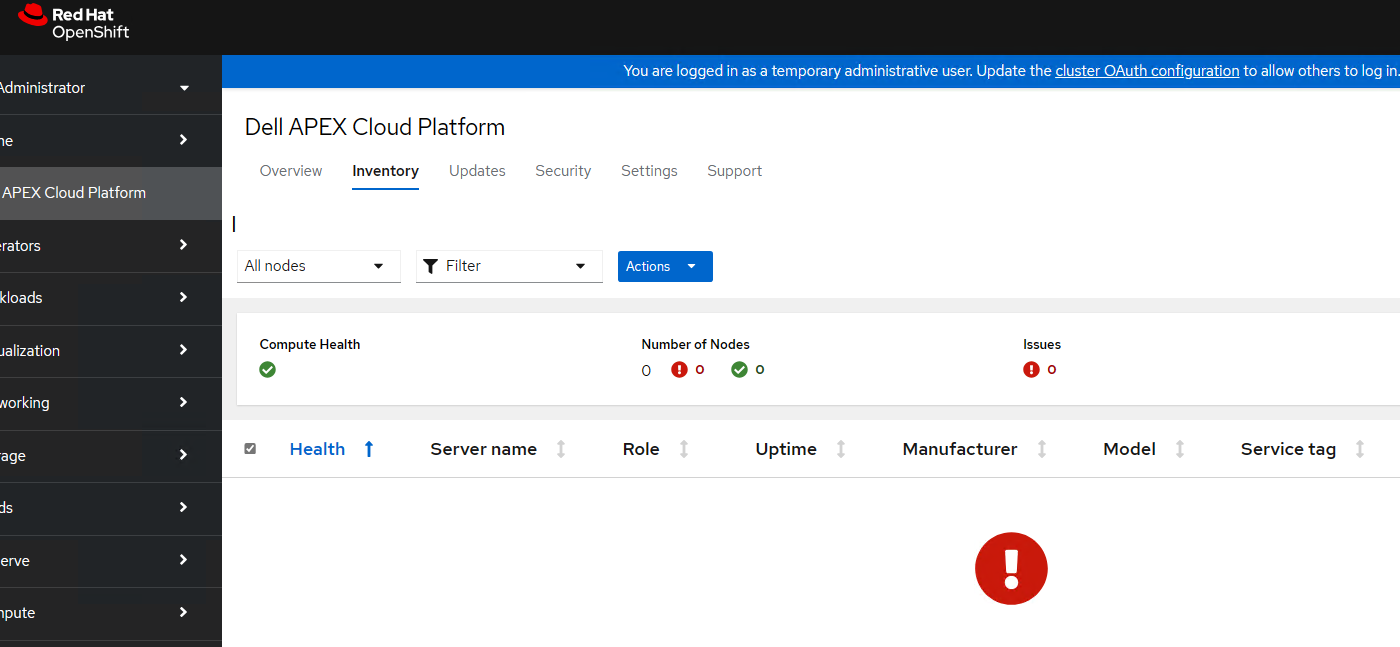
Strony interfejsu użytkownika będą wyświetlać informacje o błędzie lub puste informacje, na przykład:
Przyczyna
Bezpośredni cykl zasilania jednego węzła płaszczyzny sterowania nie jest obsługiwany. Jest to scenariusz odtwarzania po awarii.
Gdy węzeł płaszczyzny sterowania zostanie niebezpiecznie zamknięty, sterowniki interfejsu Container Storage Interface (CSI) nie odłączają automatycznie woluminów, co spowoduje, że zasobniki będą w stanie "Container Creation". Gdy węzeł płaszczyzny sterowania zostanie uruchomiony po niebezpiecznym zamknięciu, utraci lokalną pamięć podręczną obrazu platformy Docker i spróbuje pobrać z programu Depo Manager, podczas gdy zasobnik menedżera depo nie był w stanie Uruchomiony po wyłączeniu i włączeniu zasilania węzła płaszczyzny sterowania, więc węzeł płaszczyzny sterowania przejdzie w stan "niegotowy" i spowoduje, że klaster nie będzie działał.
Gdy węzeł płaszczyzny sterowania zostanie niebezpiecznie zamknięty, sterowniki interfejsu Container Storage Interface (CSI) nie odłączają automatycznie woluminów, co spowoduje, że zasobniki będą w stanie "Container Creation". Gdy węzeł płaszczyzny sterowania zostanie uruchomiony po niebezpiecznym zamknięciu, utraci lokalną pamięć podręczną obrazu platformy Docker i spróbuje pobrać z programu Depo Manager, podczas gdy zasobnik menedżera depo nie był w stanie Uruchomiony po wyłączeniu i włączeniu zasilania węzła płaszczyzny sterowania, więc węzeł płaszczyzny sterowania przejdzie w stan "niegotowy" i spowoduje, że klaster nie będzie działał.
Rozwiązanie
Postępuj zgodnie z poniższą instrukcją, aby odłączyć woluminy CSI po zamknięciu węzła, który nie jest bezpieczny.
1. Po wykryciu złej kondycji węzła roboczego zamknij węzeł roboczy.
2. Upewnij się, że węzeł został zamknięty, uruchamiając następujące polecenie i sprawdzając, czy stan to NotReady
3. Skaż odpowiedni obiekt węzła, uruchamiając następujące polecenie:
5. Usuń wadę, uruchamiając następujące polecenie:
Uwaga: W powyższych poleceniach node name> = nazwa węzła, <który nie został bezpiecznie zamknięty
1. Po wykryciu złej kondycji węzła roboczego zamknij węzeł roboczy.
2. Upewnij się, że węzeł został zamknięty, uruchamiając następujące polecenie i sprawdzając, czy stan to NotReady
oc get node <node name>Ważne: Jeśli węzeł nie został całkowicie wyłączony, nie należy przystąpić do jego uszkadzania. Jeśli węzeł nadal działa, a defekt został zastosowany, może dojść do uszkodzenia systemu plików.
3. Skaż odpowiedni obiekt węzła, uruchamiając następujące polecenie:
oc adm taint node <node name> node.kubernetes.io/out-of-service=nodeshutdown:NoExecute4. Uruchom ponownie węzeł.
5. Usuń wadę, uruchamiając następujące polecenie:
oc adm taint node <node name> node.kubernetes.io/out-of-service-
Uwaga: W powyższych poleceniach node name> = nazwa węzła, <który nie został bezpiecznie zamknięty
Produkty, których dotyczy problem
APEX Cloud Platform for Red Hat OpenShiftWłaściwości artykułu
Numer artykułu: 000217678
Typ artykułu: Solution
Ostatnia modyfikacja: 18 wrz 2026
Wersja: 4
Znajdź odpowiedzi na swoje pytania u innych użytkowników produktów Dell
Usługi pomocy technicznej
Sprawdź, czy Twoje urządzenie jest objęte usługą pomocy technicznej.