How to Enable XMP Memory Speed on Alienware Laptops
Podsumowanie: Enabling Extreme Memory Profiles (XMP) memory on Alienware m16 R1 and Alienware m18 R1 using BIOS or Alienware Command Center (AWCC).
Ten artykuł dotyczy
Ten artykuł nie dotyczy
Ten artykuł nie jest powiązany z żadnym konkretnym produktem.
Nie wszystkie wersje produktu zostały zidentyfikowane w tym artykule.
Instrukcje
There are two methods to enable XPM memory speed On Alienware m16 R1 and Alienware m18 R1.
Method 1: Enable in BIOS
- Press the F2 key as the computer boots, to enter the BIOS.
- Select Advanced > Performance Options (Figure 1).
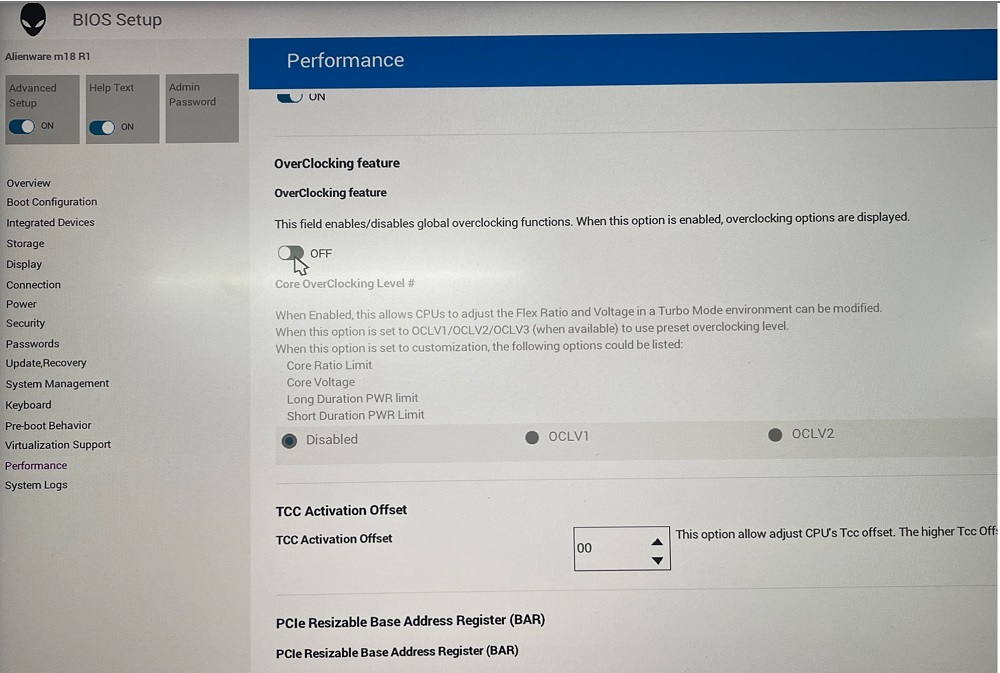
Figure 1: Performance Options - Overclocking Feature Disable change to Enable. Click OK when the warning message is displayed (Figure 2).
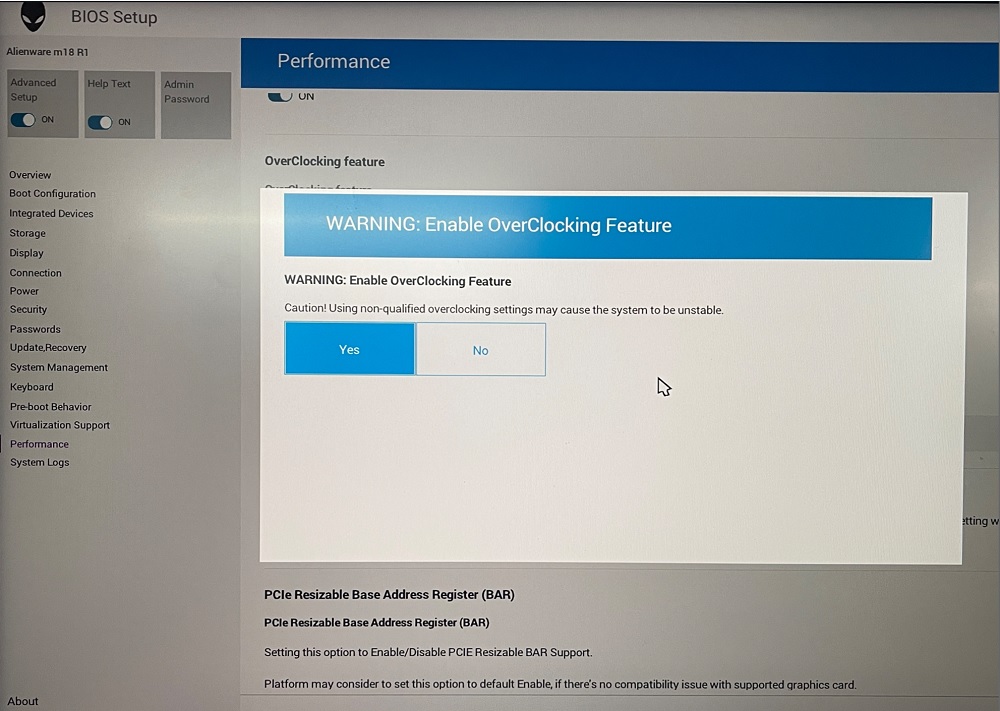
Figure 2: Warning Enable OverClocking Feature - Change XMP memory from Disable to XMP1 (Figure 3).
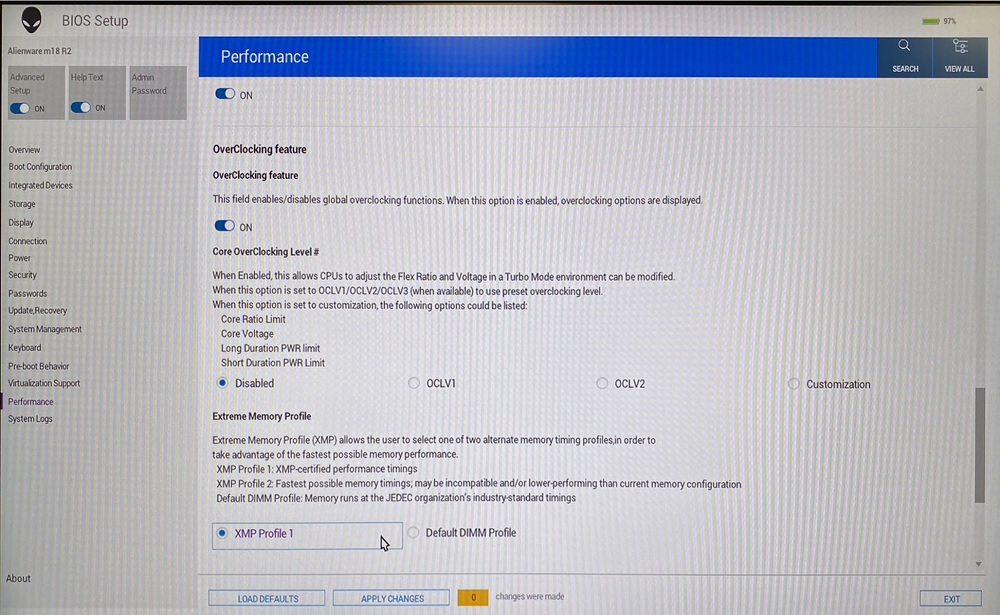
Figure 3: XMP1
Method 2: Enable in AWCC:
AWCC default set as RAM1, you could choose other XMP memory or turn off:
- Open AWCC choose Performance> Custom > Advanced View (Figure 4).
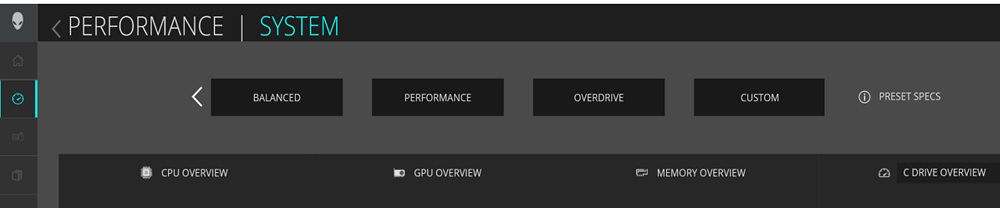
Figure 4: Performance Custom Advanced View - Switch to RAM2 or off per your request (Figure 5).
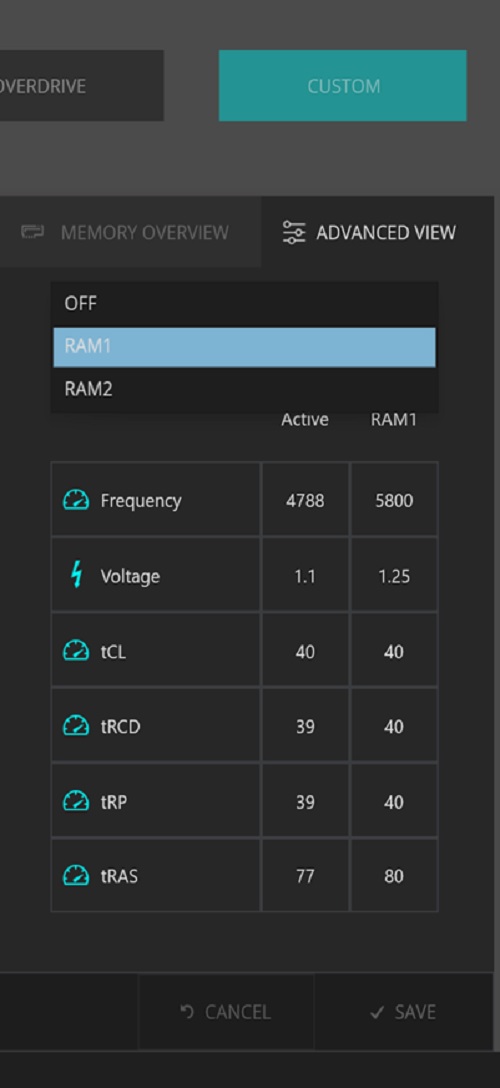
Figure 5: RAM2 or off
Note: After enabling the XMP memory for the first time, the bootup time will be longer, about 3 minutes and 30 seconds.
Affected Platforms:
- Alienware m16 R1
- Alienware m18 R1
Note: When purchasing your computer Dell offers an XMP memory configuration of 32 GB with 5800 MT/s speed. To use this speed, ensure that you enable XMP by going to the system settings or BIOS.
Your computer will not support upgrading to an XMP memory later after point of sale. Also, if the memory is upgraded from 32 GB to 64 GB, your computer will not support the XMP feature.
Your computer will not support upgrading to an XMP memory later after point of sale. Also, if the memory is upgraded from 32 GB to 64 GB, your computer will not support the XMP feature.
Produkty, których dotyczy problem
Alienware m16 R1, Alienware m18 R1Właściwości artykułu
Numer artykułu: 000218606
Typ artykułu: How To
Ostatnia modyfikacja: 22 kwi 2025
Wersja: 3
Znajdź odpowiedzi na swoje pytania u innych użytkowników produktów Dell
Usługi pomocy technicznej
Sprawdź, czy Twoje urządzenie jest objęte usługą pomocy technicznej.