How to Export Tech Support Report via Rocky Linux 9
Podsumowanie: This article provides a step by step to collect Tech Support Report via Rocky Linux 9.
Ten artykuł dotyczy
Ten artykuł nie dotyczy
Ten artykuł nie jest powiązany z żadnym konkretnym produktem.
Nie wszystkie wersje produktu zostały zidentyfikowane w tym artykule.
Instrukcje
Prerequisites.
- Rocky Linux 9 installed on the system.
- Internet connection to download the iDRAC Tools tool.
- Superuser privileges.
Step 1: Download and Unzip the iDRAC Tools Tool.
- Open the terminal and get superuser privileges by running the command
su root - Change to the "Downloads" directory using the command
cd Downloads/ - Download the iDRAC Tools using the
wget https://dl.dell.com/FOLDER08637461M/1/DellEMC-iDRACTools-Web-LX-10.3.0.0-4945_A00.tar.gz
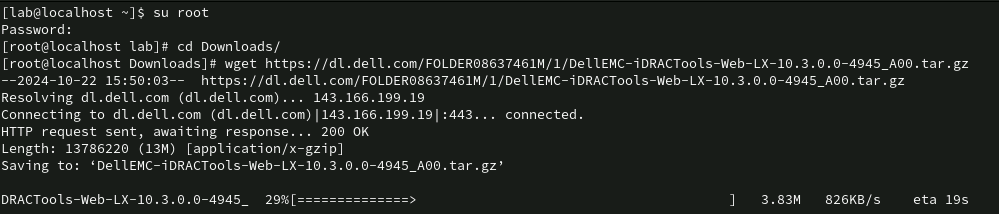
- Uncompress the contents using the
tar -zxvf DellEMC-iDRACTools-Web-LX-10.3.0.0-4945_A00.tar.gz
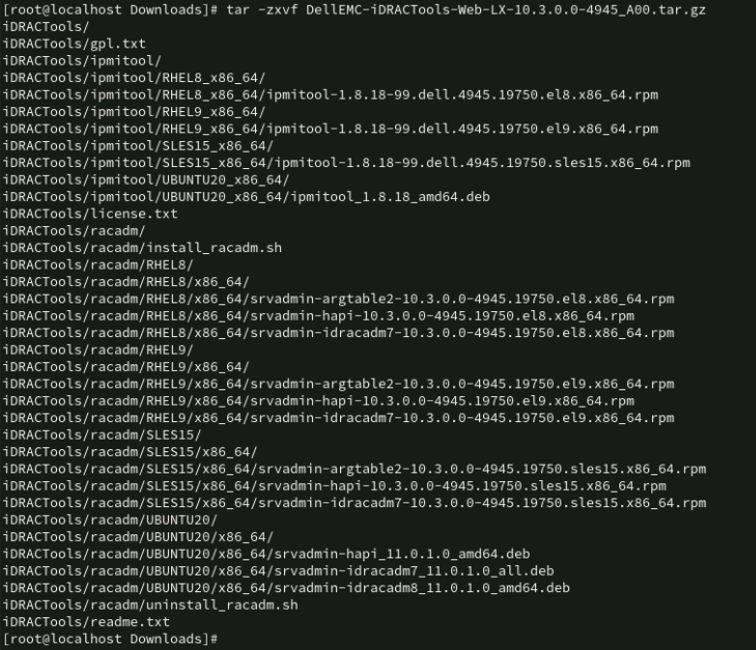
Step 2: Install the iDRAC Tools tool.
- Change to the iDRAC Tools directory using the
cd iDRACTools/racadm/RHEL9/x86_64/ - Install the packages using the command
rpm -ivh *.rpm

Step 3: Start Registry Collection.
- Open a new terminal, and gain superuser privileges by running the command
su root - Change to the iDRAC Tools directory using the
cd /opt/dell/srvadmin/sbin/ - Start the collection using the command
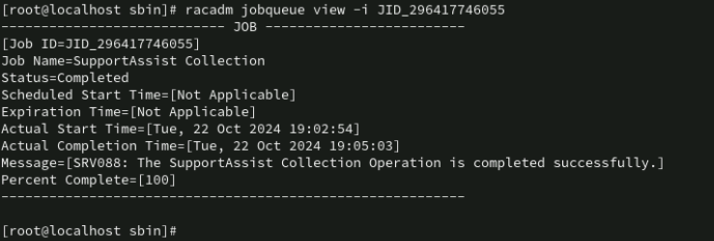
racadm techsupreport collect -t sysInfo,ttyloga Job ID will be generated, for example: JID_296417746055.
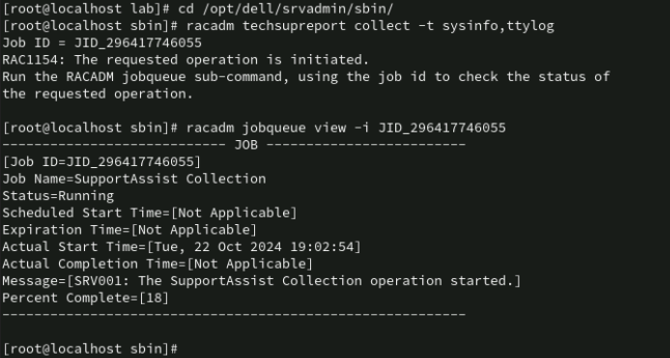
- Monitor the Job progress using the
racadm jobqueue view -i <ID_do_Job>Replace<ID_do_Job>by the Job ID generated in the previous step, repeat the command until the Job Status shows the value "Completed".
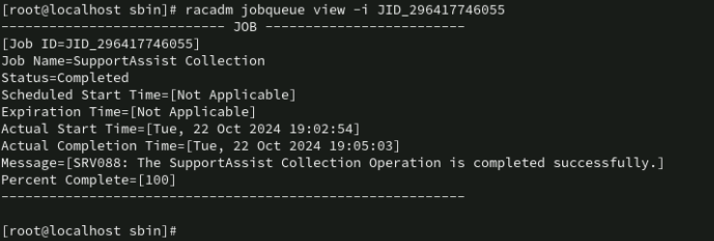
Step 4: Export the iDRAC log
- Export the collection to the host using the
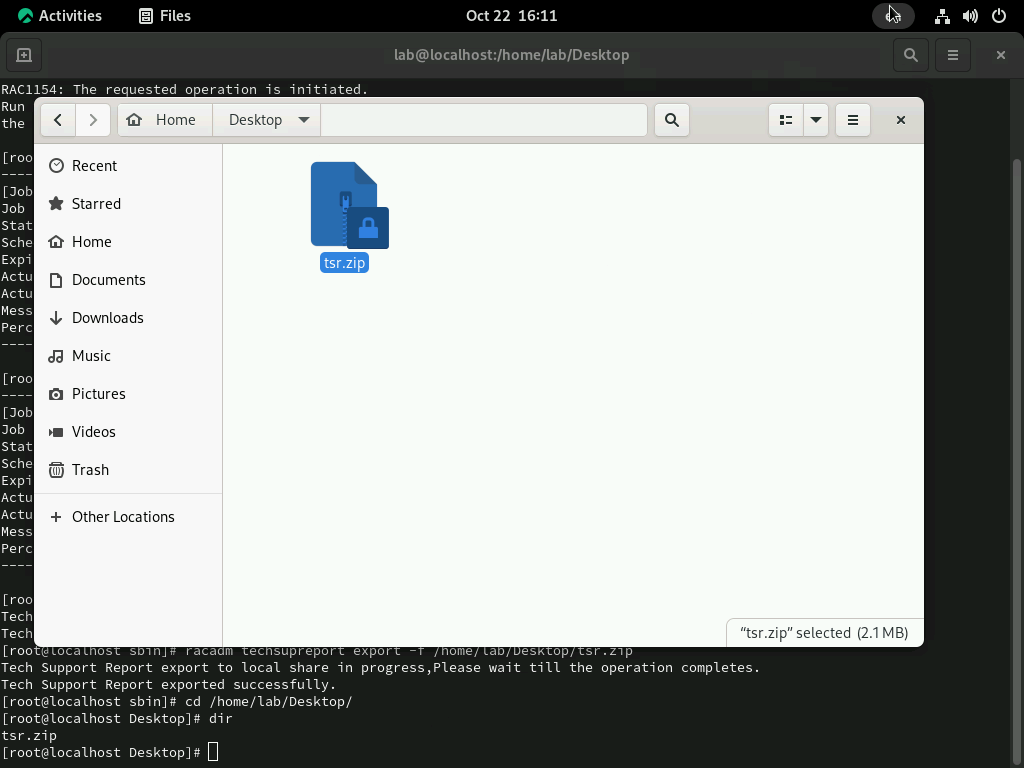
racadm techsupreport export -f /home/[nome_do_usuário]/Desktop/tsr.zip
- Enter the directory to check if the file was exported. Ready! You can now send the generated collection file to the technical support agent for analysis.

Produkty, których dotyczy problem
iDRAC8, iDRAC9Produkty
Red Hat Enterprise Linux Version 9Właściwości artykułu
Numer artykułu: 000242537
Typ artykułu: How To
Ostatnia modyfikacja: 16 mar 2026
Wersja: 5
Znajdź odpowiedzi na swoje pytania u innych użytkowników produktów Dell
Usługi pomocy technicznej
Sprawdź, czy Twoje urządzenie jest objęte usługą pomocy technicznej.