ECS GeoDrive klasörü eksik
Resumo: ECS GeoDrive klasörü yerel sürücüde eksik.
Este artigo aplica-se a
Este artigo não se aplica a
Este artigo não está vinculado a nenhum produto específico.
Nem todas as versões do produto estão identificadas neste artigo.
Sintomas
Kullanıcı, ana bilgisayar üzerindeki yerel sürücüsündeki GeoDrive klasörünü veya bir alt klasörü eksik olarak algılar.
Klasör, verileri içerir ancak görünmez/gizlidir.
- Örneğin GeoDrive'da bir "klasör1" klasörü eksik.

- Aynı adla yeni klasör oluşturmayı deneyin. Bu durumda klasörün gerçekten mevcut olduğu istem görüntülenir.
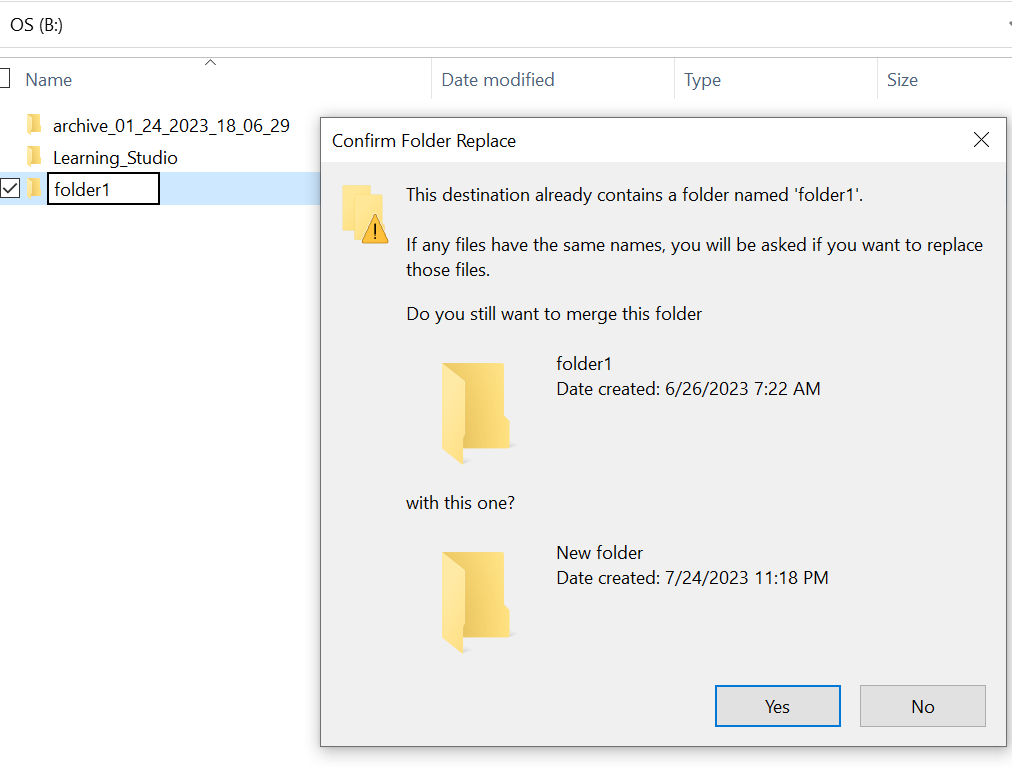
- Explorer'da eksik klasör yoluyla arama. İçerikleri görene kadar.

Causa
Bunun nedeni, klasörde ayarlanmış OLAN HIDDEN ve SYSTEM öznitelikleridir.
Resolução
Lütfen aşağıdaki adımları izleyin.
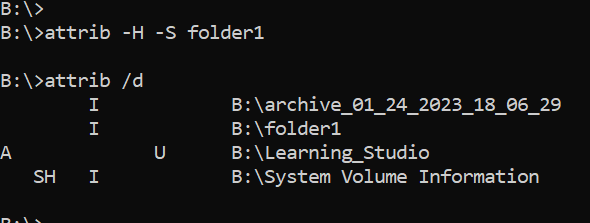
Bu komutu çalıştırdıktan sonra yerel sürücüyü tekrar kontrol edin. Eksik klasör normale geri döndü.
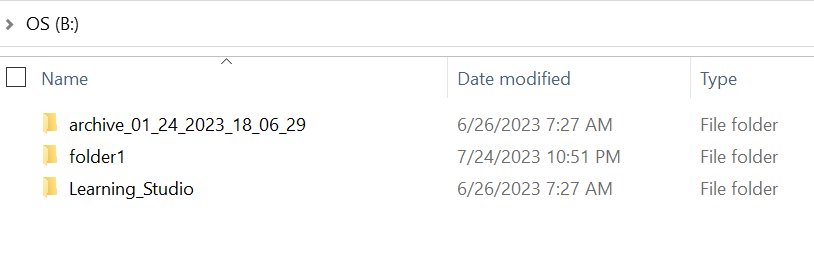
- Ana bilgisayar sistemindeki Windows komut istemine gidin.
- klasörün eksik olduğu ana dizine cd takın ve "attrib /d" komutunu çalıştırın.
- Dizinlerin bir listesini ve eksik klasörün listede olması gerekir.
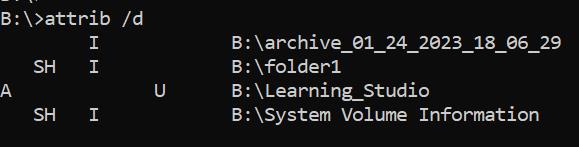
- Önceki harfler öznitelikleri belirtir. Dosyadan (SİSER ve GİDİS) önce SH'i görüyor olun.
- Ardından yukarıdaki iki özniteliği kaldırmak için bu komutu çalıştırın: attrib -H -S folder_name
Mais informações
Attrib komutu için başka birçok seçenek mevcuttur.
B:\>attrib /?
Displays or changes file attributes.

ATTRIB [+R | -R] [+A | -A] [+S | -S] [+H | -H] [+O | -O] [+I | -I] [+X | -X] [+P | -P] [+U | -U]
       [drive:][path][filename] [/S [/D]] [/L]

  +   Sets an attribute.
  -   Clears an attribute.
  R   Read-only file attribute.
  A   Archive file attribute.
  S   System file attribute.
  H   Hidden file attribute.
  O   Offline attribute.
  I   Not content indexed file attribute.
  X   No scrub file attribute.
  V   Integrity attribute.
  P   Pinned attribute.
  U   Unpinned attribute.
  B   SMR Blob attribute.
  [drive:][path][filename]
      Specifies a file or files for attrib to process.
  /S  Processes matching files in the current folder
      and all subfolders.
  /D  Processes folders as well.
  /L  Work on the attributes of the Symbolic Link versus
      the target of the Symbolic Link
Produtos afetados
ECS, Elastic Cloud StoragePropriedades do artigo
Número do artigo: 000215245
Tipo de artigo: Solution
Último modificado: 18 mai. 2026
Versão: 4
Encontre as respostas de outros usuários da Dell para suas perguntas.
Serviços de suporte
Verifique se o dispositivo está coberto pelos serviços de suporte.