ViPR SRM: VPLEX performance data is missing after VPLEX VS6 MMCS-A was replaced
Summary: This article explains the solution when VPLEX performance data is missing after VPLEX VS6 MMCS-A was replaced.
Symptoms
VPLEX performance data is missing after VPLEX VS6 MMCS-A was replaced.
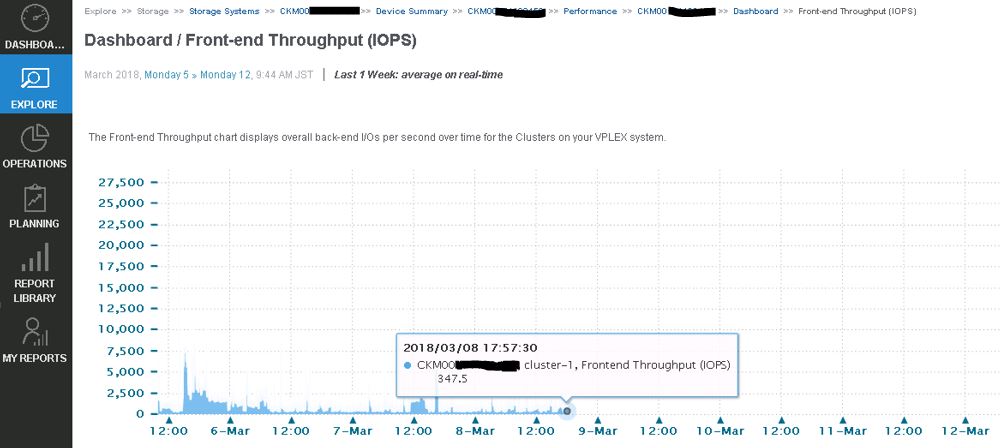
VPLEX data collection is failing with the following error in emc-vplex Collector-Manager logs:
collecting-0-0.log
INFO -- [2018-03-12 13:21:50 JST] -- StreamLogger$LoggingStreamGobbler::run(): (SSHSessionConnection to xxx.xx.xxx.xx:22-15208285107xx) /home/@{cluster1.username}/vvol-collector.py: /bin/bash: /home/service/vvol-collector.py: No such file or directory WARNING -- [2018-03-12 13:21:50 JST] -- TableDataset::startForking(): Couldn't find table starting with ^Director,Time.* INFO -- [2018-03-12 13:21:50 JST] -- Collecting$CollectingJobHook::completingJob(): Completed collecting configuration virtual-volume-perpetual1 for context CKM00xxxxxxxxx (CLUSTER1-VPLEX0) in 2978 msec INFO -- [2018-03-12 13:21:51 JST] -- Collecting$CollectingJobHook::completingJob(): Completed collecting configuration virtual-volume-perpetual1 for context CKM00xxxxxxxxx (CLUSTER1-VPLEX1) in 3136 msec INFO -- [2018-03-12 13:21:51 JST] -- StreamLogger$LoggingStreamGobbler::run(): (SSHSessionConnection to xxx.xx.xxx.xx:22-1520828511341) /home/@{cluster1.username}/get-director-data.py: /bin/bash: /home/service/get-director-data.py: No such file or directory
Cause
However, VPLEX MMCS-A missed these files after MMCS-A was replaced because MMCS-A was re-imaged.
Resolution
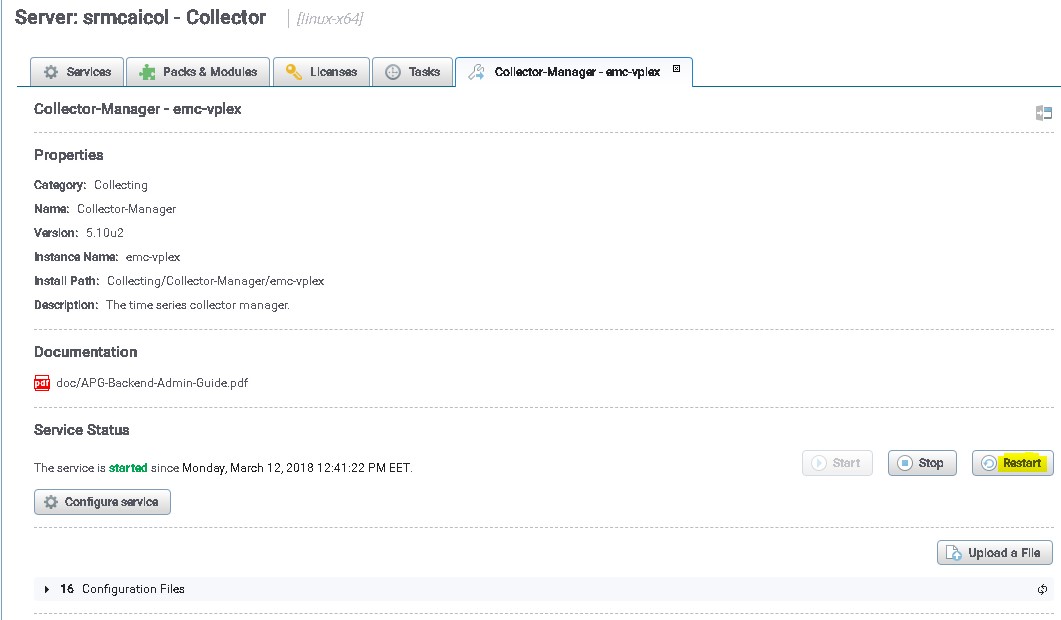
Restart VPLEX collection to transfer these files to VPLEX MMCS-A:
- Login to SRM UI using admin user.
- Click on Administration then chose centralized-Management.
- Under physical overview click on the collector where the VPLEX is discovered on.
- Then choose the collection manager for VPLEX.
- Finally, click on Restart button
Workaround to prevent this issue without restarting VPLEX collection manager in the future.
The files mentioned below are responsible for pushing the files on VPLEX and SRM has an option to automatically push the files without having to restart the collector.
Files in the path /opt/APG/Collecting/Stream-Collector/emc-vplex/conf:
data-retrieval-director-cluster1.xml
data-retrieval-director-cluster2.xml
data-retrieval-vvols-cluster1.xml
data-retrieval-vvols-cluster2.xml
These files have the line:
<files executable-files="true" always-full-transfer="false" delete-source-files="false">conf/vvol-collector.py</files>
If you set always-full-transfer="true", the collector should push the scripts before each polling.