How to access Storage Center Web Interface when Java certificate is expired
Summary: Visual guide and steps to access Storage Center when the Java certificate is expired
Acest articol se aplică pentru
Acest articol nu se aplică pentru
Acest articol nu este legat de un produs specific.
Acest articol nu acoperă toate versiunile de produs existente.
Symptoms
If the Storage Center version has an expired Java security certificate, you will not be able to log into the Web UI, unless the Storage Center OS is upgraded to newer version that has a current certificate or the management IP is added to the Java Exception Site List.
Dell Storage Manager (DSM) is the preferred management interface for managing Storage Center arrays and is not impacted by an expired Java security certificate.
Below is sample error message when the Java security certificate is expired
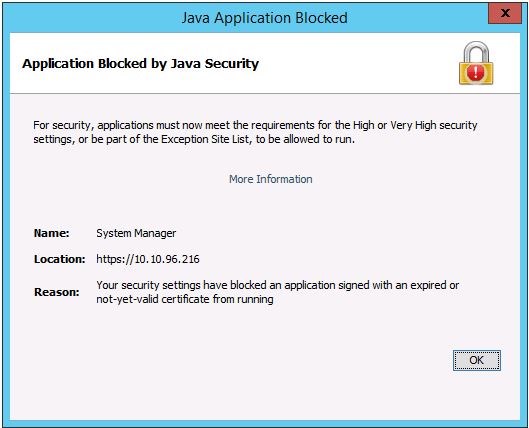
Dell Storage Manager (DSM) is the preferred management interface for managing Storage Center arrays and is not impacted by an expired Java security certificate.
Below is sample error message when the Java security certificate is expired
Resolution
To add the management IP to the Exception Site List, refer to this article or follow the steps below.
https://www.java.com/en/download/faq/exception_sitelist.xml
1. Open the Java Control Panel on management system
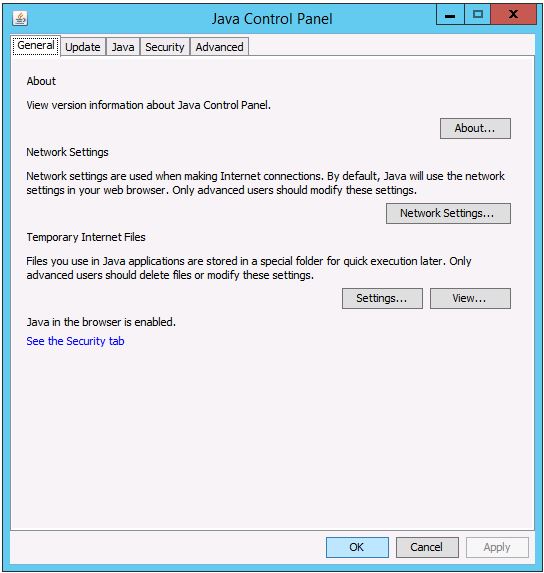
2. Click on the Security tab.
Click on Edit Site List.
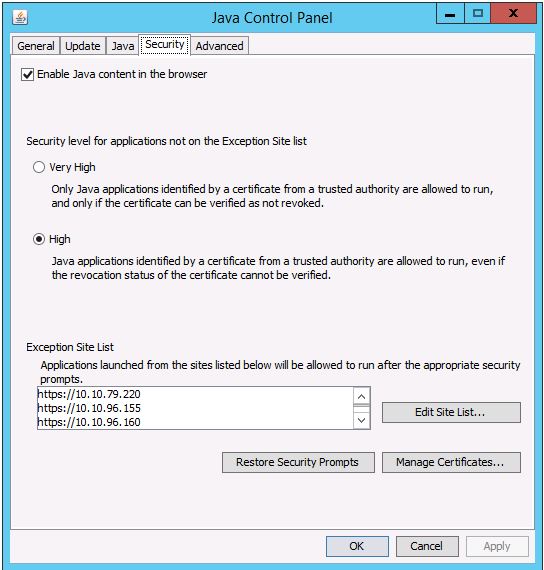
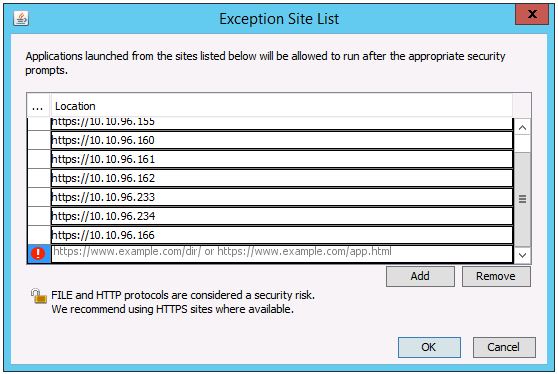
3. Enter the Storage Center’s management IP address in this format: https://x.x.x.x
https://www.java.com/en/download/faq/exception_sitelist.xml
1. Open the Java Control Panel on management system
2. Click on the Security tab.
Click on Edit Site List.
3. Enter the Storage Center’s management IP address in this format: https://x.x.x.x
Produse afectate
Compellent (SC, SCv & FS Series), Dell Compellent SC4020, Dell Storage SC8000, Dell Compellent Series 40, Dell Storage SC9000Proprietăți articol
Article Number: 000142151
Article Type: Solution
Ultima modificare: 01 May 2026
Version: 4
Găsiți răspunsuri la întrebările dvs. de la alți utilizatori Dell
Servicii de asistență
Verificați dacă dispozitivul dvs. este acoperit de serviciile de asistență.