Dell Optimizer Walk Away Lock Interrupts Bluetooth and IP Network Data Transfers
Summary: This article describes what to do when data transfers across Bluetooth and IP Networks is interrupted by the Dell Optimizer Walk Away Lock feature.
Acest articol se aplică pentru
Acest articol nu se aplică pentru
Acest articol nu este legat de un produs specific.
Acest articol nu acoperă toate versiunile de produs existente.
Symptoms
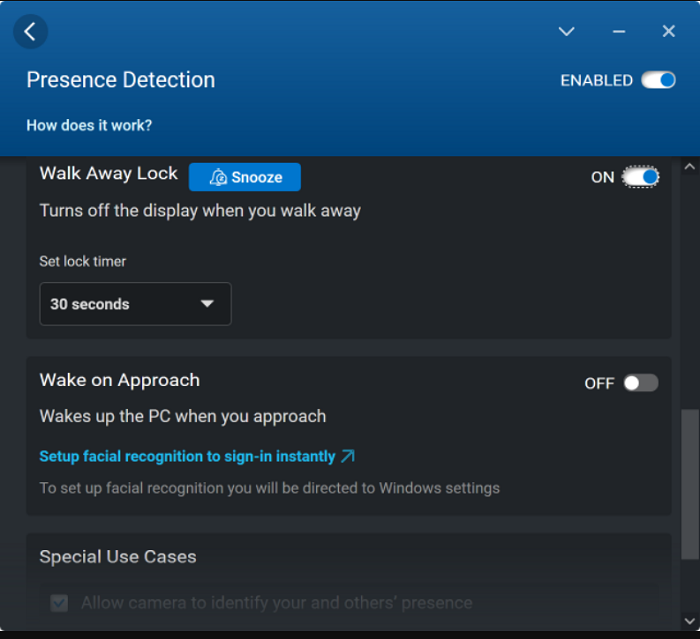
The Dell Optimizer (DO) Presence Detection (PD) Walk Away Lock feature secures the computer when the user leaves the Field Of View (FOV). When Walk Away Lock is enabled and triggered the computer goes into sleep mode. This results in an interruption in Bluetooth and IP Network transfers in progress.
Cause
Bluetooth and IP Network transfers are interrupted when DO PD Walk Away Lock is triggered.
Resolution
Disable DO PD Walk Away Lock when transferring data across Bluetooth and IP Networks.
Additional Information
Dell Optimizer is a software application that intelligently and dynamically optimizes the performance of your computer using artificial intelligence and machine learning. It improves productivity, performance, and user experience through computer usage analysis and learning.
Produse afectate
Dell Optimizer, Dell Pro 13 Premium PA13250, Latitude 9330Proprietăți articol
Article Number: 000199054
Article Type: Solution
Ultima modificare: 22 Apr 2025
Version: 11
Găsiți răspunsuri la întrebările dvs. de la alți utilizatori Dell
Servicii de asistență
Verificați dacă dispozitivul dvs. este acoperit de serviciile de asistență.