VxRail: User Guide for VxRail Troubleshooting Toolbox
Summary: User Guide for VxRail Troubleshooting Toolbox (VTT)
Instructions
VxRail Troubleshooting Toolbox (VTT)
Overview
The VxRail Troubleshooting Toolbox (VTT) is an integrated interface introduced in VxRail 7.0.010 and later, designed to streamline access to essential diagnostic and support tools.
It consolidates commonly used scripts into a single, easy-to-use utility, improving operational efficiency and simplifying troubleshooting workflows.
The toolbox automatically synchronizes with the Dell VxRail EE Git server to ensure that all scripts are up to date.
Tool Usage Instructions
- Download the package
Download the following file attached to this article: VxRailToolBox20250xxx_prm.zip
- Upload to VxRail Manager
Transfer the package to the VxRail Manager virtual machine, placing it in either "/tmp" or "/home/mystic."
- Extract and run:
Run the following commands to extract the ".zip" file and run the following command to launch the menu: python toolbox.py
vcluster101-vxm:/home/mystic # unzip -o VxRailToolBox2025xxxx_prm.zip
vcluster101-vxm:/home/mystic # python tool_box.py
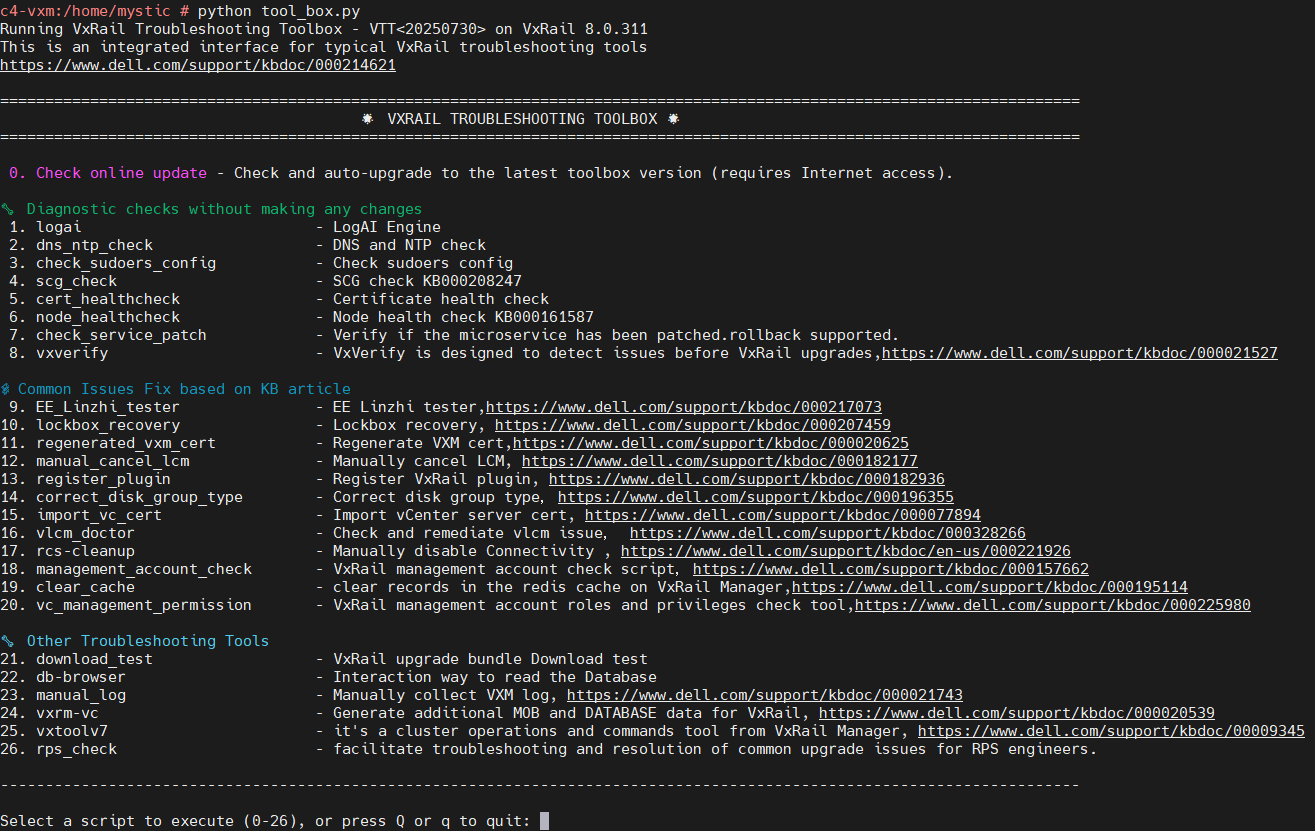
Additional Information
-rw-rw-rw- 1 root   root   17725 Oct 24  2025 tool_box.cpython-311.pyc
-rw-rw-rw- 1 root   root   11157 Oct 24  2025 tool_box.cpython-36.pyc
-rw-rw-rw- 1 root   root    1408 Oct 22 16:19 tool_box.py
The change been made to the original "tool_box.py," it has been complied in to the ".pyc" file. This does not change the way of running this tool.