Azure Stack: HLH Upgrade A Positional Parameter Cannot be Found Inaccessible Network Share
Summary: The PnU tool fails to attach the HLH ISO file to the iDRAC when using a credential similar to "domain\username." A positional parameter cannot be found that accepts argument 'Inaccessible network share.' ...
Acest articol se aplică pentru
Acest articol nu se aplică pentru
Acest articol nu este legat de un produs specific.
Acest articol nu acoperă toate versiunile de produs existente.
Symptoms
The PnU tool fails to attach the HLH ISO file to the iDRAC when using a credential similar to below:
Connected Console Username: domain\username
Error details:
2025-05-08 01:55:04.350 +03:00 [INF] Settings ISO found at C:\Program Files\Dell EMC\VxRack AS Patch and Update Automation\PSScripts\HLH\Windows\OSDShare\PnU-Setup.iso
2025-05-08 01:55:04.356 +03:00 [INF] HLH ISO found at C:\Program Files\Dell EMC\VxRack AS Patch and Update Automation\PSScripts\HLH\Windows\OSDShare\MS2406_Dell2411.4_Redeployment.iso
2025-05-08 01:55:04.362 +03:00 [INF] Attaching HLH OS ISO for iDRAC 172.16.112.2.
2025-05-08 01:55:04.686 +03:00 [INF] OSD initiated successfully.
2025-05-08 01:55:05.693 +03:00 [INF] OSD Task State :
2025-05-08 01:55:05.788 +03:00 [ERR] A positional parameter cannot be found that accepts argument 'Inaccessible network share.'.
2025-05-08 01:55:05.792 +03:00 [INF] Validating iDRAC credentials and creating session
2025-05-08 01:55:05.796 +03:00 [INF] Checking connectivity for HLH iDRAC
Cause
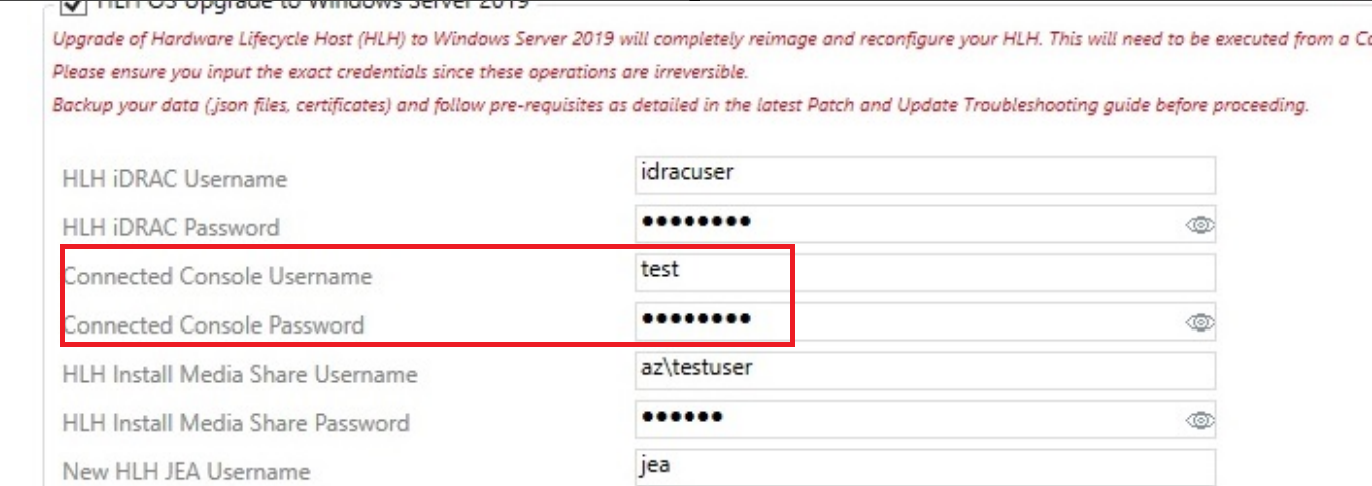
The API for iDRAC does not work if using a domain credential "domain\username" for the Connected Console Username in the PnU automation tool.
Resolution
To work around this issue, use a local administrator account without a domain name.
Connected Console Username: testuser
Produse afectate
Integrated System for Microsoft Azure Stack Hub 14GProduse
Integrated System for Microsoft Azure Stack Hub 16GProprietăți articol
Article Number: 000323734
Article Type: Solution
Ultima modificare: 15 Jan 2026
Version: 2
Găsiți răspunsuri la întrebările dvs. de la alți utilizatori Dell
Servicii de asistență
Verificați dacă dispozitivul dvs. este acoperit de serviciile de asistență.