PowerVault ME5: How to Shutdown or Restart a Controller.
Summary: Restarting controller processors can be required by a configuration change or to resolve an operational problem. Shutting down controller processors is recommended before either removing a controller module from its enclosure or powering off its enclosure for maintenance or a move. ...
Acest articol se aplică pentru
Acest articol nu se aplică pentru
Acest articol nu este legat de un produs specific.
Acest articol nu acoperă toate versiunile de produs existente.
Instructions
Caution: Shutting down or restarting a controller processor stops I/O to hosts and may cause service disruption. In a single-controller system, I/O to hosts will be unavailable until the controller is back online. In your dual-controller system, I/O to hosts continue on the partner controller if the mapping configuration and multipath are properly set. I/O to hosts is also unavailable if both controllers are shutdown/restarted simultaneously. A complete controller restart usually takes approximately 2-5 minutes.
Procedure
- Log in to PowerVault Manager
- Go to Maintenance > Hardware
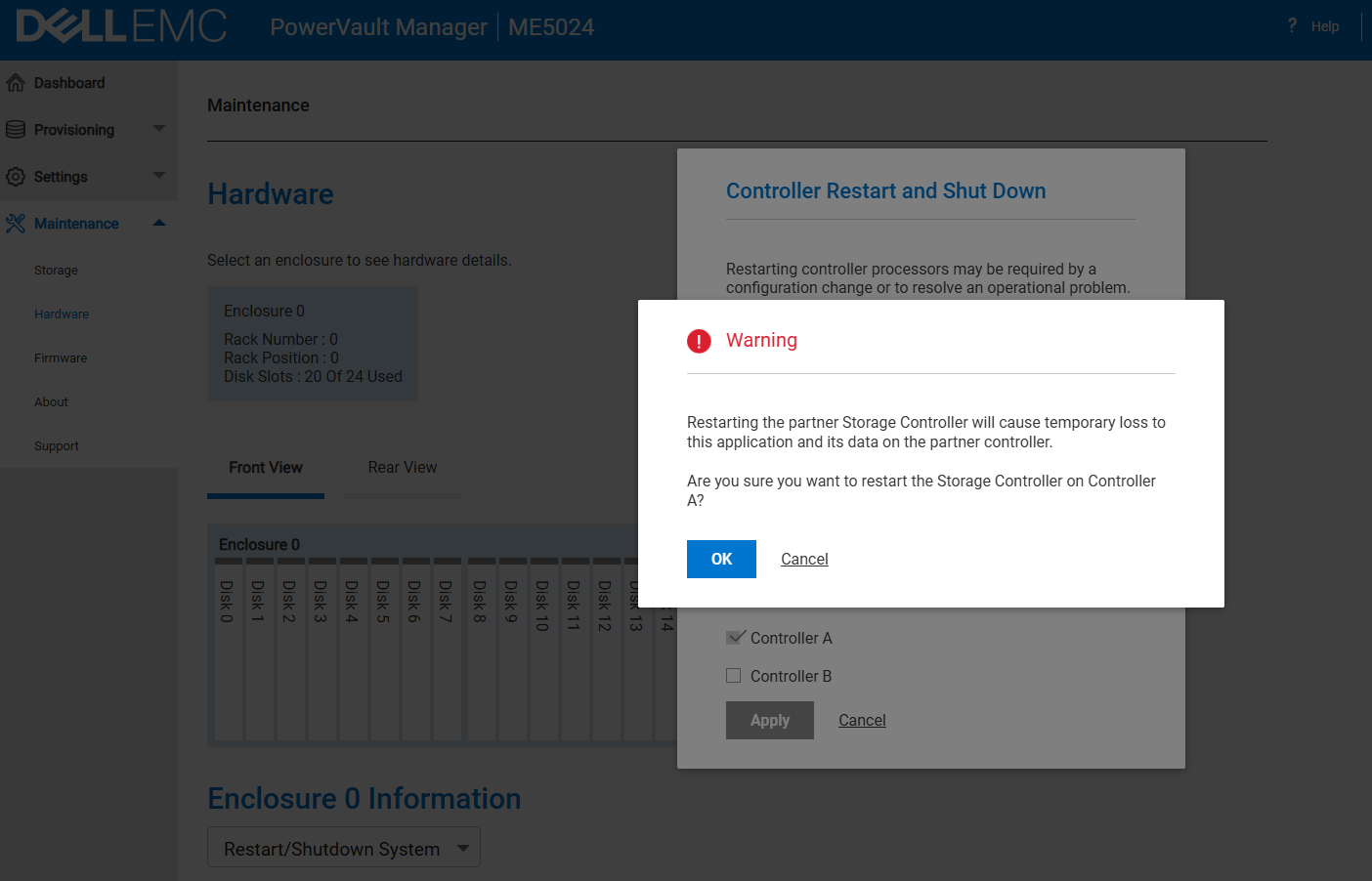
- Under Enclosure > Actions select Restart/Shutdown System
- To shutdown controller, select Shutdown SC operation
To restart controller, select Restart SC operation - Select the controller module to shutdown/restart: A, B, or both
- Click Apply. A confirmation panel appears
- Click Yes to continue; a message describes shutdown/restart activity
Using the CLI
- Log in to the CLI
- In your dual-controller system, verify that the partner controller is online by running the command:
- show controllers
- To shut down controller—A or B run the command:
- "shutdown a" or "shutdown b"
- To restart controller—A or B run the command:
- "restart sc a" or "restart sc b"

Additional Information
Produse afectate
ME SeriesProduse
PowerVault ME5012, PowerVault ME5024, PowerVault ME5084, PowerVault ME5212, PowerVault ME5224, PowerVault ME5284Proprietăți articol
Article Number: 000393532
Article Type: How To
Ultima modificare: 01 Dec 2025
Version: 2
Găsiți răspunsuri la întrebările dvs. de la alți utilizatori Dell
Servicii de asistență
Verificați dacă dispozitivul dvs. este acoperit de serviciile de asistență.