PowerScale: Using Dynamic Licensing when connectivity is disconnected
Summary: For disconnected or dark-site customers using PowerScale, registering their cluster with Dynamic Licensing needs interaction with the Software Licensing Portal. Users must download a registration file with the '.dl' extension and upload it to the PowerScale UI (WebUI) after registering the product in the portal. However, the OneFS UI only accepts files with a '.json' extension, creating an incompatibility that prevents successful registration. The error seen states "You are only allowed to select a JSON file for the upload". ...
Acest articol se aplică pentru
Acest articol nu se aplică pentru
Acest articol nu este legat de un produs specific.
Acest articol nu acoperă toate versiunile de produs existente.
Instructions
Example error:
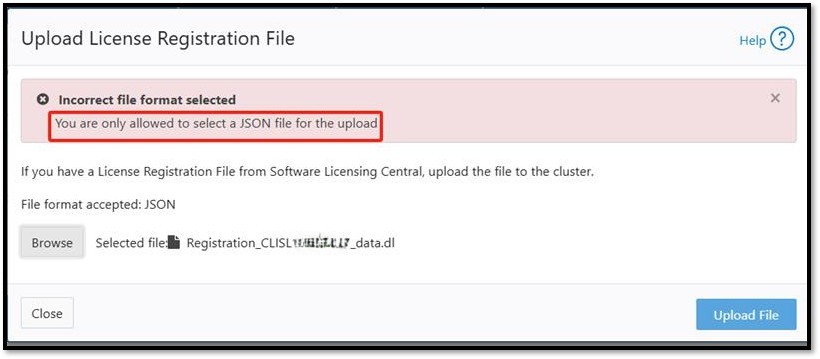
Users have two options to resolve the file extension issue:
-
Change the File Extension:
Rename the downloaded registration file from '.dl'to '.json'and upload it through the OneFS UI. - Use CLI for Upload Without Renaming:
Upload the '.dl' file directly using the following CLI command:
isi license add --path=/ifs/Registration_<SWID>_data.dl
Produse afectate
PowerScale OneFSProprietăți articol
Article Number: 000411200
Article Type: How To
Ultima modificare: 06 Jan 2026
Version: 2
Găsiți răspunsuri la întrebările dvs. de la alți utilizatori Dell
Servicii de asistență
Verificați dacă dispozitivul dvs. este acoperit de serviciile de asistență.